cancel
Showing results for 
Search instead for 
Did you mean: 

Learn from the best! Meet the four finalists headed to the FINALS of the Power BI Dataviz World Championships! Register now

Reply
Anonymous
Not applicable

Power BI

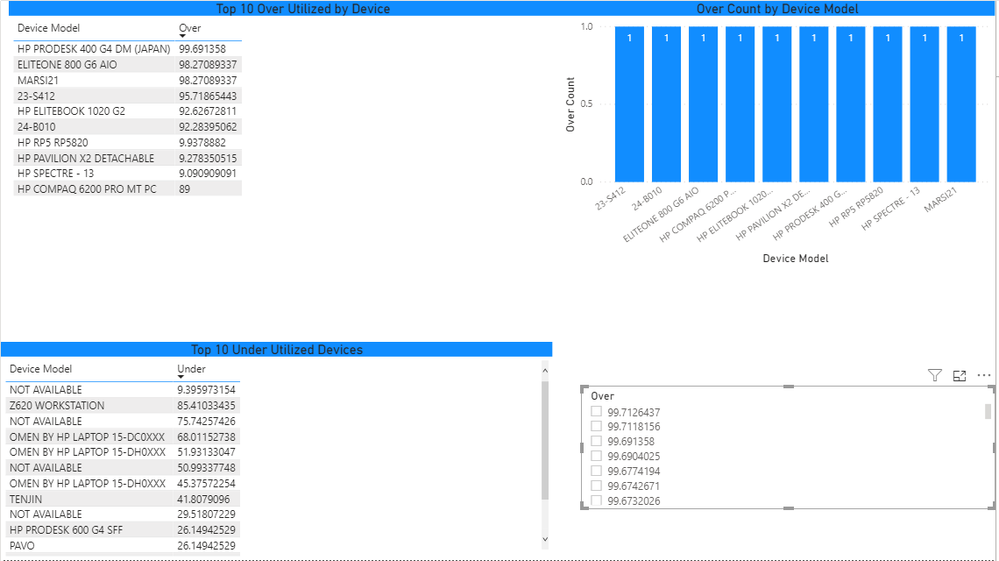
I am trying to find an overall percetage of the numbers within my Utilization page. For example I pulled data to show under utilized and over utlized devices. Although I want a slicer that will be able to show the total % of over and under utilized devices.  In the pic below the slicer is in the bottom right corner, reding off all the values included in the over utilization. Although the slicer should read 0-100% and when adjusted show all devices for ex 80-100% over util. Wanteing it for both over and under


slicer.PNG

1 REPLY 1
lbendlin
Super User
Super User

Have a look at the "What If?"  parameter function in Power BI. That should give you what you need.

Helpful resources

Announcements
Join our Fabric User Panel

Join our Fabric User Panel

Share feedback directly with Fabric product managers, participate in targeted research studies and influence the Fabric roadmap.

February Power BI Update Carousel

Power BI Monthly Update - February 2026

Check out the February 2026 Power BI update to learn about new features.

FabCon Atlanta 2026 carousel

FabCon Atlanta 2026

Join us at FabCon Atlanta, March 16-20, for the ultimate Fabric, Power BI, AI and SQL community-led event. Save $200 with code FABCOMM.

Top Solution Authors