Join us at FabCon Atlanta from March 16 - 20, 2026, for the ultimate Fabric, Power BI, AI and SQL community-led event. Save $200 with code FABCOMM.
Register now!Get Fabric Certified for FREE during Fabric Data Days. Don't miss your chance! Request now
Hi All,
I am trying to setup a dataset scheduled refresh, but Power BI Service is refusing to accept that I have a data connection...
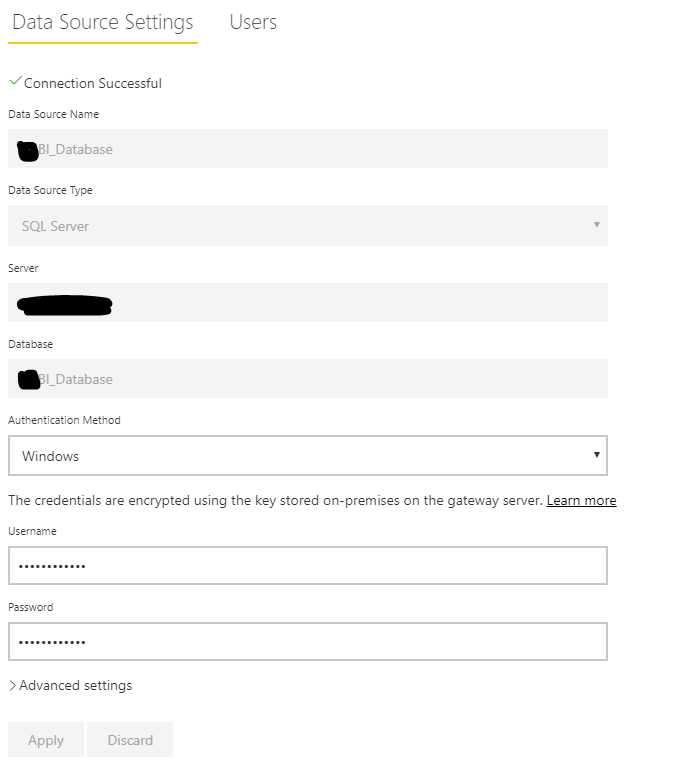
I have setup the Gateway datasource and it states 'Connection Successful'
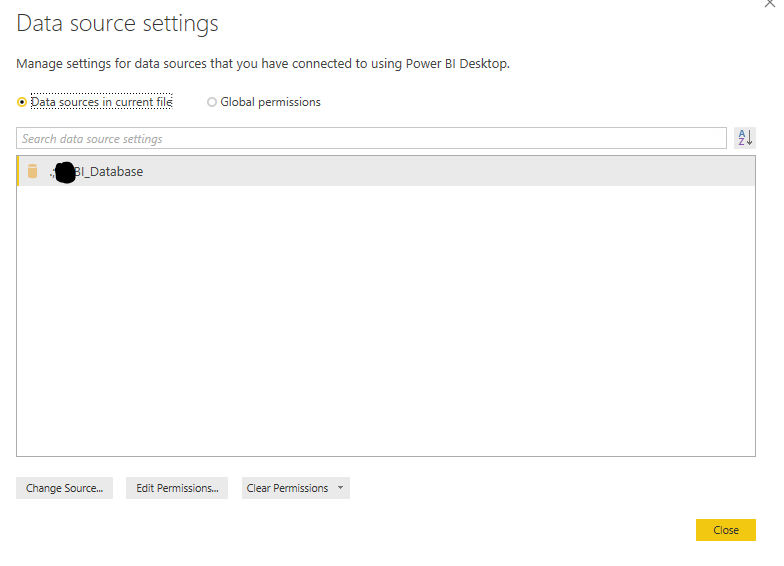
I've then created a report in Desktop using on that datasource:
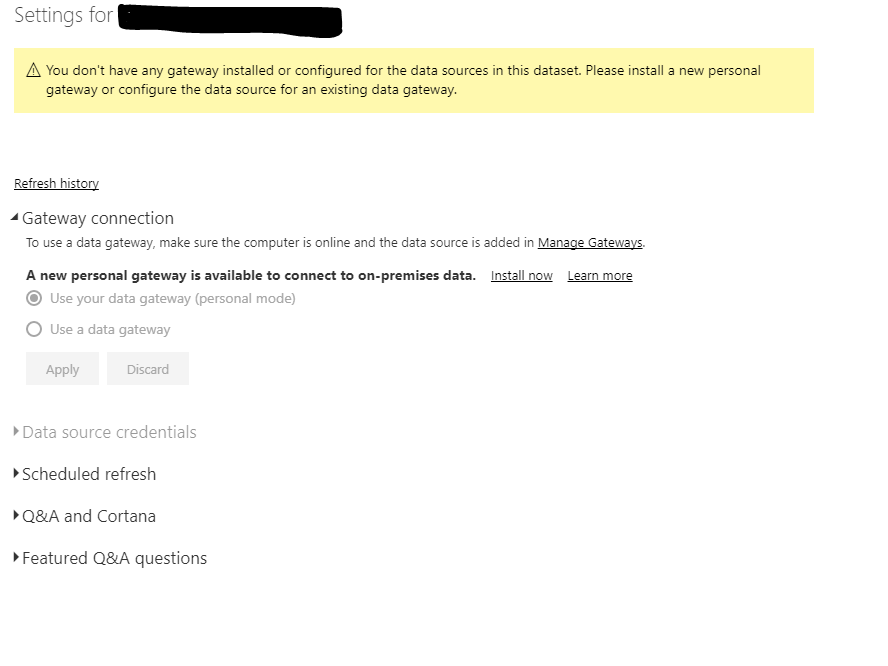
I've then published to Service, and tried to schedule a refresh for the dataset for that report, and i get the message saying:
I'm now completely at a loss as to why this isn't working.
If anyone has any advice on what else i can check I'd really appreciate it.
Many thanks,
Nick
Solved! Go to Solution.
@Nickodemus,
Based on your screenshots, you are using different server names in gateway and Power BI Desktop.
In Power BI Desktop, you use "." to connect to local SQL Server instance, please change it to the same server name as that you use in gateway connection string, then re-publish PBIX file, this way, you will be able to set schedule refresh for your dataset.
Regards,
Lydia
@Nickodemus,
Based on your screenshots, you are using different server names in gateway and Power BI Desktop.
In Power BI Desktop, you use "." to connect to local SQL Server instance, please change it to the same server name as that you use in gateway connection string, then re-publish PBIX file, this way, you will be able to set schedule refresh for your dataset.
Regards,
Lydia
Ahh!! Genius! Thank you. That worked a treat, and now it looks so obvious; I was using local server address, rather than the full address.
Check out the November 2025 Power BI update to learn about new features.
Advance your Data & AI career with 50 days of live learning, contests, hands-on challenges, study groups & certifications and more!
| User | Count |
|---|---|
| 10 | |
| 9 | |
| 6 | |
| 5 | |
| 3 |