cancel
Showing results for 
Search instead for 
Did you mean: 

July 7 - July 17 | Round 2 of the Power BI Dataviz World Championships. Don't miss your chance! Learn more

Reply
Applicable88
Impactful Individual

Networkdays between two dates dynamically

Hello, 

I have a factable and a Mastercalendar as a dimensiontable. In the Bookingtable I want to know the processingtime of

two Dates without the weekends and the non-productive Days. With Bookingdate - IncomeDate I would only get the "WrongProcessingTime" but I need the "CorrectProcessingTime". 

In the Mastertable I have all the information, but I don't know how to combine these. The "ProductiveDay" column tells me if its 

a working day or not, One or Zero, also when its holiday or not. 


BookingTable


IncomeDate BookingDate IDWrongProcessingTime CorrectProcessingTime
2021-09-01 2021-09-01 88880  0 
2021-09-02 2021-09-03 88891  1 
2021-09-03 2021-09-06 88903  1 
2021-09-06 2021-09-07 88911  1 
2021-09-07 2021-09-07 88920  0 
2021-09-08 2021-09-08 88930  0 
2021-09-09 2021-09-14 88945  3 
2021-09-10 2021-09-13 88953  1


Mastercalendar:


DateWeekdayProductiveDay
2021-09-01Wednesday1
2021-09-02Thursday1
2021-09-03Friday1
2021-09-04Saturday0
2021-09-05Sunday0
2021-09-06Monday1
2021-09-07Tuesday1
2021-09-08Wednesday1
2021-09-09Thursday1
2021-09-10Friday1
2021-09-11Saturday0
2021-09-12Sunday0


I really appreciate your help. 

Thank you very much in advance.

Best. 

1 ACCEPTED SOLUTION
Fowmy
Super User
Super User

@Applicable88 

Add the following column : 

Processing Time = 
VAR __ValidDates =   FILTER( Dates, Dates[ProductiveDay] = 1 && Dates[Date] >= Table[IncomeDate] && Dates[Date] <= Table[BookingDate] )
RETURN
COUNTROWS( __ValidDates )-1

Fowmy_0-1632729681804.png


Did I answer your question? Mark my post as a solution! and hit thumbs up


Subscribe and learn Power BI from these videos

Website LinkedIn PBI User Group

View solution in original post

5 REPLIES 5
Fowmy
Super User
Super User

@Applicable88 

Add the following column : 

Processing Time = 
VAR __ValidDates =   FILTER( Dates, Dates[ProductiveDay] = 1 && Dates[Date] >= Table[IncomeDate] && Dates[Date] <= Table[BookingDate] )
RETURN
COUNTROWS( __ValidDates )-1

Fowmy_0-1632729681804.png


Did I answer your question? Mark my post as a solution! and hit thumbs up


Subscribe and learn Power BI from these videos

Website LinkedIn PBI User Group

Applicable88
Impactful Individual

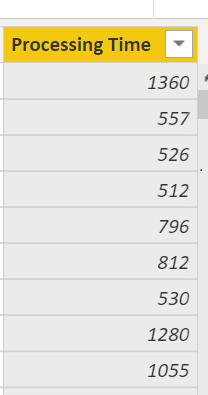
@Fowmy , all these rows are within 0-7 days range. But I get very high day counts with the same formula:

Applicable88_0-1632733976954.png


Applicable88
Impactful Individual

Hi @Fowmy, Im not exactly sure what this that function is doing.  For reference I have a "CorrectProcessingTime" column displayed above, which value each "ProcessingTime" row should have. For example the row where you can see  ID 8894, there is Thursday until Tuesday, which means 5 days difference, and since Saturday and Sunday are non productive it should count 3. 

@Applicable88 

It should work with your dates table, I copied only dates up to 9th.

Did I answer your question? Mark my post as a solution! and hit thumbs up


Subscribe and learn Power BI from these videos

Website LinkedIn PBI User Group

Applicable88
Impactful Individual

Hello @Fowmy , a big thank you!

It was my mistake I confused myself with another column. Now it works.

Have a nice day.

Best. 

Helpful resources

Announcements
FabCon and SQLCon Barcelona 2026

FabCon & SQLCon – Barcelona 2026

Join us in Barcelona for FabCon and SQLCon, the Fabric, Power BI, SQL, and AI community event. Save €200 with code FABCMTY200.

60 days of Data Days Carousel

Data Days 2026

Join Fabric Data Days 2026: 60 days of free live/on-demand sessions, challenges, study groups, and certification opportunities.

Power BI DataViz World Championships carousel

Power BI DataViz World Championships - June 2026

A new Power BI DataViz World Championship is coming this June! Don't miss out on submitting your entry.