Get certified for free when you join Fabric Data Days 2026 and dive into Fabric, Power BI, SQL, AI, and other essential data skills.
Join nowJuly 28 - August 9 | Final Round of the Power BI Dataviz World Championships. This is your chance. Learn more
Hello Everyone,
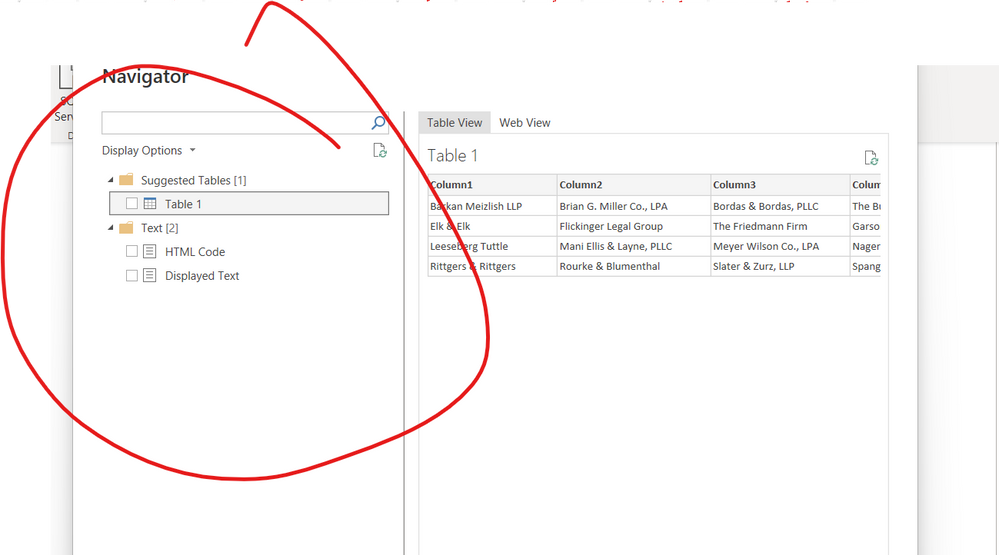
I need help with this table:
I cannot seem to export it in excel via extract data from Web page.
Can you please help me with that. Appreciate it.
-Bethany
Solved! Go to Solution.
1.In Power BI Desktop. Go to File > Options and Settings > Options ,check if the Export data option is tick correctly.
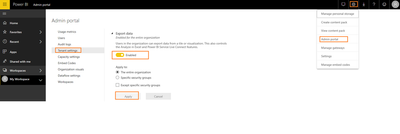
2.In Power BI Service, did the admin enable the Export data option?
3.To export the data from a visual, you need to have Build permission for the underlying dataset.
4.Export data isn't available for users outside of your organization who are using a dashboard that an internal user has shared with them.
For more limitation of export data feature, you can refer to :https://docs.microsoft.com/en-us/power-bi/visuals/power-bi-visualization-export-data#limitations-and....
1.In Power BI Desktop. Go to File > Options and Settings > Options ,check if the Export data option is tick correctly.
2.In Power BI Service, did the admin enable the Export data option?
3.To export the data from a visual, you need to have Build permission for the underlying dataset.
4.Export data isn't available for users outside of your organization who are using a dashboard that an internal user has shared with them.
For more limitation of export data feature, you can refer to :https://docs.microsoft.com/en-us/power-bi/visuals/power-bi-visualization-export-data#limitations-and....
Hi Jen,
This report is publically available here on this website: https://www.oajustice.org/?pg=OurMembers under our members. But its not fetching the table for some reason when I add link in Power BI.
-Beth
Can you find the table when you go to Web View?
No
Hi Jen,
I was able to copy the table. Thank you so much for your assistance!
Really appreciate it!
-Beth
Join us in Barcelona for FabCon and SQLCon, the Fabric, Power BI, SQL, and AI community event. Save €200 with code FABCMTY200.
If you love stickers, then you will definitely want to check out our community sticker challenge, Barcelona edition!
Check out the July 2026 Power BI update to learn about new features.