This time we’re going bigger than ever. Fabric, Power BI, SQL, AI and more. We're covering it all. You won't want to miss it.
Learn moreLevel up your Power BI skills this month - build one visual each week and tell better stories with data! Get started
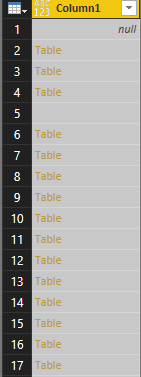
I have a multi-dimensional table from a json source that I'm trying to convert into one flat table. I can expand the columns up to a point, and still have tables within rows as in the below:
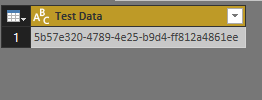
The problem I'm having is that when I expand these tables e.g. in the parent column, it opens them up as another seperate table. See example below:
Is there a way to automatically expand these tables within the original query instead of having each table expand into a new seperate table view?
Solved! Go to Solution.
Hi Lydia
The end solution that worked was to have the json data coming through via an API "flattened" by our developer to provide a simpler table for analysis. I ended up not working with the issue in Power BI as there was another solution in code.
@Anonymous,
ImkeF has provided a detailed solution about this issue in the similar thread below, please add a custom column in your query following her guide and then expand the custom column.
http://community.powerbi.com/t5/Desktop/Expand-column-where-not-all-records-are-tables/td-p/79060
Regards,
Lydia
Thanks Lydia. I tried this solution but got an error message when trying to apply it:
Expression.Error: We cannot convert a value of type Table to type List.
Details:
Value=Table
Type=Type
@Anonymous,
Could you please post the JSON code so that I can test?
Regards,
Lydia
Hi Lydia
The end solution that worked was to have the json data coming through via an API "flattened" by our developer to provide a simpler table for analysis. I ended up not working with the issue in Power BI as there was another solution in code.
Check out the April 2026 Power BI update to learn about new features.
Sign up to receive a private message when registration opens and key events begin.
If you have recently started exploring Fabric, we'd love to hear how it's going. Your feedback can help with product improvements.