Join us at FabCon Atlanta from March 16 - 20, 2026, for the ultimate Fabric, Power BI, AI and SQL community-led event. Save $200 with code FABCOMM.
Register now!The Power BI Data Visualization World Championships is back! It's time to submit your entry. Live now!
I am a newbie to Power apps, I am trying to learn how to create a workflow. As a first step, I created an ADLS Gen2 container and uploaded a sample json to the container. Json has only one key/value. Something like
{ "DOMINO_API_KEY": "val1}
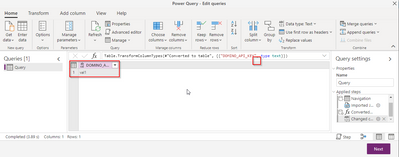
I am able to establish the connection to my container through powerapp, transform the json to a table like in the below screenshot
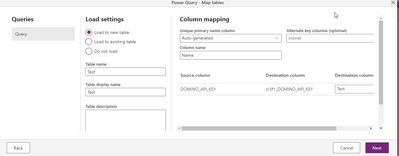
Then I clicked next to create the Map table. It shows me to enter the table name etc
When I created the table, I do not see the value in the table which I transformed earlier. What am I doing wrong here?
Thanks,
Tintu
Hi @endejoli
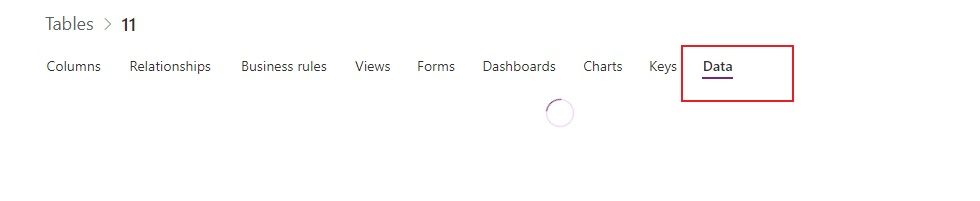
From your screenshot, there is no error on these two steps. You can click Next on the second image to go on. Then check if this new table is created successfully and the data is loaded into it. You can check the value under Data tab.
If the value isn't loaded into the new table, I suggest that you go to Building Power Apps - Power Platform Community and post the topic there to seek more professional help. That is a support community for Power Apps. Hope this helps.
Regards,
Community Support Team _ Jing
If this post helps, please Accept it as the solution to help other members find it.
The Power BI Data Visualization World Championships is back! It's time to submit your entry.
Check out the January 2026 Power BI update to learn about new features.
| User | Count |
|---|---|
| 18 | |
| 13 | |
| 9 | |
| 8 | |
| 8 |