Get certified for free when you join Fabric Data Days 2026 and dive into Fabric, Power BI, SQL, AI, and other essential data skills.
Join nowData Days is here! Join us now for 60+ days of learning, challenges, and connection. Learn more
Hi,
We use Mailchimp with one main list that is segmented to different sub-groups.
(Our Mailchimp account is connected to Power BI web version)
I'm trying to figure out if/how is it possible to show campaigns' reports by List group,
so we could tell which group had the most open rate, clicks etc...
Thanks ![]()
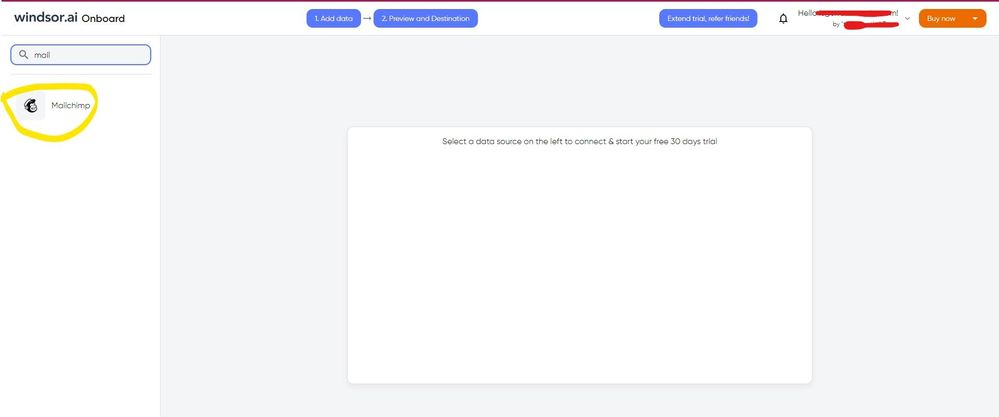
Hi @Ophir I know this reply is very late. Since the Mailchimp service pack was deprecated, you would have to look for another way. As a workaround, maybe you can use a 3rd party connector, it can save you a lot of time compared to other options. I've tried windsor.ai, supermetrics and funnel.io. I stayed with windsor because it is much cheaper so just to let you know other options. In case you wonder, to make the connection first search for the Mailchimp connector in the data sources list:
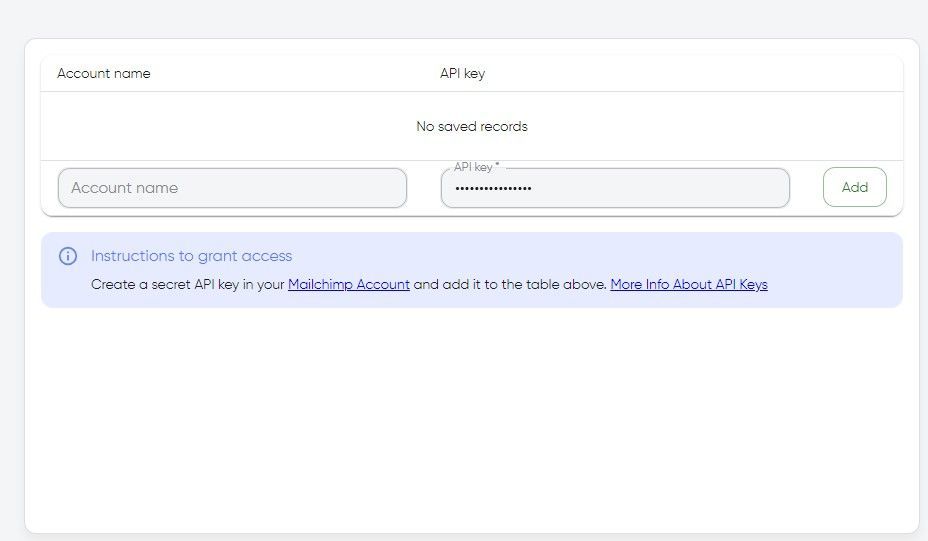
After that, you will have to first create a secret API key in your Mailchimp account and then using your credentials add your account to the platform.
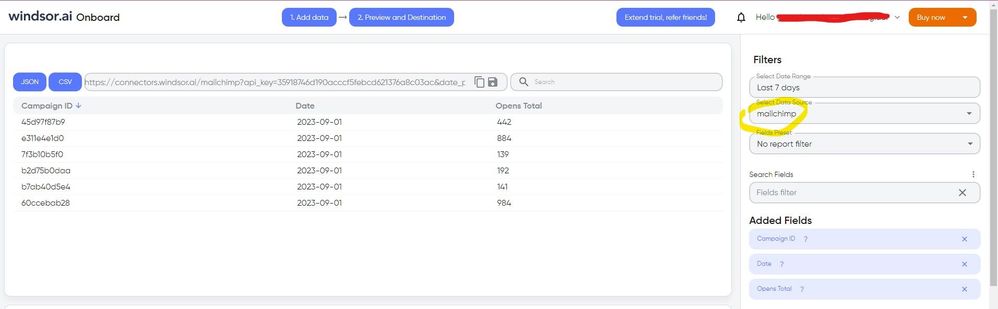
Once you’ve done this, you can proceed and go to the “Preview and destination” step
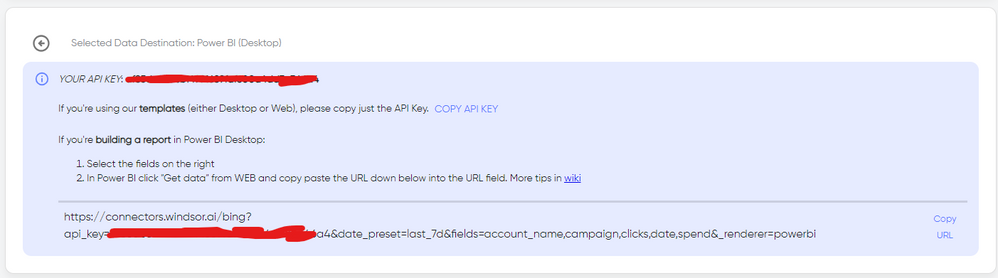
There just select the fields you need. Finally, just select PBI as your data destination and finally just copy and paste the url on PBI --> Get Data --> Web --> Paste the url.
Anyone? 🙂
(Giving it a second try)
Don't miss out on Data Days, June 15 through August 7. Learn Fabric, Power BI, SQL, AI and more.
Check out the May 2026 Power BI update to learn about new features.
| User | Count |
|---|---|
| 4 | |
| 4 | |
| 3 | |
| 2 | |
| 1 |
| User | Count |
|---|---|
| 11 | |
| 11 | |
| 4 | |
| 4 | |
| 4 |