cancel
Showing results for 
Search instead for 
Did you mean: 

The Power BI Data Visualization World Championships is back! Get ahead of the game and start preparing now! Learn more

Reply
mtmasson
New Member

MailChimp Connector: Too Slow to load data (Not Loading)

I am trying to get some data from MailChimp, using MailChimp Connector. I can load some tables but when I try to get Email Activity, that shows if client open or clicked, the connector stay "Waiting for us9.api.mailchimp.com" permanently. 

Using some filters, I know that table should be some like 70k rows. 
This connector is too slow, or there are something wrong. Are there other way to get these data?


2 REPLIES 2
ReportMaster
Post Partisan
Post Partisan

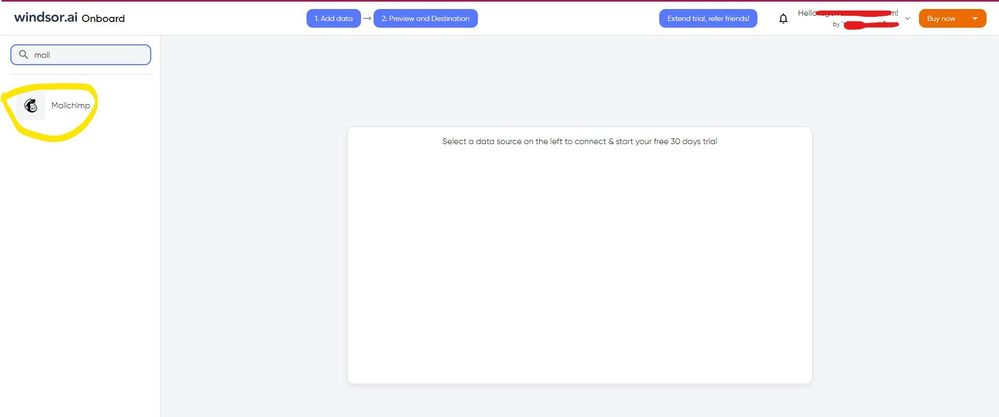
Hi @mtmasson As a workaround, maybe you can use a 3rd party connector, it can save you a lot of time compared to other options. I've tried windsor.ai, supermetrics and funnel.io. I stayed with windsor because it is much cheaper so just to let you know other options. In case you wonder, to make the connection first search for the Mailchimp connector in the data sources list:


MAILCHIMP-1.jpg


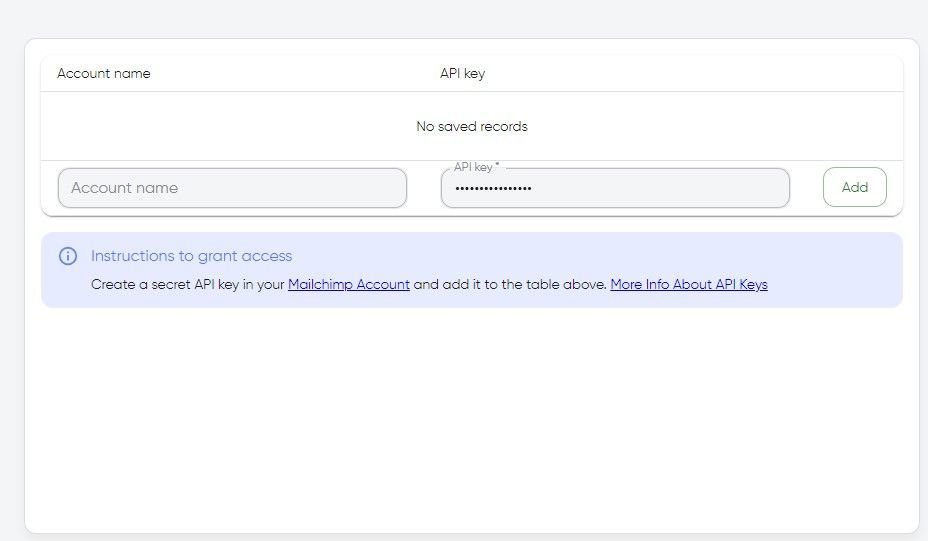
After that, you will have to first create a secret API key in your Mailchimp account and then using your credentials add your account to the platform.


MAILCHIMP-2.jpg


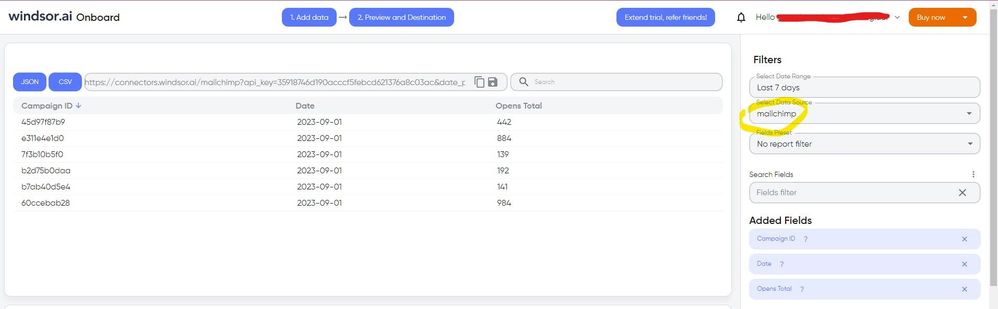
Once you’ve done this, you can proceed and go to the “Preview and destination” step


MAILCHIMP-3.jpg


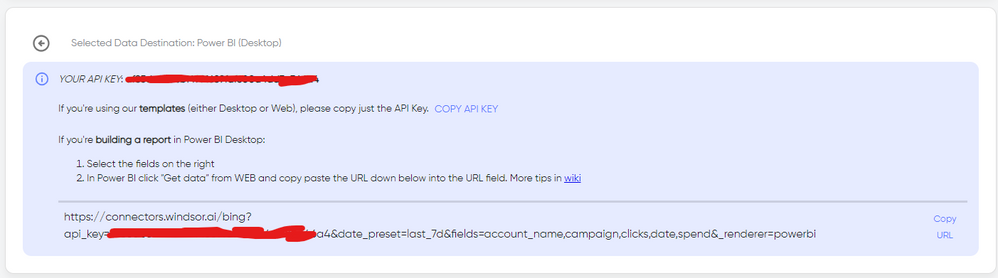
There just select the fields you need. Finally, just select PBI as your data destination and finally just copy and paste the url on PBI --> Get Data --> Web --> Paste the url. 


SELECT_DESTINATION_NEW.png

dax
Community Support
Community Support

Hi mtmasson, 

According to your description, it seems that you could get data from MailChimp. I think this might be related to large data. You might could store MailChimp  data in SQL server or other datasource, then use Powerbi to connect to see whether it will fast or not. You could refer to Mailchimp to Power BI  for details.

Best Regards,
Zoe Zhi

If this post helps, then please consider Accept it as the solution to help the other members find it more quickly.


Helpful resources

Announcements
Power BI DataViz World Championships

Power BI Dataviz World Championships

The Power BI Data Visualization World Championships is back! Get ahead of the game and start preparing now!

December 2025 Power BI Update Carousel

Power BI Monthly Update - December 2025

Check out the December 2025 Power BI Holiday Recap!

FabCon Atlanta 2026 carousel

FabCon Atlanta 2026

Join us at FabCon Atlanta, March 16-20, for the ultimate Fabric, Power BI, AI and SQL community-led event. Save $200 with code FABCOMM.

Top Solution Authors