
cancel
Showing results for 
Search instead for 
Did you mean: 

The Power BI Data Visualization World Championships is back! Get ahead of the game and start preparing now! Learn more

Reply
kalspiros
Helper I
Helper I

JSON and authentication issues

Hi all,


Following multiple attempts and researches, the problem persists.

I am trying to connect to a business management system and i constantly have issues with authorisation.

This is what i use (Example 2🙂


let
    apiToken = "********************************",
    url = "https://********.**********.com/api/tasks",
    query = [
        start = "2022-01-01",
        end = "2022-01-31"
    ],
    headers = [
        Authorization = "Token " & apiToken,
        #"Content-Type" = "application/json"
    ],
    response = Web.Contents(
        url,
        [
            Headers = headers,
            Query = query
        ]
    ),
    jsonResponse = Json.Document(response)
in
    jsonResponse


  and that is what i get

kalspiros_0-1650888691762.png

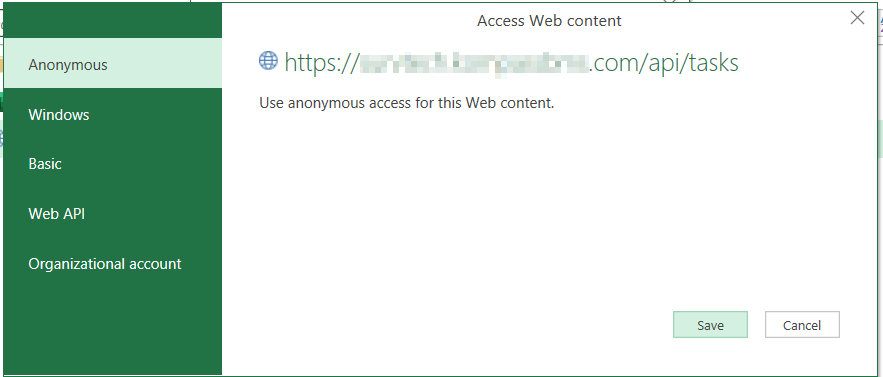
i changed to anonymous

kalspiros_1-1650888985113.png

and getting this one

kalspiros_2-1650889101795.png


Then i have tried this version which i found here:


let
    apiToken = "************************",
    site = "https://****.*********.com/",
    url = "api/tasks",
    query = [
        start = "2022-01-01",
        end = "2022-01-31"
    ],
    headers = [
        Authorization = "Token " & apiToken,
        #"Content-Type" = "application/json"
    ],
    response = Web.Contents(
        site,
        [
                RelativePath = url,
            Headers = headers,
            Query = query
        ]
    ),
    jsonResponse = Json.Document(response)
in
    jsonResponse


 and i'm still getting the same authentication errors.


Can anyone spot an issue with the code? could it be the actual API having issues?


Many thanks!

1 ACCEPTED SOLUTION

Many thanks @Anonymous even though, in the end, i used anonymous. my mistake was that i was using the entire API address in the level where i should have only used the link to the site.


Have another concern now. Protecting the API Token. Currently reading this one https://community.powerbi.com/t5/Developer/Protection-of-API-Keys-Stored-in-Parameter/m-p/1564020

and i'll keep searching.

View solution in original post

2 REPLIES 2
Anonymous
Not applicable

Hi @kalspiros ,


To my knowledge, since you have such header:

 Authorization = "Token " & apiToken

The data source requires credentials, so Anonymous is not applicable. Please try other authentication methods instead :

  • Anonymous: Select this authentication method if the web page doesn't require any credentials.

  • Windows: Select this authentication method if the web page requires your Windows credentials.

  • Basic: Select this authentication method if the web page requires a basic user name and password.

  • Web API: Select this method if the web resource that you’re connecting to uses an API Key for authentication purposes.

  • Organizational account: Select this authentication method if the web page requires organizational account credentials.


Refer to:

Power Query Web connector - Power Query | Microsoft Docs

Solved: Re: Pull data from RESTful API with token authenti... - Microsoft Power BI Community


Best Regards,
Eyelyn Qin
If this post helps, then please consider Accept it as the solution to help the other members find it more quickly.

Many thanks @Anonymous even though, in the end, i used anonymous. my mistake was that i was using the entire API address in the level where i should have only used the link to the site.


Have another concern now. Protecting the API Token. Currently reading this one https://community.powerbi.com/t5/Developer/Protection-of-API-Keys-Stored-in-Parameter/m-p/1564020

and i'll keep searching.

Helpful resources

Announcements
Power BI DataViz World Championships

Power BI Dataviz World Championships

The Power BI Data Visualization World Championships is back! Get ahead of the game and start preparing now!

December 2025 Power BI Update Carousel

Power BI Monthly Update - December 2025

Check out the December 2025 Power BI Holiday Recap!

FabCon Atlanta 2026 carousel

FabCon Atlanta 2026

Join us at FabCon Atlanta, March 16-20, for the ultimate Fabric, Power BI, AI and SQL community-led event. Save $200 with code FABCOMM.

Top Solution Authors