cancel
Showing results for 
Search instead for 
Did you mean: 

The Power BI Data Visualization World Championships is back! Get ahead of the game and start preparing now! Learn more

Reply
mboulos11
New Member

Indexing based on two columns

Hello guys,

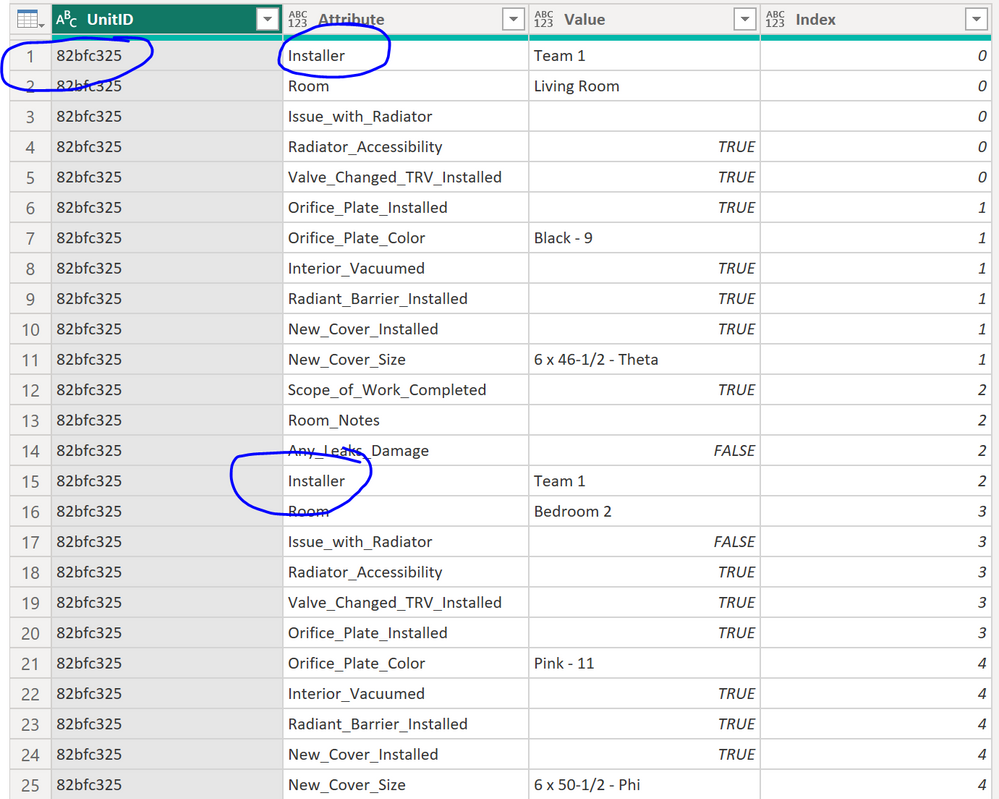
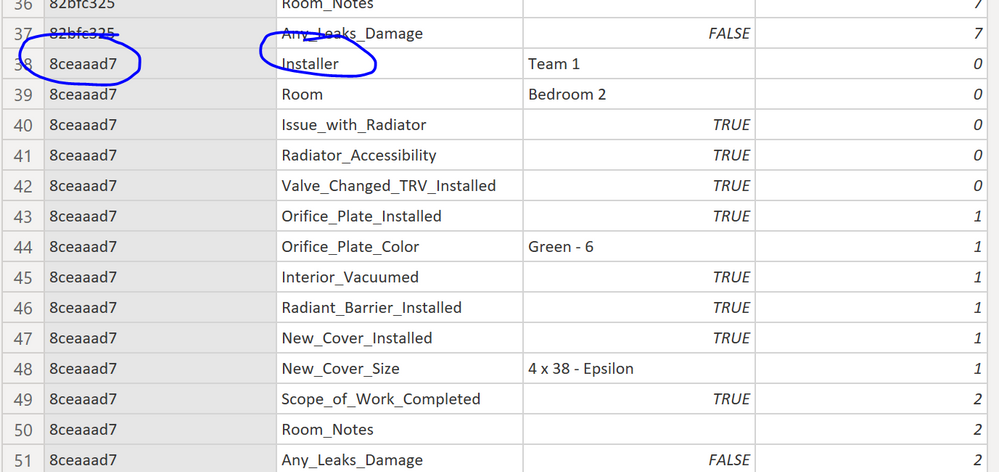
I have this table in power query, and I need to do indexing based on "UnitID" & "Attribute" columns.

1.PNGCapture.PNG


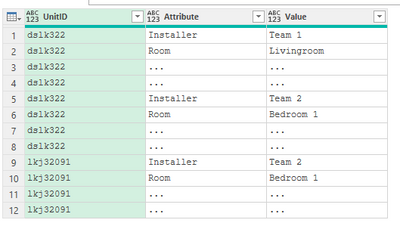
I want to index to start every time the Attribute is equal to "Installer", then start from the beginning everytime the UnitID is changed. For example:

UnitIDAttributeValue

Index

dslk322InstallerTeam 11
dslk322RoomLivingroom1
dslk322......1
dslk322......1
dslk322InstallerTeam 22
dslk322RoomBedroom 12
dslk322......2
dslk322......2
lkj32091InstallerTeam 21
lkj32091RoomBedroom 11
lkj32091......1
lkj32091......1


Can you help me pls?

1 ACCEPTED SOLUTION
Jakinta
Solution Sage
Solution Sage

You can try with steps below after the step your table looks like on an image.


Jakinta_0-1680297347188.png


let
    #"Added Index" = Table.AddIndexColumn( PreviousStepName, "Index", 0, 1, Int64.Type),
    Custom1 = Table.AddColumn(#"Added Index", "Extra_Index", each if [Index] = 0 then 1 else if #"Added Index"{[Index]}[Attribute] = "Installer" then 1 else 0),
    Grouped = Table.RemoveColumns ( Table.Group(Custom1, {"UnitID"}, {{"A", each  Table.FromColumns (Table.ToColumns(_) & {List.Skip(List.Accumulate(_[Extra_Index],{-1}, (s , c) => s & {List.Last(s) + c }))}, Table.ColumnNames(_) &{"i"}), type table }}), {"UnitID"} ),
    Expanded = Table.ExpandTableColumn (Grouped, "A", Table.ColumnNames ( Grouped [A]{0})),
    FINAL = Table.RemoveColumns(Expanded,{"Index", "Extra_Index"})
in
    FINAL


View solution in original post

1 REPLY 1
Jakinta
Solution Sage
Solution Sage

You can try with steps below after the step your table looks like on an image.


Jakinta_0-1680297347188.png


let
    #"Added Index" = Table.AddIndexColumn( PreviousStepName, "Index", 0, 1, Int64.Type),
    Custom1 = Table.AddColumn(#"Added Index", "Extra_Index", each if [Index] = 0 then 1 else if #"Added Index"{[Index]}[Attribute] = "Installer" then 1 else 0),
    Grouped = Table.RemoveColumns ( Table.Group(Custom1, {"UnitID"}, {{"A", each  Table.FromColumns (Table.ToColumns(_) & {List.Skip(List.Accumulate(_[Extra_Index],{-1}, (s , c) => s & {List.Last(s) + c }))}, Table.ColumnNames(_) &{"i"}), type table }}), {"UnitID"} ),
    Expanded = Table.ExpandTableColumn (Grouped, "A", Table.ColumnNames ( Grouped [A]{0})),
    FINAL = Table.RemoveColumns(Expanded,{"Index", "Extra_Index"})
in
    FINAL


Helpful resources

Announcements
Power BI DataViz World Championships

Power BI Dataviz World Championships

The Power BI Data Visualization World Championships is back! Get ahead of the game and start preparing now!

December 2025 Power BI Update Carousel

Power BI Monthly Update - December 2025

Check out the December 2025 Power BI Holiday Recap!

FabCon Atlanta 2026 carousel

FabCon Atlanta 2026

Join us at FabCon Atlanta, March 16-20, for the ultimate Fabric, Power BI, AI and SQL community-led event. Save $200 with code FABCOMM.

Top Solution Authors