Get certified for free when you join Fabric Data Days 2026 and dive into Fabric, Power BI, SQL, AI, and other essential data skills.
Join nowTry your skills in the Power BI Dataviz World Championship! Round one ends June 26. Join now
Hi, I am trying to import tables from a SSAS model into PBI. Hidden columns are not showing, however... It is not possible to import them... Is it possible to fix this, without changing the SSAS model?
Solved! Go to Solution.
Hi alekskr,
I test the Tabular model in my environment, I find that there is no method to get the hide column field in Powerbi pane currently, you need to change this in AS server or you could try to use live connect.
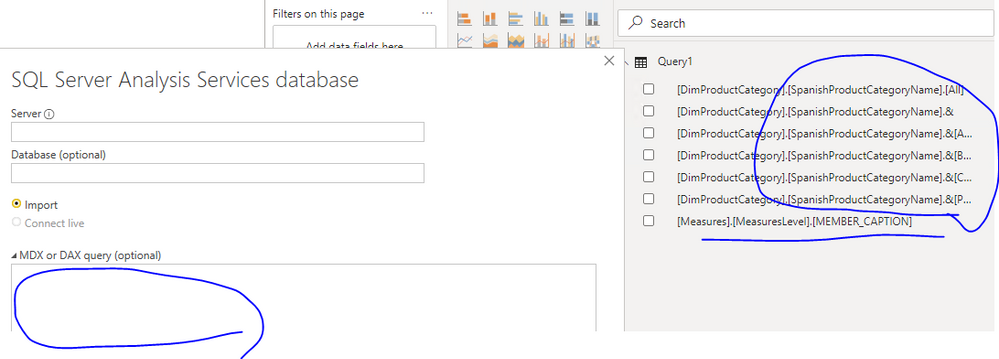
In addition, you could get the data of the hidden column, you need to query it directly when connect it from Powerbi
I think you could post this requirement on power-bi-ideas
Best Regards,
Zoe Zhi
If this post helps, then please consider Accept it as the solution to help the other members find it more quickly.
Hi alekskr,
I test the Tabular model in my environment, I find that there is no method to get the hide column field in Powerbi pane currently, you need to change this in AS server or you could try to use live connect.
In addition, you could get the data of the hidden column, you need to query it directly when connect it from Powerbi
I think you could post this requirement on power-bi-ideas
Best Regards,
Zoe Zhi
If this post helps, then please consider Accept it as the solution to help the other members find it more quickly.
In order to pouplate data with Hidden Columns, please follow below steps:
1) Click on GetData
2) Enter the AAS Server address and Databse details
3) in the MDX or DAX query add : EVALUATE 'TableName'
3) Click OK
Cheers,
Bibin
Don't miss out on Data Days, June 15 through August 7. Learn Fabric, Power BI, SQL, AI and more.
Check out the May 2026 Power BI update to learn about new features.
| User | Count |
|---|---|
| 4 | |
| 4 | |
| 2 | |
| 2 | |
| 1 |
| User | Count |
|---|---|
| 11 | |
| 10 | |
| 5 | |
| 4 | |
| 4 |