Join us at FabCon Atlanta from March 16 - 20, 2026, for the ultimate Fabric, Power BI, AI and SQL community-led event. Save $200 with code FABCOMM.
Register now!Learn from the best! Meet the four finalists headed to the FINALS of the Power BI Dataviz World Championships! Register now
Hi all,
My client's data is automatically recorded into google big query. Every day a new table is created with a datestamp in the same format. I am importing using import mode.
E.g. Todays table would be called Day_20190204
And the M import code is:
Day_20190204_Table = DB_Schema{[Name="Day_20190204",Kind="Table"]}[Data]
I wish to be able to write an M script to automatically import a certain number of days. E.g. Import today + the previous 30 days.
In R I would use the loop and paste functions. Is there something similar in M?
Is this possible?
Many thanks,
Matt
Solved! Go to Solution.
@Anonymous,
A method is to create a function in your PBIX file, then create a table containing all the date number of today + the previous 30 days, and invoke the function in this table. There is a similar video for your reference.
Day_20190204_Table = DB_Schema{[Name="Day_"&Number.ToText(date)&"",Kind="Table"]}[Data]
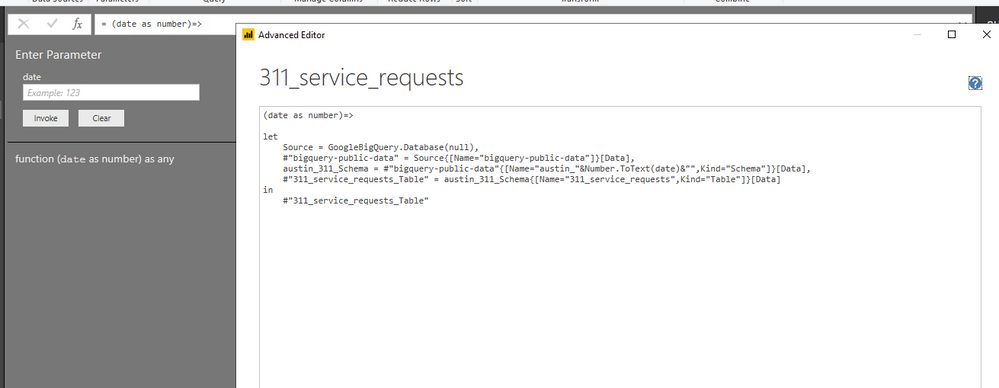
And you can check the M code in my scenario of the function.
(date as number)=>
let
Source = GoogleBigQuery.Database(null),
#"bigquery-public-data" = Source{[Name="bigquery-public-data"]}[Data],
austin_311_Schema = #"bigquery-public-data"{[Name="austin_"&Number.ToText(date)&"",Kind="Schema"]}[Data],
#"311_service_requests_Table" = austin_311_Schema{[Name="311_service_requests",Kind="Table"]}[Data]
in
#"311_service_requests_Table"
Regards,
Lydia
@Anonymous,
A method is to create a function in your PBIX file, then create a table containing all the date number of today + the previous 30 days, and invoke the function in this table. There is a similar video for your reference.
Day_20190204_Table = DB_Schema{[Name="Day_"&Number.ToText(date)&"",Kind="Table"]}[Data]
And you can check the M code in my scenario of the function.
(date as number)=>
let
Source = GoogleBigQuery.Database(null),
#"bigquery-public-data" = Source{[Name="bigquery-public-data"]}[Data],
austin_311_Schema = #"bigquery-public-data"{[Name="austin_"&Number.ToText(date)&"",Kind="Schema"]}[Data],
#"311_service_requests_Table" = austin_311_Schema{[Name="311_service_requests",Kind="Table"]}[Data]
in
#"311_service_requests_Table"
Regards,
Lydia
Share feedback directly with Fabric product managers, participate in targeted research studies and influence the Fabric roadmap.
Check out the February 2026 Power BI update to learn about new features.
| User | Count |
|---|---|
| 12 | |
| 12 | |
| 10 | |
| 6 | |
| 5 |