


cancel
Showing results for 
Search instead for 
Did you mean: 

Level up your Power BI skills this month - build one visual each week and tell better stories with data! Get started

Reply
eliPR
Frequent Visitor

If Text.Contains(string, {substringsA} as list) insert {substringsB} else insert original string

I have a table Projects with a column called [Company Name].

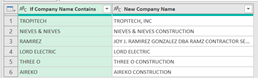
I have another table #"Replacement Names" with two columns, [If Company Name Exists] and [New Company Name] (see below)

eliPR_1-1639510776144.png


I want to create a new column in Projects table, and, for each record in [Company Name], I want power query to loop through [If Company Name Contains]. If the record contains that substring, I want power query to insert the string from #"Replacement Names"[New Company Name] in the new column. If it does not contain any of the strings in [If Company Name Contains], I want it to insert the string from [Company Name].


I created a conditional column to do this (M code below), and it works, but I think it would be more manageable to do it the way I've outlined above.


Any help is appreciated.

Thanks!


M code for Conditional Column⬇

eliPR_0-1639511575857.png


3 REPLIES 3
Anonymous
Not applicable

Hi @eliPR ,


It is more convenient to use the Merge operation to complete.


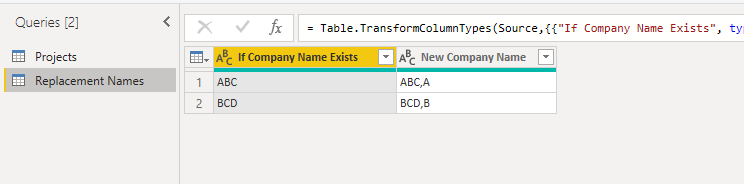
My sample data.

vstephenmsft_0-1640070637437.png

vstephenmsft_1-1640070641546.png


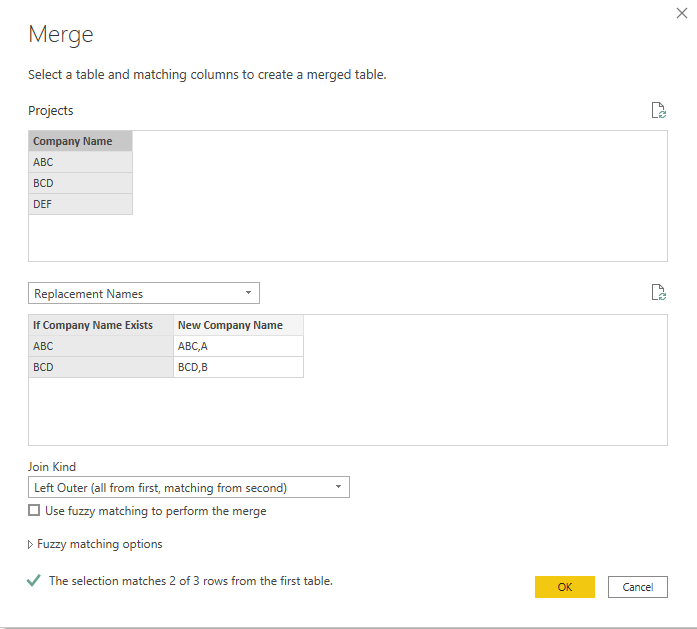
1.Do the Merge operation in the Projects table.

vstephenmsft_3-1640070687915.png

vstephenmsft_4-1640070697918.png


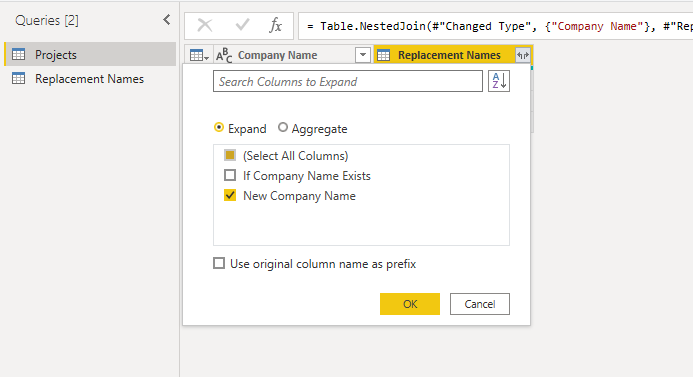
2.Expand the [New Company Name] column.

vstephenmsft_5-1640070712693.png

vstephenmsft_6-1640070731760.png


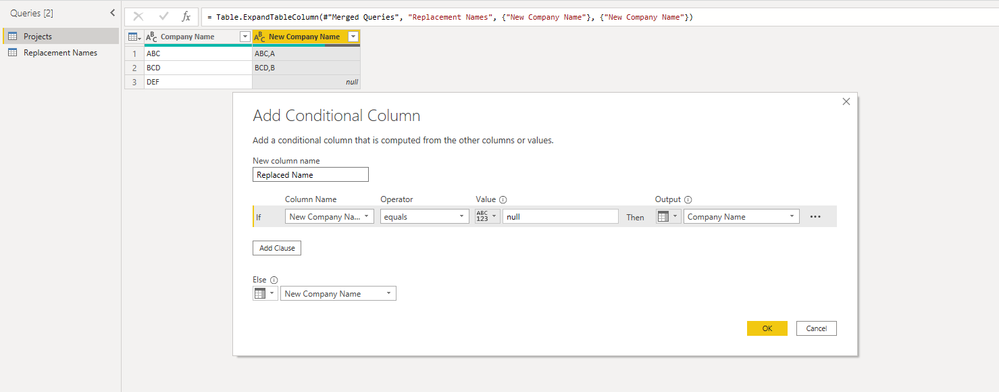
3.Add a conditional column named Replaced Name.

vstephenmsft_8-1640070886041.png

vstephenmsft_9-1640070902048.png


4.This is the results.

vstephenmsft_10-1640070918543.png


You can download the attachment to view the details.


Best Regards,

Stephen Tao


If this post helps, then please consider Accept it as the solution to help the other members find it more quickly.


A merge works well if you have an exact match but I think @eliPR was only expecting your [If Company Name Exists] to be a substring of [Company Name] rather than a column you can join on.

AlexisOlson
Super User
Super User

Try this as a custom column:

(row) =>
List.Max(
    Table.SelectRows(
         #"Replacement Names",
         each Text.Contains(row[Contractor Clustered], [If Company Name Contains])
    )[New Company Name]
)

Helpful resources

Announcements
April Power BI Update Carousel

Power BI Monthly Update - April 2026

Check out the April 2026 Power BI update to learn about new features.

Fabric SQL PBI Data Days

Data Days 2026 coming soon!

Sign up to receive a private message when registration opens and key events begin.

New to Fabric survey Carousel

New to Fabric Survey

If you have recently started exploring Fabric, we'd love to hear how it's going. Your feedback can help with product improvements.

Power BI DataViz World Championships carousel

Power BI DataViz World Championships - June 2026

A new Power BI DataViz World Championship is coming this June! Don't miss out on submitting your entry.

Top Solution Authors
Top Kudoed Authors