Don't miss your chance to take the Fabric Data Engineer (DP-600) exam for FREE! Find out how by watching the DP-600 session on-demand now through April 28th.
Learn moreJoin the FabCon + SQLCon recap series. Up next: Power BI, Real-Time Intelligence, IQ and AI, and Data Factory take center stage. All sessions are available on-demand after the live show. Register now
Hi,
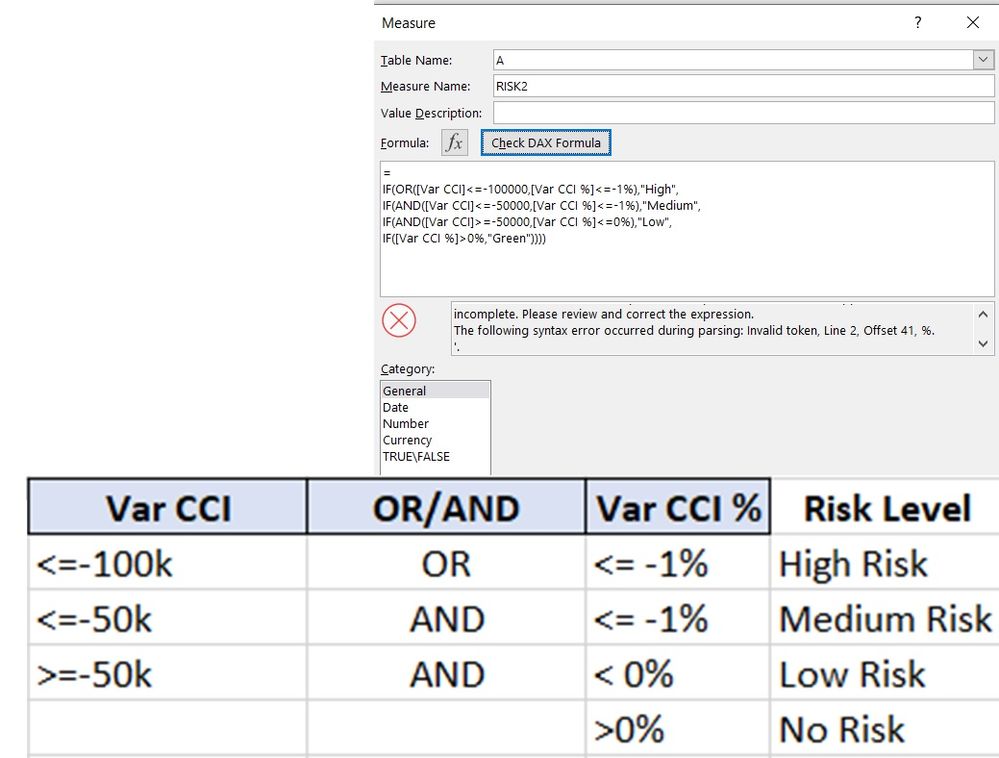
Could you help me to correct the following expression according to the table below? I don't see where is the the mistake:
Thanks!
Solved! Go to Solution.
switch(true
,[Var CCI]<=-100000 || [Var CCI %]<=-.01,"High"
,[Var CCI]<=-50000 && [Var CCI %]<=-.01,"Medium"
,[Var CCI]>=-50000 && [Var CCI %]<=0,"Low"
,"Green")
I don't think you can use "%" in your comparisons.
Hi
I'm also new to Power BI. But observed something incorrect with the logic of the requirement you posted - there seems to be 2 anomalies in it.
1) Unless you move the Medium risk portion of the formula above the High Risk portion, Medium risk will never be tagged to any record as you have "VAR CCI %" <= -1% with the OR clause in the High risk definition while this is part of Medium risk definition with an And Clause.
2) Var CCI = -50K (equal to 50K) is part of both Medium as well as low risk definition. You need to exclude it from one of them.
Regards
Sunil
Hi
I'm also new to Power BI. But observed something incorrect with the logic of the requirement you posted - there seems to be 2 anomalies in it.
1) Unless you move the Medium risk portion of the formula above the High Risk portion, Medium risk will never be tagged to any record as you have "VAR CCI %" <= -1% with the OR clause in the High risk definition while this is part of Medium risk definition with an And Clause.
2) Var CCI = -50K (equal to 50K) is part of both Medium as well as low risk definition. You need to exclude it from one of them.
Regards
Sunil
switch(true
,[Var CCI]<=-100000 || [Var CCI %]<=-.01,"High"
,[Var CCI]<=-50000 && [Var CCI %]<=-.01,"Medium"
,[Var CCI]>=-50000 && [Var CCI %]<=0,"Low"
,"Green")
I don't think you can use "%" in your comparisons.
Hi @lbendlin ,
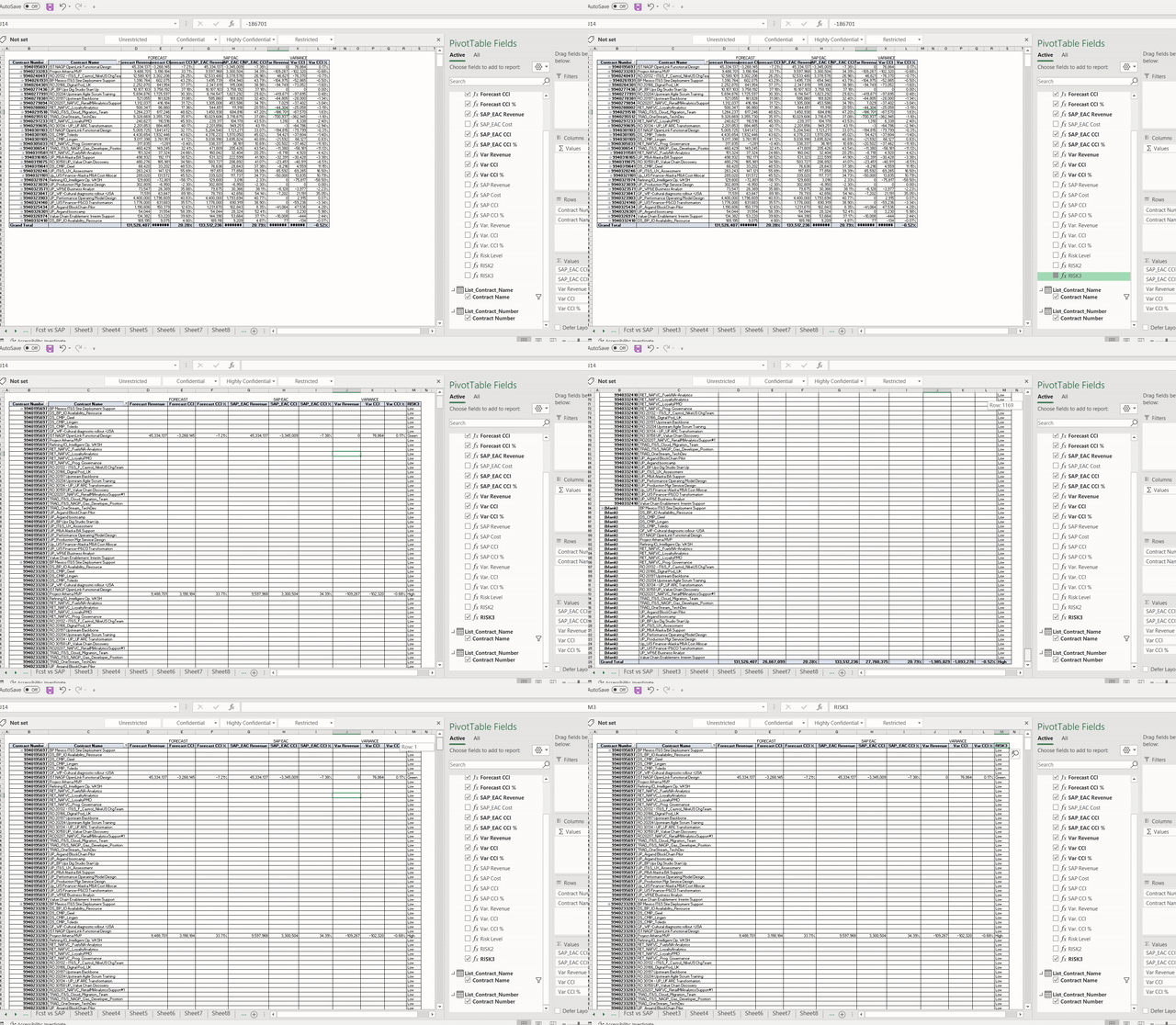
Thanks for the correction but it seems that when I drag this measure into the pivot table the number of lines are multiplied as if calculating with the other lines. I have 35 lines only but when drag the measure I see 1260 lines ! Why happend this ? is there some way to avoid this?
Before measure:
Before measure
After measure:
Thanks.!
Hi @lbendlin,
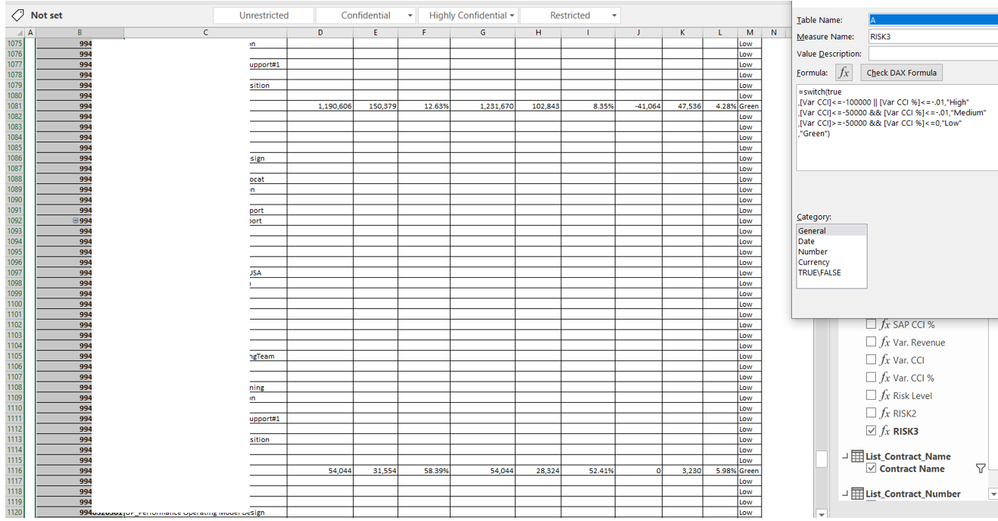
I dont have empty values in my table, that happens when I drag the measure into the pivot table: See below:
Why happend this ? How can be solved?
Thanks
You seem to have lots of rows where K and L columns are empty. According to your formula that translates to "Low" . You can add a check against empty earlier in the SWITCH() statement.
Check out the April 2026 Power BI update to learn about new features.
If you have recently started exploring Fabric, we'd love to hear how it's going. Your feedback can help with product improvements.
A new Power BI DataViz World Championship is coming this June! Don't miss out on submitting your entry.
| User | Count |
|---|---|
| 3 | |
| 2 | |
| 2 | |
| 2 | |
| 2 |