cancel
Showing results for 
Search instead for 
Did you mean: 

The Power BI Data Visualization World Championships is back! It's time to submit your entry. Live now!

Reply
Sakshi
Helper I
Helper I

How to connect to Azure MySQL database

Hello All,


Initially, I connected my power BI report with a local MySql database. Then, I transferred my database on Azure. Kindly guide me the process to connect my report to the new MySql database I created on Azure.

2 REPLIES 2
v-ljerr-msft
Microsoft Employee
Microsoft Employee

Hi @Sakshi,


You should be able to go to Data Source Settings -> Change Source to change your data source to the new Azure MySQL database on Power BI Desktop.


cd1.PNGcd2.PNG


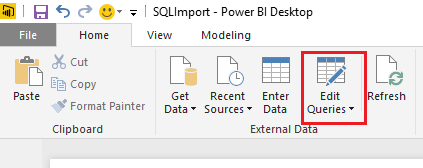
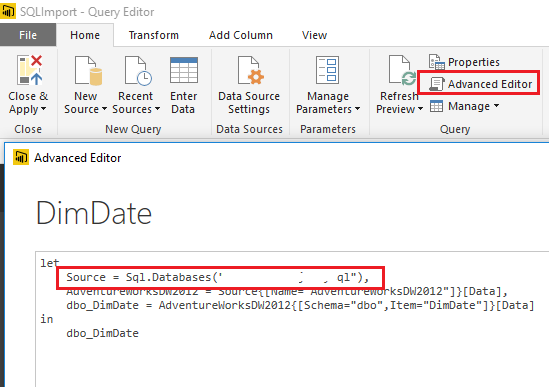
Or you can go to Query Editor -> Advanced Editor to change the query to get data from the new Azure MySQL database on Power BI Desktop.


cd3.PNGcd4.PNG


Regards

Greg_Deckler
Community Champion
Community Champion

See other thread.


Follow on LinkedIn
@ me in replies or I'll lose your thread!!!
Instead of a Kudo, please vote for this idea
Become an expert!: Enterprise DNA
External Tools: MSHGQM
YouTube Channel!: Microsoft Hates Greg
Latest book!:
DAX For Humans

DAX is easy, CALCULATE makes DAX hard...

Helpful resources

Announcements
FabCon Atlanta 2026 carousel

FabCon Atlanta 2026

Join us at FabCon Atlanta, March 16-20, for the ultimate Fabric, Power BI, AI and SQL community-led event. Save $200 with code FABCOMM.