Hi!
I’m having issue with getting data from folders and maybe anyone having the same issue can help to resolve it.
My database is based on getting data from folder. Every month a new excel file is inserted into this folder.
In excel files there are usually two worksheets: IMPORT and EXPORT.
However there are months where there is no data for EXPORT, therefore the worksheet EXPORT is not being created (no need to have empty worksheet). My query for EXPORT is based on “EXPORT” worksheet name. Whereas I do have data for IMPORT every month, I do get an error for lacking of EXPORT worksheet for months, when there is no data.
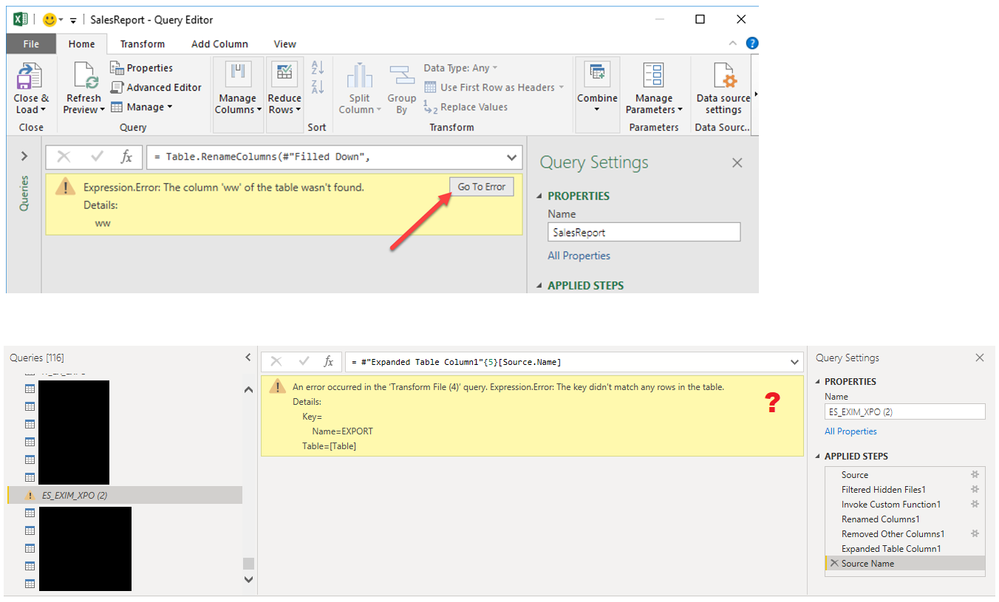
Error:
Expression.Error: The key didn't match any rows in the table
I tried to use Remove Rows -> Remove Errors function, however without any success - the rows are not deleted and error still appears. I also tried to put filter on any column to exclude “Errors” but these are not visible on the list.
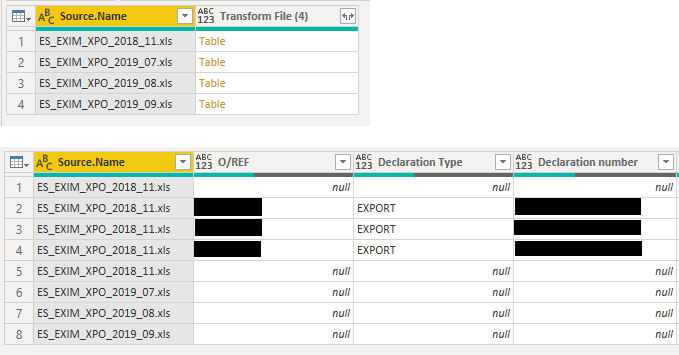
After creating empty “EXPORT” worksheets, the error disappears, however this is not a solution I would like to follow. Reports are external and I would like to avoid manual creation of empty worksheets.
Is there any way to solve this issue?
For empty months I would like to see only “nulls” when visualizing data.
Currently the database is on my desktop (not sharepoint), connected to OneDrive.
Database structure below:
Folder: ES_EXIM_XPO
-> Xls file: ES_EXIM_XPO_2018_11.xlsx -> EXPORT worksheet + IMPORT worksheet
-> Xls file: ES_EXIM_XPO_2019_07.xlsx -> only IMPORT worksheet
-> Xls file: ES_EXIM_XPO_2018_08.xlsx -> only IMPORT worksheet
-> Xls file: ES_EXIM_XPO_2018_09.xlsx -> only IMPORT worksheet
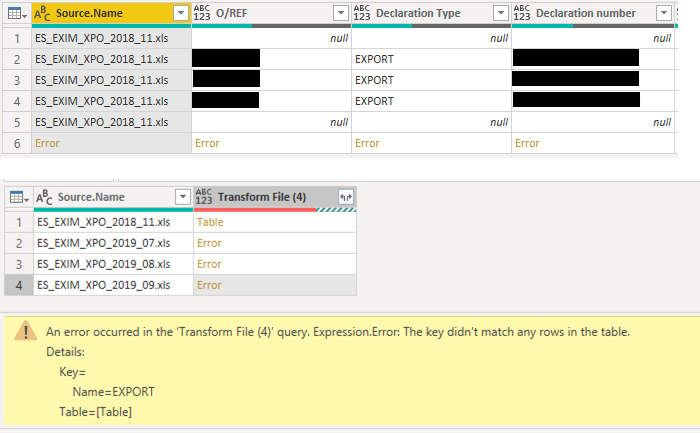
After creating empty “EXPORT” worksheets in all files, the error disappears, however this solution is not an option.