Get certified for free when you join Fabric Data Days 2026 and dive into Fabric, Power BI, SQL, AI, and other essential data skills.
Join nowData Days is here! Join us now for 60+ days of learning, challenges, and connection. Learn more
Hi,
I'm querying website WS.com (name anonymized) by sending an HTTP message with an additional header which contains the API key.
I'm using the Power BI formula
Web.Contents("https://WS.com/webapi/", [Headers=[#"API-Key"="asdf123"], Query = [#"v"="1.1", #"from"="0"]]) for this.
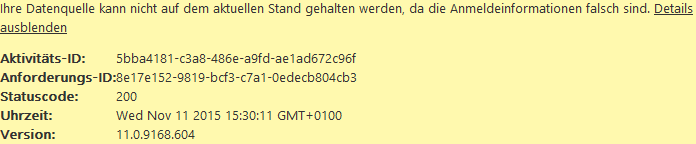
In Power BI Desktop I receive all my data without any complains. But when I upload the data model to powerbi.com and try to refresh the dataset there, Power BI complains that my login information is wrong.
Hello, I'm having a different issue, but related I think. I'm using the same code as OP but I get the error "The '(header)' header is only supported when connecting anonymously". Removing the header containing the token returns another error that the GET method is not supported. I have no idea what I'm doing wrong, very new to API's. I can query a new token from the API in question through PBI, as well use the mock server they have. But can't connect using my own token
Hello,
Indeed, i'm having the same issue, i don't know why.
Please, microsoft power bi team, could you fix this issue? Power Bi service make sense if we can schedule the refresh of this kind of webservice.
@BI did you find any solution for this?
Don't miss out on Data Days, June 15 through August 7. Learn Fabric, Power BI, SQL, AI and more.
Check out the May 2026 Power BI update to learn about new features.
| User | Count |
|---|---|
| 4 | |
| 4 | |
| 3 | |
| 2 | |
| 1 |
| User | Count |
|---|---|
| 11 | |
| 11 | |
| 4 | |
| 4 | |
| 4 |