Join us at FabCon Atlanta from March 16 - 20, 2026, for the ultimate Fabric, Power BI, AI and SQL community-led event. Save $200 with code FABCOMM.
Register now!View all the Fabric Data Days sessions on demand. View schedule
Hello,
Could you please help me to understand how to export from mapshaper into GEOjason without losing the name (key field) to the polygon and then import to Power BI?
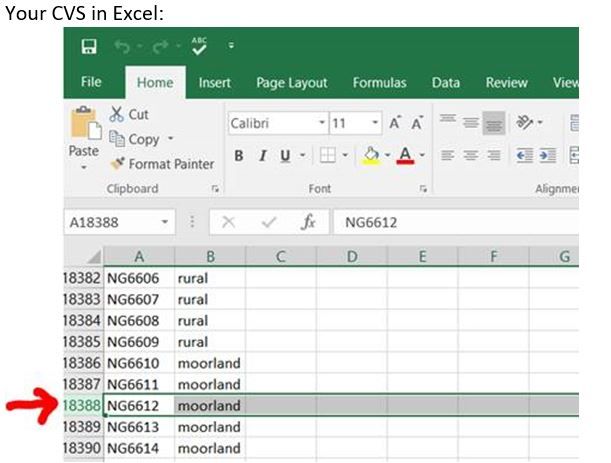
I managed to load OSGB_Grid_1km into mapshaper including the grid name field but when exporting in GEOjson it loses the grid reference numbers (e.g. NG6612). When loading it into powerBI I then have no key fields available to map to my CVS. (see my screenshots below)
Where can i find a OSGB Grid 1km GEOJason shape file (with OSGB_Grid_1km key fields) which I could use in order to reference and then visualise my CVS file?
Unfortunately I am not a GEOJason expert and rely on mapshaper’s export. Any pointers would be greatly appreciated.
Thanks
Polina
Solved! Go to Solution.
Hi @Polina,
As the issue occurs when convert GeoJSON maps into the TopoJSON format use map shaper tool, I would suggest you contact map shaper engineer for help: https://www.npmjs.com/support.
In addition, there is a collection of the TopoJSON map files you can check if one sample suit for you: TopoJSON Map Files for Power BI Shape Map.
Best Regards,
Qiuyun Yu
Hi @Polina,
As the issue occurs when convert GeoJSON maps into the TopoJSON format use map shaper tool, I would suggest you contact map shaper engineer for help: https://www.npmjs.com/support.
In addition, there is a collection of the TopoJSON map files you can check if one sample suit for you: TopoJSON Map Files for Power BI Shape Map.
Best Regards,
Qiuyun Yu
Check out the November 2025 Power BI update to learn about new features.
Advance your Data & AI career with 50 days of live learning, contests, hands-on challenges, study groups & certifications and more!
| User | Count |
|---|---|
| 10 | |
| 9 | |
| 6 | |
| 5 | |
| 3 |