Join us at FabCon Atlanta from March 16 - 20, 2026, for the ultimate Fabric, Power BI, AI and SQL community-led event. Save $200 with code FABCOMM.
Register now!Get Fabric Certified for FREE during Fabric Data Days. Don't miss your chance! Request now
Hello,
I try to get FB page Insights into the Power BI.
I specify Page ID, Connection as "Custom", set "insights" in the texbox.
After I specify credentials I get next error:
Details: "Facebook: Invalid query"
What is wrong here?
Hi @dmitryo,
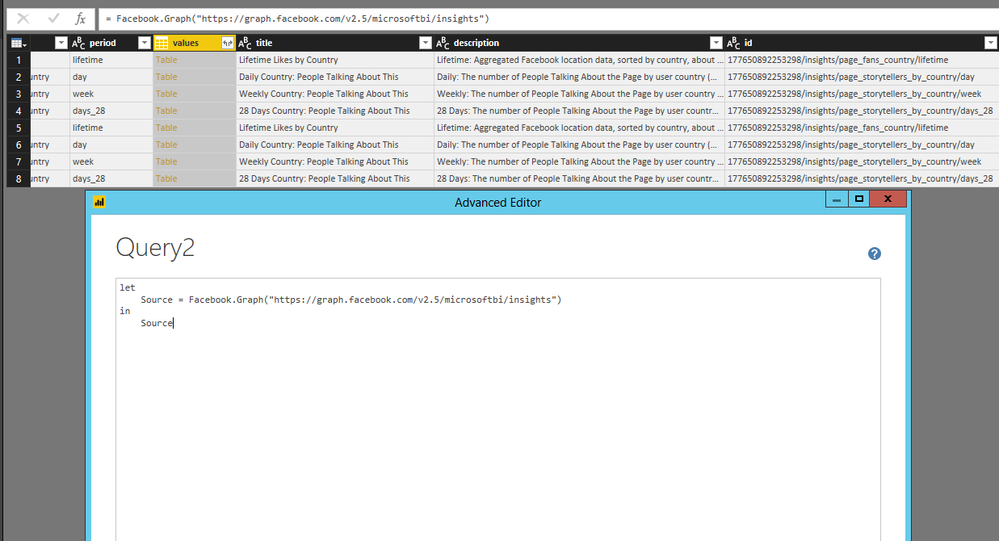
Add a new blank query in Power BI Desktop, then paste following code in Advanced Editor and you will be able to get insights data from the your Facebook page.
let
Source = Facebook.Graph("https://graph.facebook.com/v2.5/pagename/insights")
in
Source
There is an example for your reference.
Regards,
Lydia
Hello @Anonymous!
Thank you for your answer.
Why this won't work for versions greater than 2.6? We have 2.9 current, if I'm not mistaken.
How can I get other metrics? I need page likes, page impressions (payd, organic, viral, total), reach and so on.
How to execute query similar to:
"https://graph.facebook.com/v2.9/PAGE_NAME/insights?metric=page_impressions&since=2016-01-01
Cheers,
Dmitry
@dmitryo,
The issue is related to Facebook API, you can test v2.5 and v2.9 in Facebook console. By using v2.9, facebook api returns error message, thus Power BI Desktop can't get any data from Facebook. Please contact Facebook support to troubleshoot this issue.
Regards,
Lydia Zhang
I've only ever gotten "Me" to work correctly honestly. Probably need to bring this up with the Facebook folks that wrote the connector. You could try turning on tracing, File | Options and settings | Options | Diagnostics | Enable Tracing and see if the trace log gives you any additional information.
Check out the November 2025 Power BI update to learn about new features.
Advance your Data & AI career with 50 days of live learning, contests, hands-on challenges, study groups & certifications and more!
| User | Count |
|---|---|
| 10 | |
| 9 | |
| 6 | |
| 5 | |
| 3 |