cancel
Showing results for 
Search instead for 
Did you mean: 

Next up in the FabCon + SQLCon recap series: The roadmap for Microsoft SQL and Maximizing Developer experiences in Fabric. All sessions are available on-demand after the live show. Register now

Reply
HL5578
Regular Visitor

Exported Power BI PPT via Power Automate - unable to display report

Hello, 

Hoping to get some troubleshooting help with a Power BI dashboard/visual that I'm able to export via Power Automate into an email, but the attached dashboard/visual cannot display the visuals. 


I have 5 Power BI report pages that I want to automate sending out a pptx of the pages via Power Automate to specific users. 


I have set up the Power Automate flow as follows: 


1) Export To File for Power BI Reports

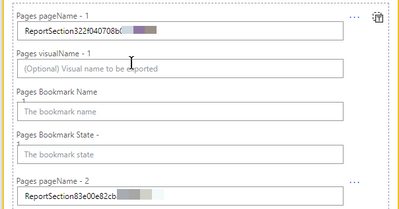
a) Here, I set up the workspace location, report name, and format (in pptx), then I added the report pages from my PowerBI report that I want exported
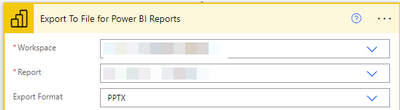
ExportToFile.png


RptPageName.png


2) Send an email (V2)

a) I then set up the email message to be sent, identifying the attachment name, with the right file extension of pptx. 

b) the Attachments Content, I added the "Body"
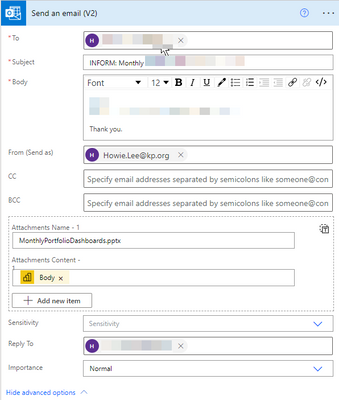
SendAnEmail.png


3) The flow runs with no issues and I do get an email and a copy of the pptx file attached to the email. 

However, when I open the pptx file, it cannot display any of the report, it simply shows a "can't display the visual" error and the report/dashboard visuals are blank with an "x"
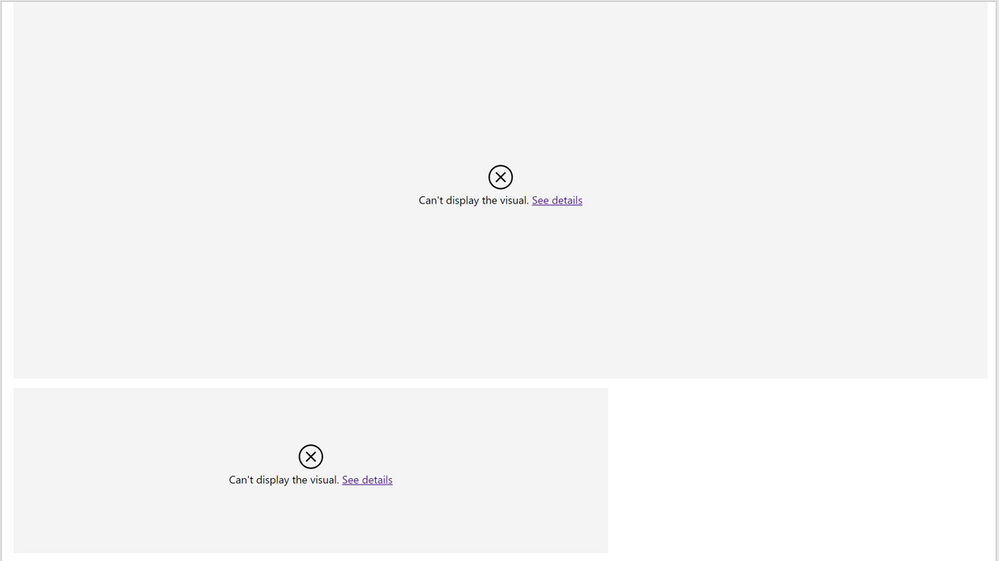
PPT-Errors.png


ISSUE: 

What is causing this error where the output pptx file cannot display the PowerBI visual? 

Is this a permissions issue? 

How do I correct/fix this? 


Thanks in advance for your help.


5 REPLIES 5
Shreya_Singh
New Member

Hello,


We are also facing a similar issue. What I observed is if the Power BI report senstivity is marked as Confidential then report generated through Power Automate is not showing the data. Let me know if you were able to resolve?

Anonymous
Not applicable

I found out there is a known issue if you use composite models (Direct Query) for exporting using Power Automate (Flow). From what I can determined based on testing the credentials/RLS is not passed through the relevanet datasets to allow access from an automated flow. - Direct link to a dataset is reccommended (joining multiple datasets As a Service is not supported currently)

Anonymous
Not applicable

Did you ever find a fix/solution for this issue? I havethe same issue with visualsd not loading for exported versions. Works fine within service and subscription services.


Any advice welcome

v-jingzhang
Community Support
Community Support

Hi @HL5578 


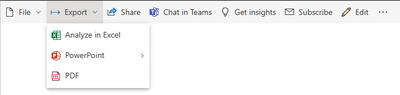
The setting of the Power Automate flow looks correct. Can you check if these visuals display well in Power BI Service? If they can display well, can you test if you can export the report to PowerPoint from PBI Service manually?

vjingzhang_0-1672208874704.png


If you see any errors, can you click "See details" and provide the error messages?


Best Regards,
Community Support Team _ Jing

The visuals do display in Power BI service with no issues. Sorry I cannot do a screenshot as it has confidential data. 

I also tested the export feature to PowerPoint and the file displays all visuals with no issues. 

Helpful resources

Announcements
New to Fabric survey Carousel

New to Fabric Survey

If you have recently started exploring Fabric, we'd love to hear how it's going. Your feedback can help with product improvements.

Power BI DataViz World Championships carousel

Power BI DataViz World Championships - June 2026

A new Power BI DataViz World Championship is coming this June! Don't miss out on submitting your entry.

Join our Fabric User Panel

Join our Fabric User Panel

Share feedback directly with Fabric product managers, participate in targeted research studies and influence the Fabric roadmap.

March Power BI Update Carousel

Power BI Community Update - March 2026

Check out the March 2026 Power BI update to learn about new features.