This is best Fabric, Power BI, SQL and AI community event. How do we know? The last event sold out! Save €200 with code FABCMTY200.
Register nowA new Data Days event is coming soon! This time we’re going bigger than ever. Fabric, Power BI, SQL, AI and more. Don't miss out.
Hi everyone!
I´m having problems with the configuration of a SQL server Data source.
I have the on premise Gateway ready on the server, everything looks OK.
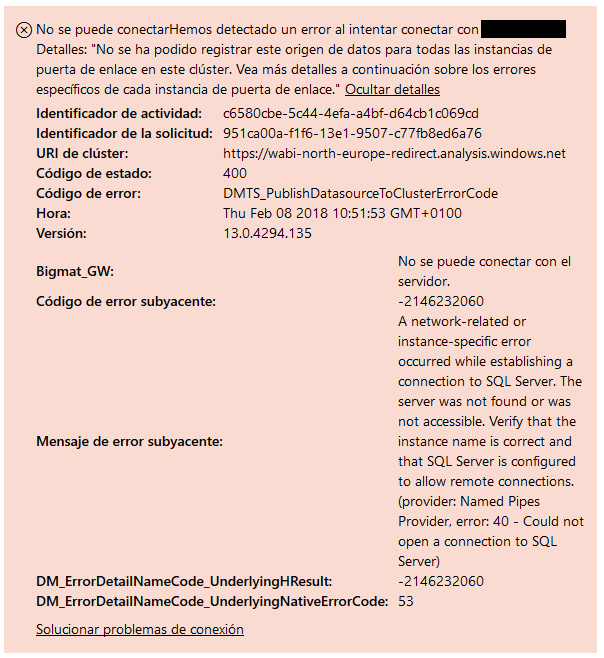
But when I try to configure the data source on the online service, shows me this:
Any idea?
Solved! Go to Solution.
@Anonymous,
Are you able to access SQL Server from the machine that installing gateway? You can install SQL Server Management Studio on the machine to test the connection.
In addition, please configure remote setting for your SQL Server following the guide in this blog, also add your SQL TCP port and UDP port into inbound rule of your firewall, for more details, please review this blog.
Regards,
Lydia
@Anonymous,
Are you able to access SQL Server from the machine that installing gateway? You can install SQL Server Management Studio on the machine to test the connection.
In addition, please configure remote setting for your SQL Server following the guide in this blog, also add your SQL TCP port and UDP port into inbound rule of your firewall, for more details, please review this blog.
Regards,
Lydia
Thanks @Anonymous!
Finally we have solved the problem with a rule in the firewall.
Sign up to receive a private message when registration opens and key events begin.
If you have recently started exploring Fabric, we'd love to hear how it's going. Your feedback can help with product improvements.