Join us at FabCon Atlanta from March 16 - 20, 2026, for the ultimate Fabric, Power BI, AI and SQL community-led event. Save $200 with code FABCOMM.
Register now!Vote for your favorite vizzies from the Power BI Dataviz World Championship submissions. Vote now!
Hi,
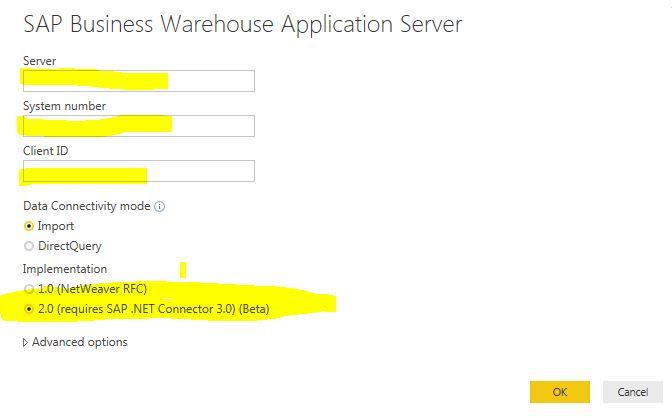
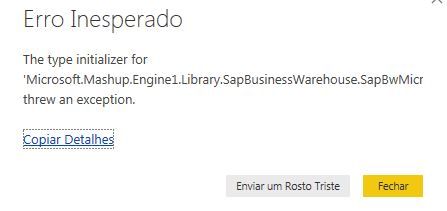
I installed SAP Connector for Microsoft .NET 3.0 in PC 32 bits; Windows 7, but after installed I tried to connect to SAP BW, using an implementation 2.0, and the error occurred:
Note: I did the same in 64 bits PC and the connection with SAP BW implementation 2.0 it works
Feedback Type:
Frown (Error)
Timestamp:
2018-07-31T19:27:22.6640980Z
Local Time:
2018-07-31T16:27:22.6640980-03:00
Session ID:
35be41f2-9954-4af4-a0f1-269112dcd3f4
Release:
July, 2018
Product Version:
2.60.5169.4101 (18.07) (x86)
Error Message:
The type initializer for 'Microsoft.Mashup.Engine1.Library.SapBusinessWarehouse.SapBwMicrosoftProviderFactoryService' threw an exception.
Hi, anybody knows how I can solve this issue?
Thanks!
@marquespolastri,
Do you install 32 bit of SAP Connector for Microsoft .NET 3.0 in PC 32 bits(Windows 7)? And do you use 32 bit Power BI Desktop July release in Windows 7?
I would recommend you check if SAP Connector for Microsoft .NET 3.0 is installed successfully in Control panel and check if you install correct bit version. There is a similar thread for your reference.
Regards,
Lydia
Vote for your favorite vizzies from the Power BI World Championship submissions!
If you love stickers, then you will definitely want to check out our Community Sticker Challenge!
Check out the January 2026 Power BI update to learn about new features.
| User | Count |
|---|---|
| 11 | |
| 10 | |
| 7 | |
| 6 | |
| 6 |