cancel
Showing results for 
Search instead for 
Did you mean: 

The Power BI Data Visualization World Championships is back! Get ahead of the game and start preparing now! Learn more

Reply
KiwiPete
Frequent Visitor

Dynamic create groupings from User input selection

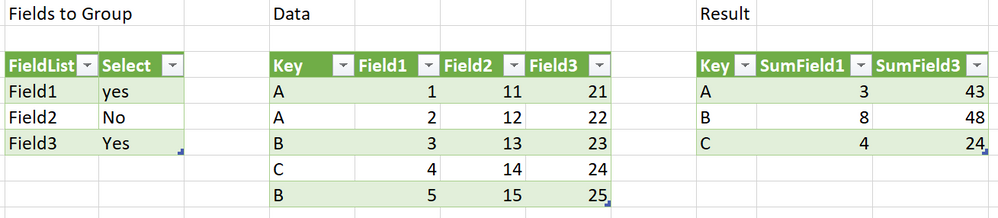
Hi, I have some large datasets with 100+ columns.  Different users will want to group and sum different combinations of columns.  I would like to cherry pick which columns to group from an input table template.


The below code snippet below would sum Field1 and Field3, picked up from the user input table.


The plan is to list.zip three lists, {new field nameS},    {Accumulator funcitonS}     &   {Type} as 

                 List1                      List2                           List3

{"SumField1"},   {each List.Sum([Field1])},   {type number}

{"SumField3"},   {each List.Sum([Field3])},   {type number} 

{"SumFieldX"},   {each List.Sum([FieldX])},   {type number} ...


The first list as from user input table.     

The type list is generated using List.Repeat to the count of the first list, 

However I can't work out how to create the second {each List.Sum([FieldX])} list with the correct sequence of field names (from list 1, 1 through X).  Everything I try either creates a string (not a function) or a static FieldX portion.  I have tried using List.Generate but strings and List.Repeat can only produce a stactic single filed name and I can't find a way to edit the X element...


Code snippet that works, but need to be able to dynamically create the portion

let
Source = Excel.CurrentWorkbook(){[Name="Table3"]}[Content],
#"Grouped Rows" = Table.Group(Source, {"Key"},
{
{"SumField1", each List.Sum([Field1]), type number},
{"SumField3", each List.Sum([Field3]), type number}
})
in
#"Grouped Rows"


Seems to be that the editor (and the ribbon) knows to treat 'each' as a function but I can't find any incrementing List(dot) function to treat the 'each' element of a built list as a function.  any ideas apprecitated., thnx


Capture.PNG


1 ACCEPTED SOLUTION
Icey
Community Support
Community Support

Hi @KiwiPete ,


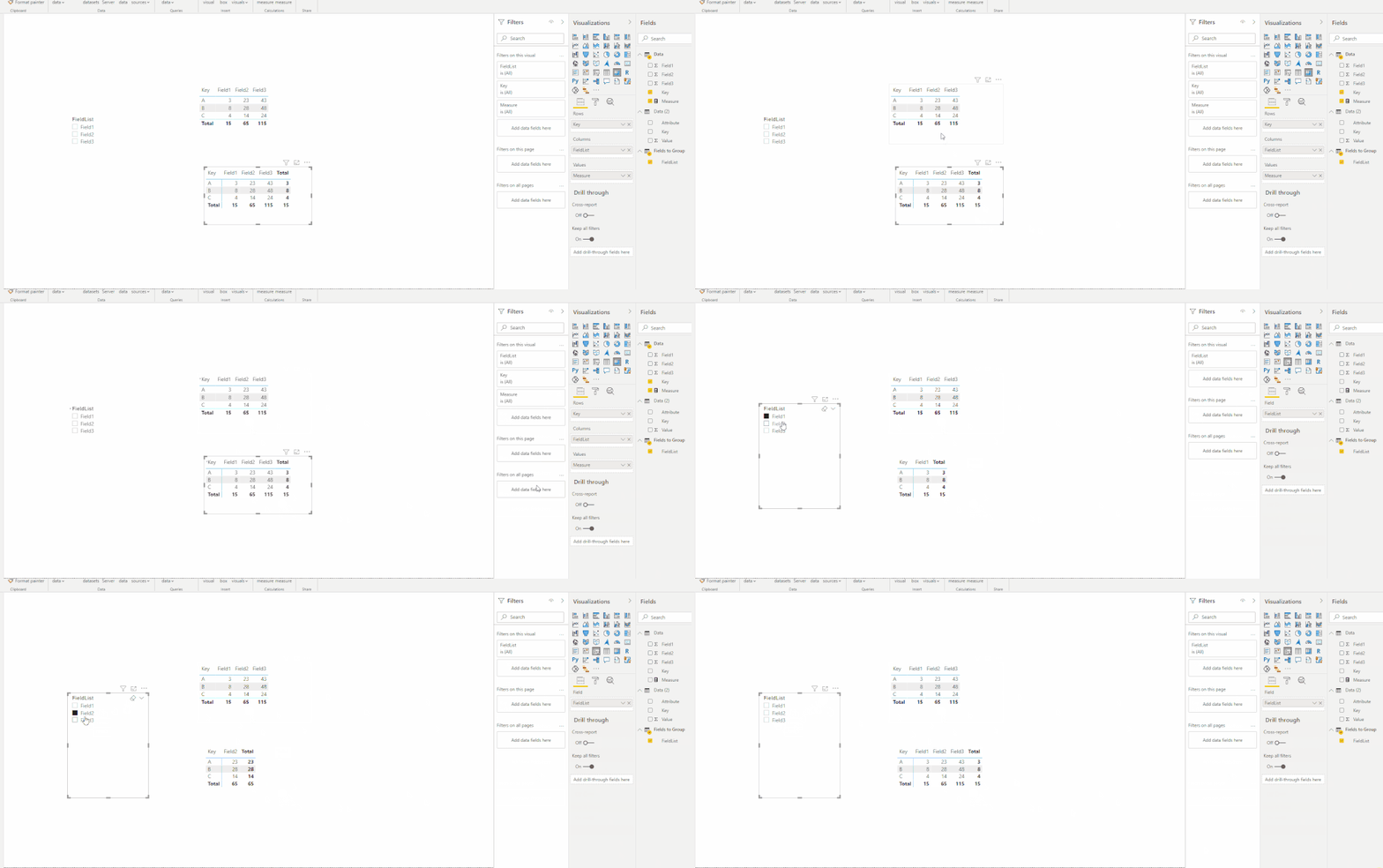
If you don't want to change the data structures, how about using DAX? It may be much easier.

slicer1.gif


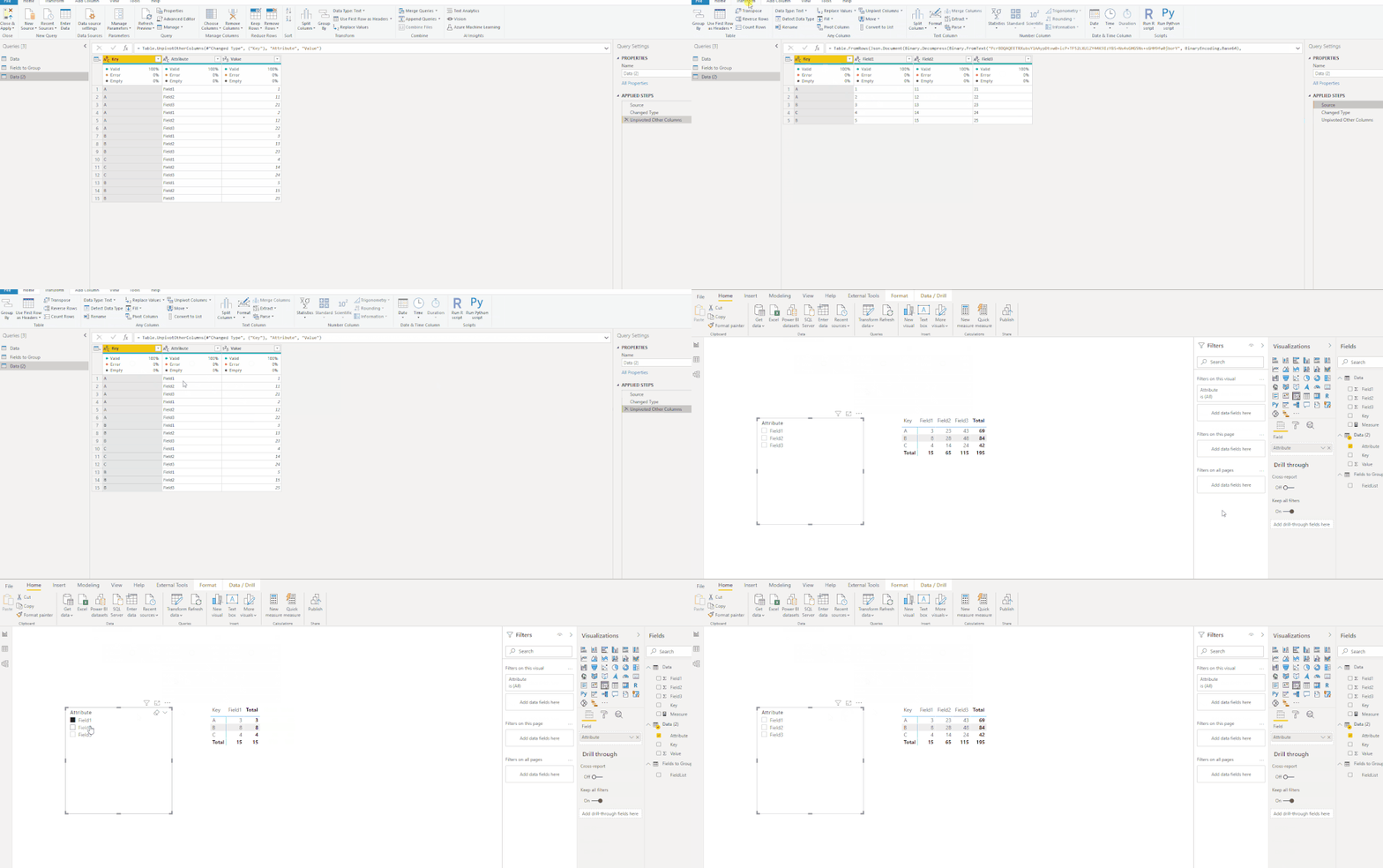
If the data structure can be changed, how about using UnPivot like so:

unpivot.gif


Best Regards,

Icey


If this post helps, then please consider Accept it as the solution to help the other members find it more quickly.


View solution in original post

3 REPLIES 3
KiwiPete
Frequent Visitor

That does look supper poweful, Let me go and investigate

Icey
Community Support
Community Support

Hi @KiwiPete ,


Does it work in your scenario?


Best Regards,

Icey

Icey
Community Support
Community Support

Hi @KiwiPete ,


If you don't want to change the data structures, how about using DAX? It may be much easier.

slicer1.gif


If the data structure can be changed, how about using UnPivot like so:

unpivot.gif


Best Regards,

Icey


If this post helps, then please consider Accept it as the solution to help the other members find it more quickly.


Helpful resources

Announcements
Power BI DataViz World Championships

Power BI Dataviz World Championships

The Power BI Data Visualization World Championships is back! Get ahead of the game and start preparing now!

December 2025 Power BI Update Carousel

Power BI Monthly Update - December 2025

Check out the December 2025 Power BI Holiday Recap!

FabCon Atlanta 2026 carousel

FabCon Atlanta 2026

Join us at FabCon Atlanta, March 16-20, for the ultimate Fabric, Power BI, AI and SQL community-led event. Save $200 with code FABCOMM.

Top Solution Authors