Join us at FabCon Atlanta from March 16 - 20, 2026, for the ultimate Fabric, Power BI, AI and SQL community-led event. Save $200 with code FABCOMM.
Register now!The Power BI Data Visualization World Championships is back! Get ahead of the game and start preparing now! Learn more
I have a table of process paths (unique paths through a flowchart) and their assiocitated steps/questions. I have another table of answers to these steps/questions and I need to find which path the answers go through. The steps are not unique, what makes each path unique is the pemutations of the steps it has.
I need to get the Group letter of the path where all of the 'Old Process Step IDs' are shared between the path table and the answers table. They don't need to be in the same order, but if there are 20 in the answer table for a particular part, there needs to be 20 in the path group.
I have attempted this in DAX, but I think this is best suited to Power Query due to the grouping function. I just don't have the skills to do this though. Would someone mind taking a look at the attached file and let me know if there are some solutions for this?
(I can't locate a button to attach files on this forum) https://jmservicescomau-my.sharepoint.com/:x:/g/personal/jacob_jmservices_com_au/EQN-dxqnNWxFnnMuh-v...
Solved! Go to Solution.
Hi @justlogmein ,
Does @Thingsclump 's solution help you?
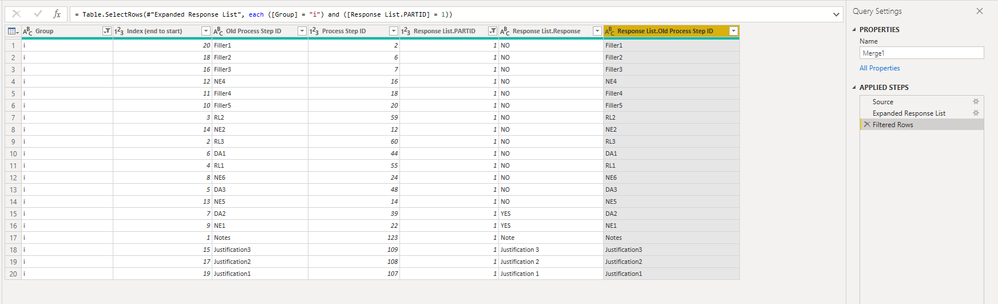
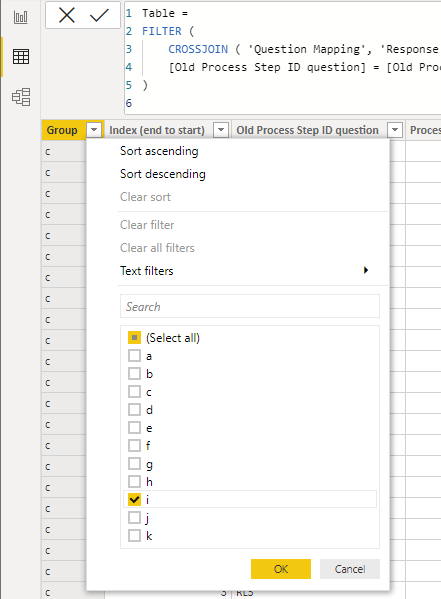
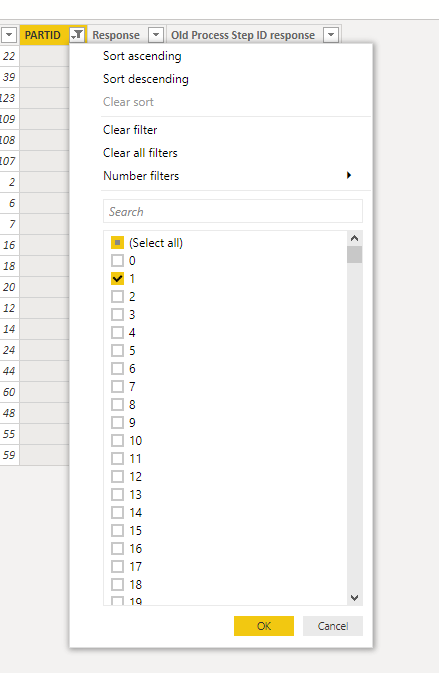
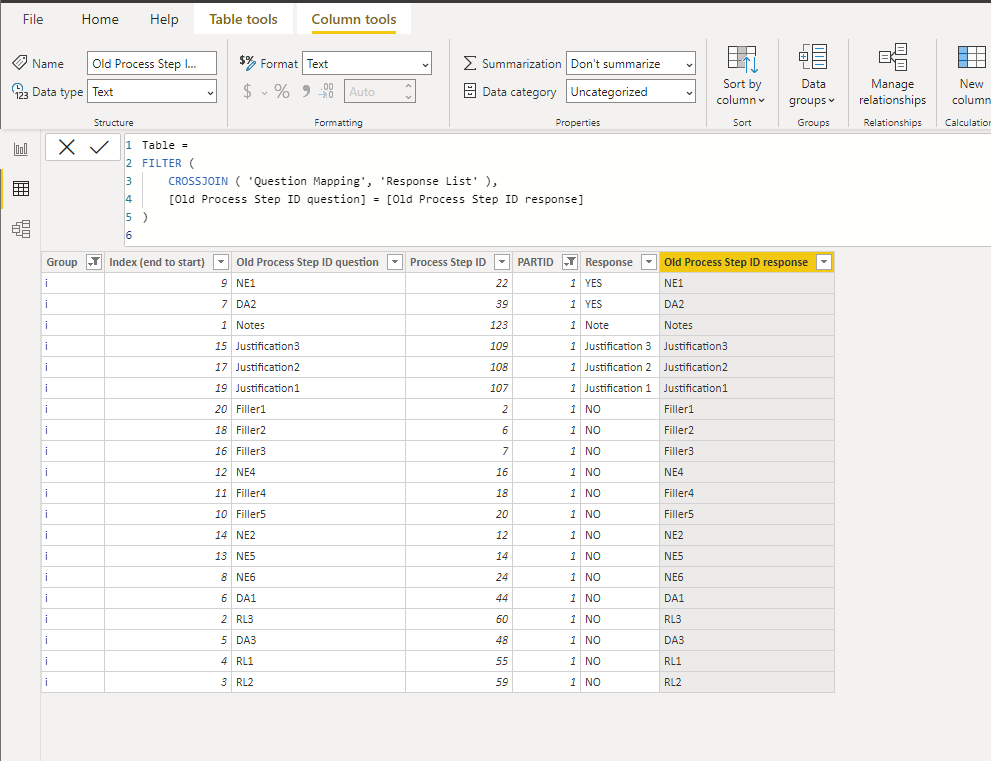
According to his solution, after merging, you can filter Group as i and PARTID as 1 to get the desired result.
Or you can create a calculated table using DAX.
Before you use the CROSSJOIN function, make sure that the column names of the two tables do not have the same name. Here I have modified the names of the Old Process Step ID.
Table =
FILTER (
CROSSJOIN ( 'Question Mapping', 'Response List' ),
[Old Process Step ID question] = [Old Process Step ID response]
)
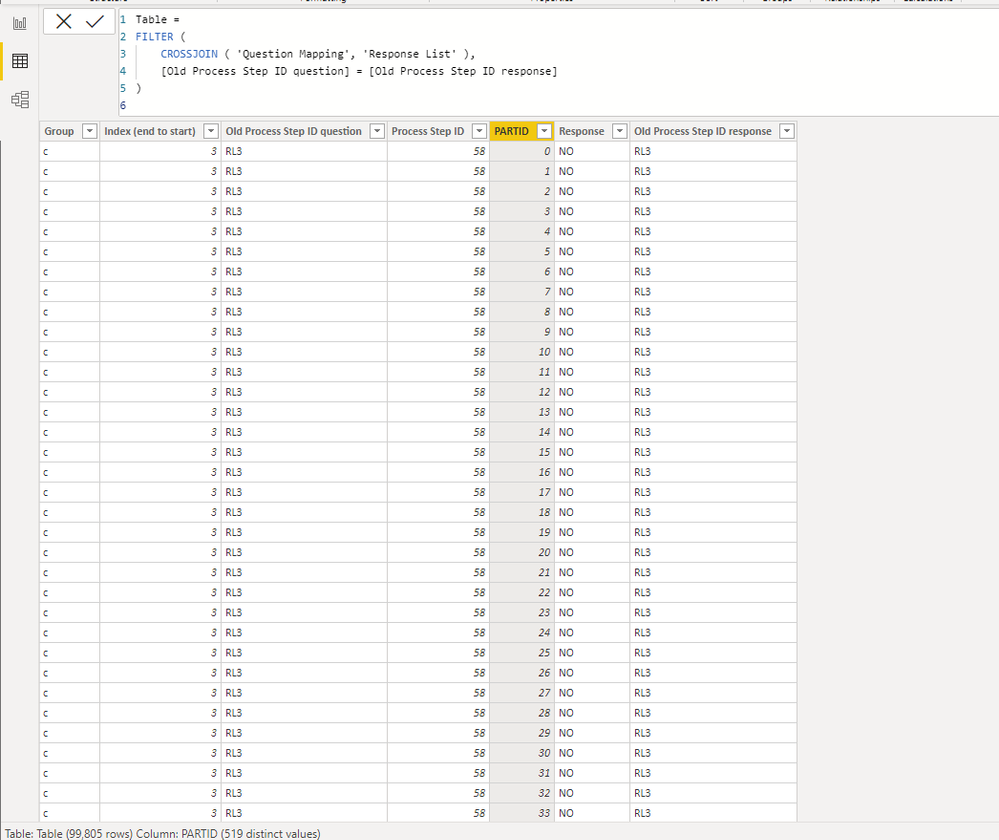
After filtering, the result is as follows.
Best Regards,
Stephen Tao
If this post helps, then please consider Accept it as the solution to help the other members find it more quickly.
Hi @justlogmein ,
Does @Thingsclump 's solution help you?
According to his solution, after merging, you can filter Group as i and PARTID as 1 to get the desired result.
Or you can create a calculated table using DAX.
Before you use the CROSSJOIN function, make sure that the column names of the two tables do not have the same name. Here I have modified the names of the Old Process Step ID.
Table =
FILTER (
CROSSJOIN ( 'Question Mapping', 'Response List' ),
[Old Process Step ID question] = [Old Process Step ID response]
)
After filtering, the result is as follows.
Best Regards,
Stephen Tao
If this post helps, then please consider Accept it as the solution to help the other members find it more quickly.
Hi @justlogmein
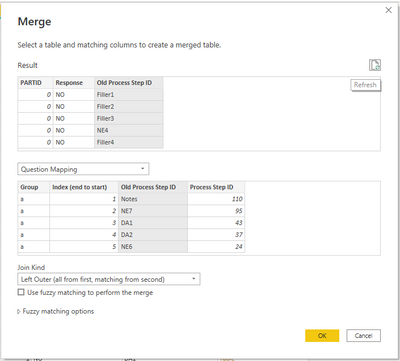
Just import both tables in Power query.
Then do a merge
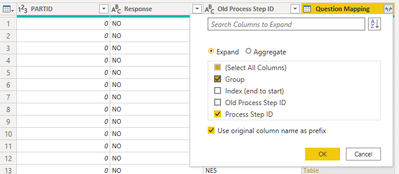
Then expand.
Thanks
Did I answer your question? Mark my post as a solution! Appreciate your Kudos!! !!
@justlogmein , For power quer vlookup, refer if this can help
https://eriksvensen.wordpress.com/2019/02/28/powerquery-replicate-doing-an-excel-vlookup-in-m/
The Power BI Data Visualization World Championships is back! Get ahead of the game and start preparing now!