I started off connecting to various sources (SharePoint Online lists and Excel), months agos. They are all import, and I could publish my report. I added a DirectQuery to Azure DevOps through Advanced Editor in Power Query Editor and I still had no issues in publishing my report. I then added DirectQuery to a Power BI Datasets, using the Get Data option in Power BI Desktop BUT now when I try publishing, I get the following message:
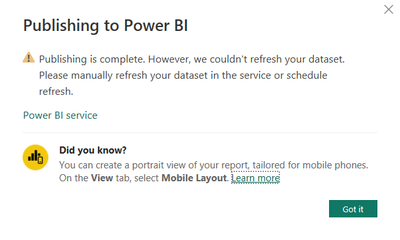
My changes are not applied in the Workspace. Going to the service/my dataset that exists in a shared workspace I created, as I have access to create workspaces – I see the following:
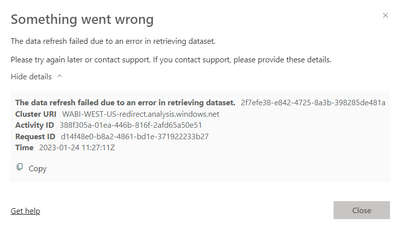
I tried manually refreshing the dataset and then got this message
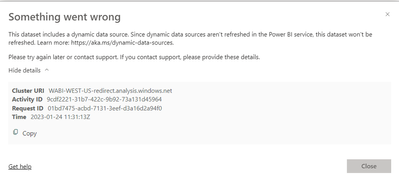
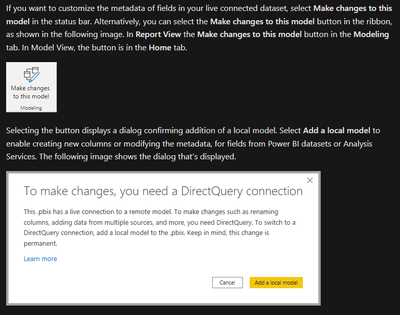
I have no issues in Power BI Desktop and I can refresh, so assume the online service is unable to refresh the dataset. So, I had a look online and found this guide Using DirectQuery for live connections, showing exactly what I am trying and that you can add this type of connection but that “Using DirectQuery for Power BI datasets and Analysis Services requires your report to have a local model.”. The issues I know face is that I do not have this option.
What the guide says
What I see in my report, I do not have ‘Make changes to this model’

I found another article, where you could be able to set the storage mode but for me, the option is greyed out
What I should see

What I see for DirectQuery to Power BI Dataset tables, the options is greyed out and I cannot change it
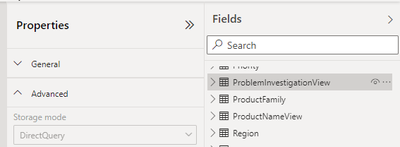
This is also not changeable

There are 3 shared Workspaces and I have admin access to be able to create shared workspaces. I am an admin on each of them so have full access to the datasets. I am the publisher of on one of the Datasets.
Would appreciate it if anyone could let me know if they have faced this issue and if they managed to find a solution. According to the guides above, this should be possible.
I have posted, asking for help but one of them is closed with no real resolution and the other is old with no updates:
External
https://community.powerbi.com/t5/Service/This-dataset-includes-a-dynamic-data-source-Since-dynamic-d...
https://community.powerbi.com/t5/Desktop/Can-t-Make-Changes-to-Model-After-Connecting-to-Dataset/td-...


