Hi All,
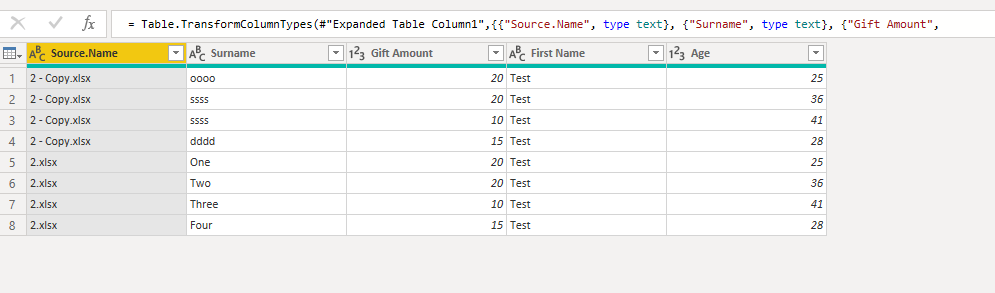
Just started with power query, I have an excel template that I use which gives me the data I need with the columns set up, however on a monthly basis the csv file that comes through, has the data set in different columns, this is just how it comes in, is there any way of being able to set this up so that a column looks up the whole data set from the csv file and pulls through the correct column.
eg...
My template is setup like this
| First Name | Surname | Age | Gift Amount |
| Test | One | 25 | 20 |
| Test | Two | 36 | 20 |
| Test | Three | 41 | 10 |
| Test | Four | 28 | 15 |
Each month the data could come in as:
| Surname | Gift Amount | First Name | Age |
| One | 20 | Test | 25 |
| Two | 20 | Test | 36 |
| Three | 10 | Test | 41 |
| Four | 15 | Test | 28 |
or
| Gift Amount | Surname | Age | First Name |
| 20 | One | 25 | Test |
| 20 | Two | 36 | Test |
| 10 | Three | 41 | Test |
| 15 | Four | 28 | Test |
Is there a way of being able to set up within the data model a way of it automatically looking up the correct column and pulling it through?
Thanks