cancel
Showing results for 
Search instead for 
Did you mean: 

July 7 - July 17 | Round 2 of the Power BI Dataviz World Championships. Don't miss your chance! Learn more

Reply
Tadder
Helper II
Helper II

Data Source Changing

I have a dataset coming via our current SQL Server named "ABC".  We are getting ready to upgrade to SQL Server 2017 and when we do the name will change to "DEF".  The database name and table structure is not changing at all.  Can anyone help me by telling me what I should expect?  Will I have to redo all my PBI reports?  What i'm afraid will happen is the widgets will lose the connections (because it's a different data source) and I'll literally have to rebuild everything...
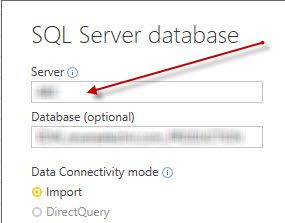
server.jpg


For bonus points - I have maybe 100 Excel reports with SQL data behind them.  Will the same thing happen there?  Is there any other option so I don't have to rebuild them?  there is one report in particular that took over a year to create... I REALLY don't want to have to recreate it...


Thanks in advance,


Tad

1 ACCEPTED SOLUTION
Anonymous
Not applicable

@Tadder,

As long as you have same table structures for the changed server, you don't need to re-create the whole report in Power BI Desktop.

Regards,
Lydia

View solution in original post

4 REPLIES 4
Anonymous
Not applicable

@Tadder,

You don't have to re-create all Power BI reports. Just go to Files->Options and Settings->Data source settings, then choose your data source and change the server name.

1.PNG

" I have maybe 100 Excel reports with SQL data behind them"

In addition, could you please describe more about the above Excel reports.

Regards,
Lydia

Thanks Lydia - I'm hoping that works for the Power BI reports.  for the Excel ones - in the past if I change the dataset source the mapping to any pivots or charts gets reset so it all has to be redone.  I'm hoping that is not the case.

Anonymous
Not applicable

@Tadder,

As long as you have same table structures for the changed server, you don't need to re-create the whole report in Power BI Desktop.

Regards,
Lydia

That would be great.  I hope the same is true for all my Excel reports!

Helpful resources

Announcements
FabCon and SQLCon Barcelona 2026

FabCon & SQLCon – Barcelona 2026

Join us in Barcelona for FabCon and SQLCon, the Fabric, Power BI, SQL, and AI community event. Save €200 with code FABCMTY200.

60 days of Data Days Carousel

Data Days 2026

Join Fabric Data Days 2026: 60 days of free live/on-demand sessions, challenges, study groups, and certification opportunities.

Power BI DataViz World Championships carousel

Power BI DataViz World Championships - June 2026

A new Power BI DataViz World Championship is coming this June! Don't miss out on submitting your entry.