I'm working with the MyGraph power query sample and I've been able to pull data when I define my source like this:
source = OData.Feed("https://graph.microsoft.com/v1.0/me/", null, ...
source = OData.Feed("https://graph.microsoft.com/v1.0/users", null, ...
but when I change the URL to "https://graph.microsoft.com/v1.0/users/af23248a-fbf4-4ec9.../planner/tasks" I get an error saying "The credentials provided for the MyGraph source are invalid. (Source at MyGraph.)"
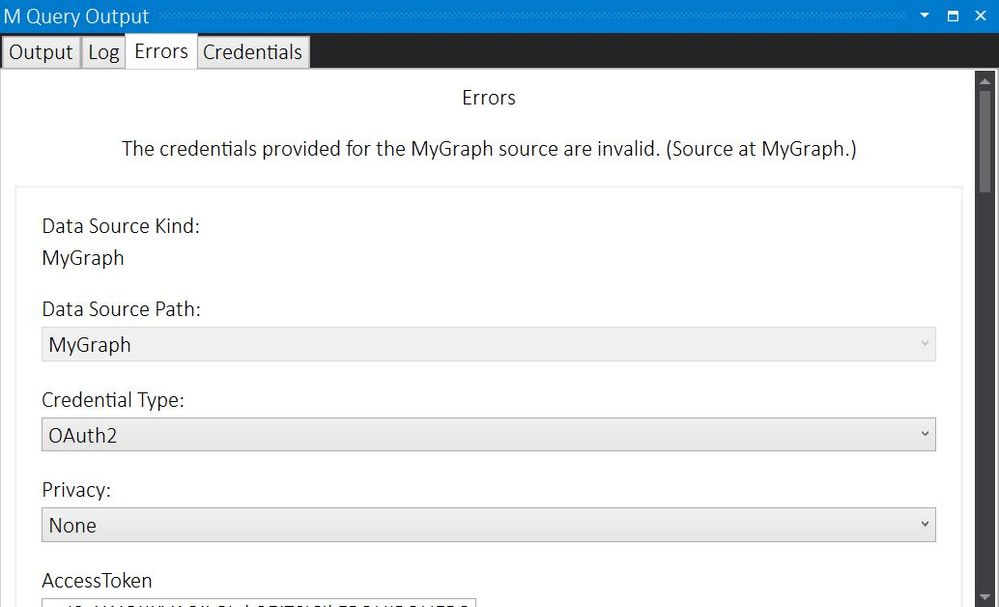
I have tested the URL on Graph Explorer https://developer.microsoft.com/graph/graph-explorer/ and I get a response with all the tasks for this user.
I thought it might the API permission for this app so I added all the User and Tasks permissions for Microsoft Graph in the Azure Portal. I've also added additional scopes for User and Task in the MyGraph.pq file, but I still get the error.
`scope_prefix = "https://graph.microsoft.com/";
scopes = {
"User.Export.All",
"User.Invite.All",
"User.Read",
"User.Read.All",
"User.ReadBasic.All",
"User.ReadWrite",
"User.ReadWrite.All",
"Tasks.Read",
"Tasks.Read.Shared",
"Tasks.ReadWrite",
"Tasks.ReadWrite.Shared",
`
What am I doing wrong?? Please help!


