cancel
Showing results for 
Search instead for 
Did you mean: 

Learn from the best! Meet the four finalists headed to the FINALS of the Power BI Dataviz World Championships! Register now

Reply
vbourbeau
Resolver II
Resolver II

Create header with the 2 first row?

Hi,

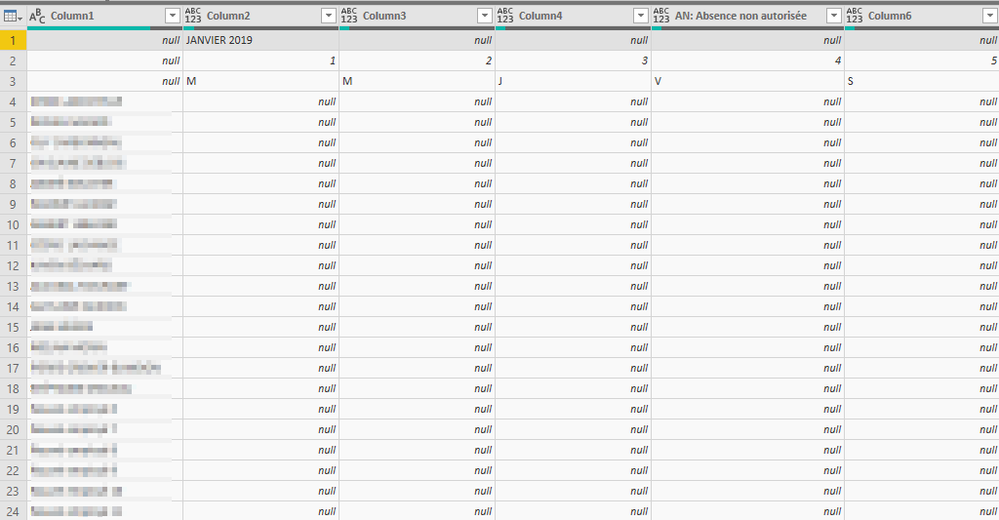
I start with a excel calandar as source, in the calandar the first row are the month and year and the second row are the day. Also when I import it the month and year are only in the first column., don't relpicate on other one look the the image below 

2019-07-05 14_22_51-absence - Power Query Editor.png


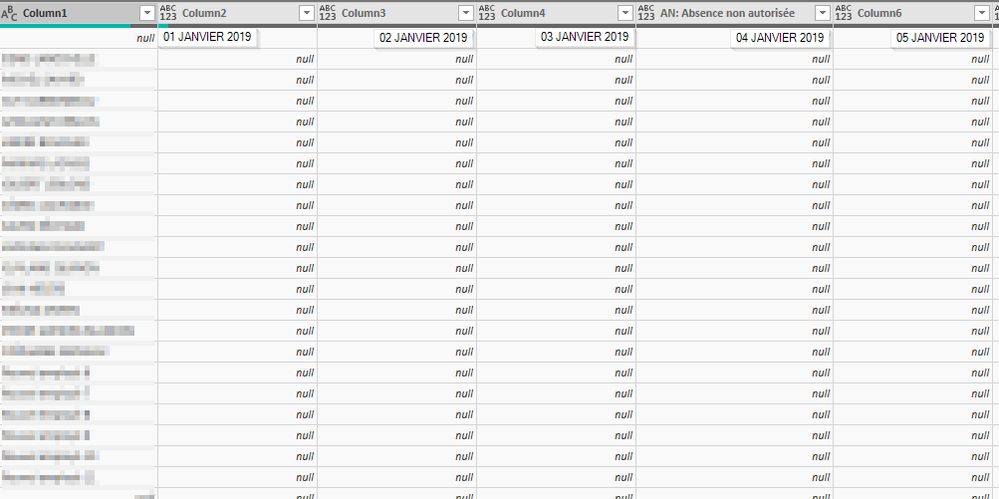
The result I'm looking for is :


2019-07-05 14_35_59-absence - Power Query Editor.png


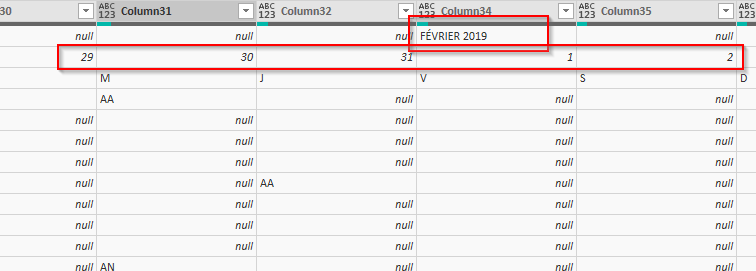
Also after Janvier (january) it's February:


2019-07-05 14_41_39-absence - Power Query Editor.png

1 ACCEPTED SOLUTION
vbourbeau
Resolver II
Resolver II

ok I've got it

We need to use the Transpose function, soon the column are row I can yous the Fil function and create a column with the merge of two.


Thank

View solution in original post

1 REPLY 1
vbourbeau
Resolver II
Resolver II

ok I've got it

We need to use the Transpose function, soon the column are row I can yous the Fil function and create a column with the merge of two.


Thank

Helpful resources

Announcements
Join our Fabric User Panel

Join our Fabric User Panel

Share feedback directly with Fabric product managers, participate in targeted research studies and influence the Fabric roadmap.

February Power BI Update Carousel

Power BI Monthly Update - February 2026

Check out the February 2026 Power BI update to learn about new features.

FabCon Atlanta 2026 carousel

FabCon Atlanta 2026

Join us at FabCon Atlanta, March 16-20, for the ultimate Fabric, Power BI, AI and SQL community-led event. Save $200 with code FABCOMM.

Top Solution Authors