Join us at FabCon Atlanta from March 16 - 20, 2026, for the ultimate Fabric, Power BI, AI and SQL community-led event. Save $200 with code FABCOMM.
Register now!The Power BI Data Visualization World Championships is back! It's time to submit your entry. Live now!
Hi all,
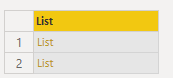
I have a list of list like this:
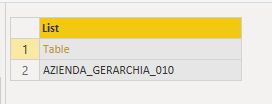
Each list is composed by a table and a string, like this:
I want to write an M function that, for each list of the first photo, create a new table in the data model and give her name like the string in the list. For example, with the list above i want to create the new table with name "AZIENDA_GERARCHIA_010". I loop on each list with this code that is working fine:
Output = List.Transform(ListOfTables , each createTable(_))
The code of my createTable function is:
createTable = (l as list) => (
let
tableHierarchy = l{0},
nameTableHierarchy = l{1},
newTable = Table.FromRecords(Table.ToRecords(tableHierarchy))
in
newTable
)
But when i call createTable function, it create a new Source in the scope of the script! Not in my Data Model on Power Bi!
Instead, if i call createTable from button "Invoke", it creates a new table in the Data Model for each time i press on "Invoke".
My questions are:
Hello @Anonymous
I think there is no possibility to create with one query more tables, because one query can only have one result in form of a table. Also there is no possibility to change the query name within M
All the best
Jimmy
let
manyTabs = List.Transform({1..9}, each Table.FromValue(_)),
manyNames=List.Transform({"1".."9"}, each "tab"&_)
in
Record.FromList(manyTabs,manyNames)
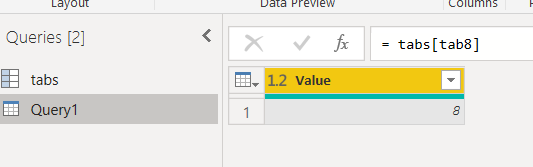
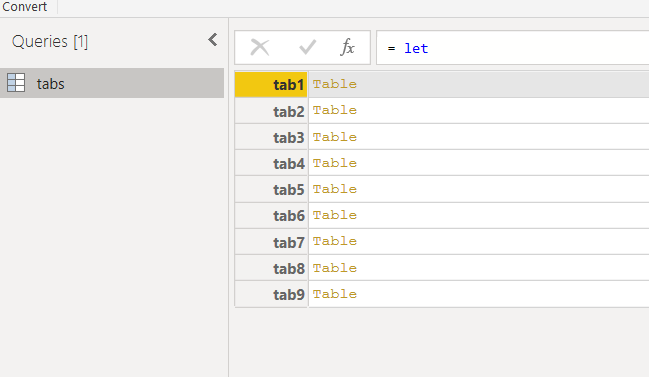
@Anonymous I don't understand the solution, can you show me the content of the table tabs?
I don't know if this is a solution of your problem.
It is only a record having a list of key and as correnspondent values a list of tables.
@Jimmy801 ok but why when i call the same function with the button invoke it creates a new table?
just a guess,
may be this
Function.Invoke(function as function, args as list) as any
could makes what you want
The Power BI Data Visualization World Championships is back! It's time to submit your entry.
Check out the January 2026 Power BI update to learn about new features.
| User | Count |
|---|---|
| 16 | |
| 12 | |
| 9 | |
| 8 | |
| 7 |