Join us at FabCon Atlanta from March 16 - 20, 2026, for the ultimate Fabric, Power BI, AI and SQL community-led event. Save $200 with code FABCOMM.
Register now!The Power BI Data Visualization World Championships is back! Get ahead of the game and start preparing now! Learn more
Hello Experts!
Unfortunately there are many DATE and TIME formats and I'm facing a challenge in converting from one specific format to another that PowerBI recognizes as date time hierarchy.
The original format is YYYY-MM-DDT24HH:MM:SS.Miliseconds, example (2019-11-28T21:24:27.427Z) and I need to convert to DD/MM/YYYY HH:MM:SS that power bi already creates the data hierarchy format (General Date - 14/03/2001 13:30:55 ).
Is there any easy way to perform this conversion?
Kind regards!
Solved! Go to Solution.
Hi @pforchito ,
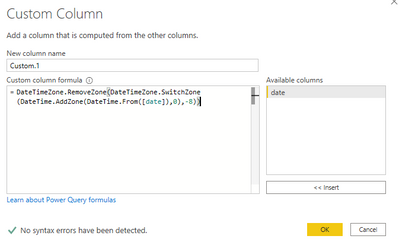
You can also create a custom column using below M codes to realize it: (Timezone fixed number is based on your current timezone)
Custom.1=DateTimeZone.RemoveZone(DateTimeZone.SwitchZone(DateTime.AddZone(DateTime.From([date]),0),-8))
And you will see:
For the related .pbix file,pls see attached.
Best Regards,
Kelly
Did I answer your question? Mark my post as a solution!
Hi @pforchito ,
You can also create a custom column using below M codes to realize it: (Timezone fixed number is based on your current timezone)
Custom.1=DateTimeZone.RemoveZone(DateTimeZone.SwitchZone(DateTime.AddZone(DateTime.From([date]),0),-8))
And you will see:
For the related .pbix file,pls see attached.
Best Regards,
Kelly
Did I answer your question? Mark my post as a solution!
Set the type as Date/Time/Zone. That data has the timezone embedded in it. Although for me the data you gave did the conversion to DateTime just fine. But I have seen conversions that require a two step.
First convert to Date/Time/Zone, then convert again and tell Power Query to add a new step.
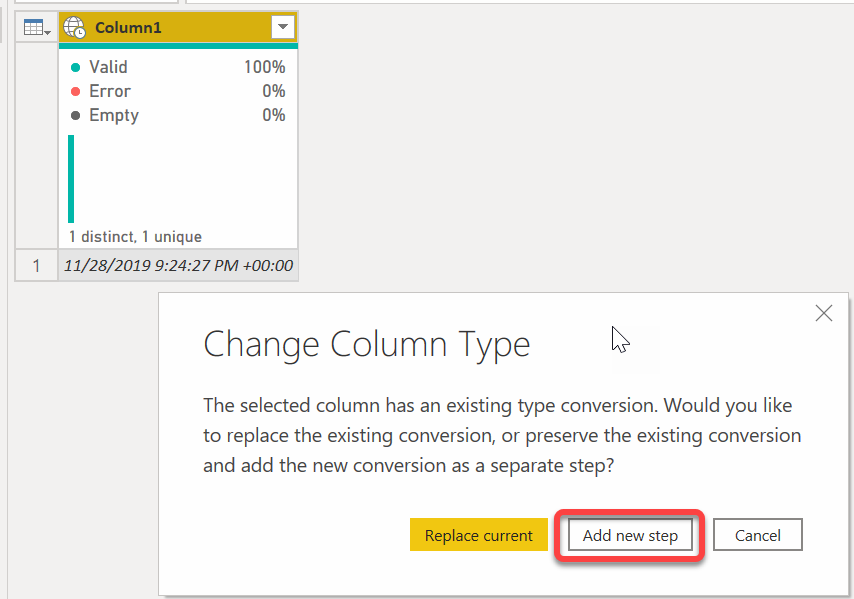
It returns this.
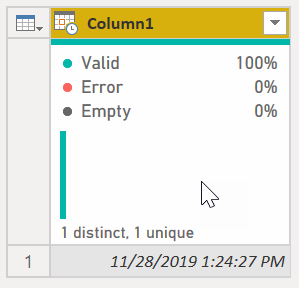
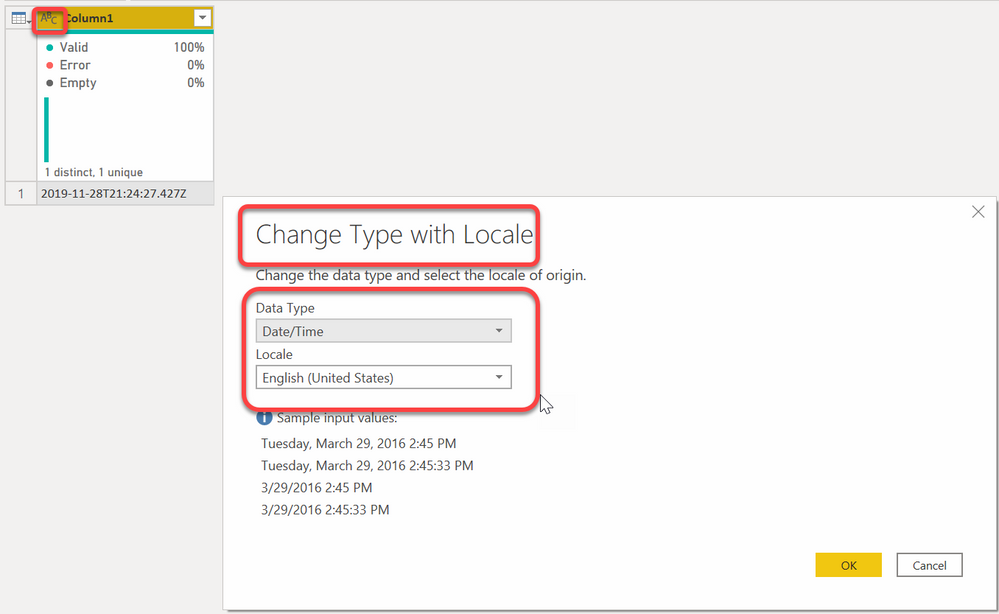
It might be failing due to your locale settings. If that is the case, this data works using the en-US culture code, so when doing the conversion, select the "Using Locale" when doing the conversion then select US English.
If that doesn't work, provide more data in a nice table format per the links below with a screenshot of the error you are getting.
How to get good help fast. Help us help you.
How To Ask A Technical Question If you Really Want An Answer
How to Get Your Question Answered Quickly - Give us a good and concise explanation
How to provide sample data in the Power BI Forum - Provide data in a table format per the link, or share an Excel/CSV file via OneDrive, Dropbox, etc.. Provide expected output using a screenshot of Excel or other image. Do not provide a screenshot of the source data. I cannot paste an image into Power BI tables.
DAX is for Analysis. Power Query is for Data Modeling
Proud to be a Super User!
MCSA: BI ReportingThe Power BI Data Visualization World Championships is back! Get ahead of the game and start preparing now!
Check out the November 2025 Power BI update to learn about new features.
| User | Count |
|---|---|
| 10 | |
| 6 | |
| 5 | |
| 4 | |
| 2 |