Get certified for free when you join Fabric Data Days 2026 and dive into Fabric, Power BI, SQL, AI, and other essential data skills.
Join nowTry your skills in the Power BI Dataviz World Championship! Round one ends June 26. Join now
Hi everyone,
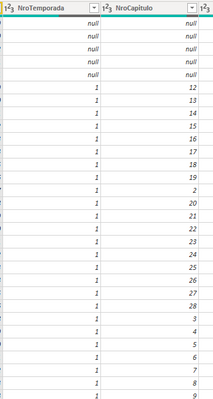
I have these two columns, one for Season and the other one for Chapter.
And I would like to create a Column that in case the season is not null/blank, then appear, S1, if not, continue in blank.
But I can manage to do that.
Thank you everyone
Solved! Go to Solution.
Hi @afrutos ,
You may use & to replace the "+" :
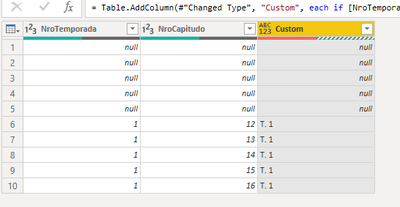
=if [NroTemporada]<> null then "T. " &Number.ToText( [NroTemporada]) else [NroTemporada]
If you want to use DAX, please try:
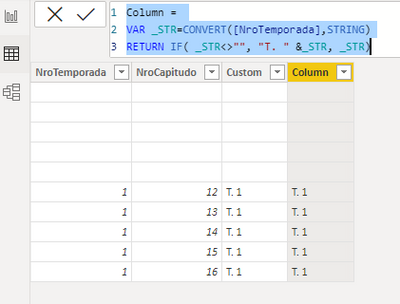
Column =
VAR _STR=CONVERT([NroTemporada],STRING)
RETURN IF( _STR<>"", "T. " &_STR, _STR)
Best Regards,
Eyelyn Qin
If this post helps, then please consider Accept it as the solution to help the other members find it more quickly.
Hi @afrutos ,
You may use & to replace the "+" :
=if [NroTemporada]<> null then "T. " &Number.ToText( [NroTemporada]) else [NroTemporada]
If you want to use DAX, please try:
Column =
VAR _STR=CONVERT([NroTemporada],STRING)
RETURN IF( _STR<>"", "T. " &_STR, _STR)
Best Regards,
Eyelyn Qin
If this post helps, then please consider Accept it as the solution to help the other members find it more quickly.
Hi, @BA_Pete
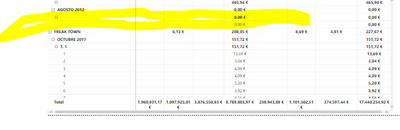
It works for the ones that have NroTemporada not null. But Ithought I could just not shown the null ones, as in the example for not to have it duplicated.
Hi @afrutos ,
Try this in a new custom column:
if [NroTemporada] <> null then "S1" else [NroTemporada]
Pete
Proud to be a Datanaut!
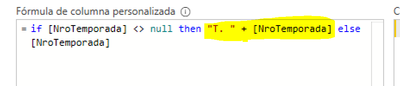
I would need something like this
"T. " + [NroTemporada]
So that I could have T. 1, T. 2.....
I see.
Try this instead then:
if [NroTemporada] <> null
then Text.Combine({"T. ", Text.From([NroTemporada])}, "")
else [NroTemporada]
Pete
Proud to be a Datanaut!
| User | Count |
|---|---|
| 3 | |
| 3 | |
| 2 | |
| 2 | |
| 2 |
| User | Count |
|---|---|
| 11 | |
| 9 | |
| 5 | |
| 5 | |
| 4 |