cancel
Showing results for 
Search instead for 
Did you mean: 

The Power BI Data Visualization World Championships is back! Get ahead of the game and start preparing now! Learn more

Reply
Anonymous
Not applicable

Combining Excel-files from SharePoint causing DataSource.Error (_api/contextinfo)

Hi,

I have a model that retrieves data (Excel and PDF) from SharePoint. One of the data sources is based on daily Excel-'snapshots' with three columns and about 100 rows which is sent to me by mail. I use Microsoft Flow to save the attachments to SharePoint, and then use the combine-function in Power BI to append the files into one table. This has worked perfectly up to this week!

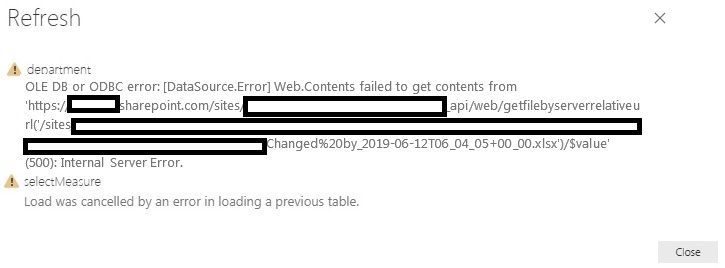
The number of files have reached 160 (and will continue to increase each day). When I now refresh the data, I receive two different errors (please see below). 

If I restart my pc and reduce the number of files in SharePoint the refresh works better (even though the error sometimes occurs - usually the first one). This maybe suggesting a memory issue since Power BI needs to open and load data from all the files? 

I have tried to use incremental refresh without any luck. The Excel-files does not include tables which exclude appending by MS Flow.

Have someone any ideas how to tackle this issue?
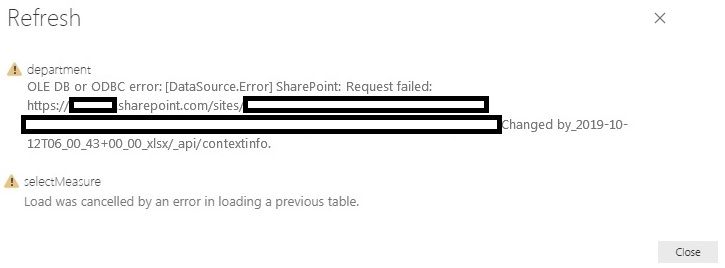
 

Error1.jpgError2.jpg

1 ACCEPTED SOLUTION
v-frfei-msft
Community Support
Community Support

Hi @Anonymous ,


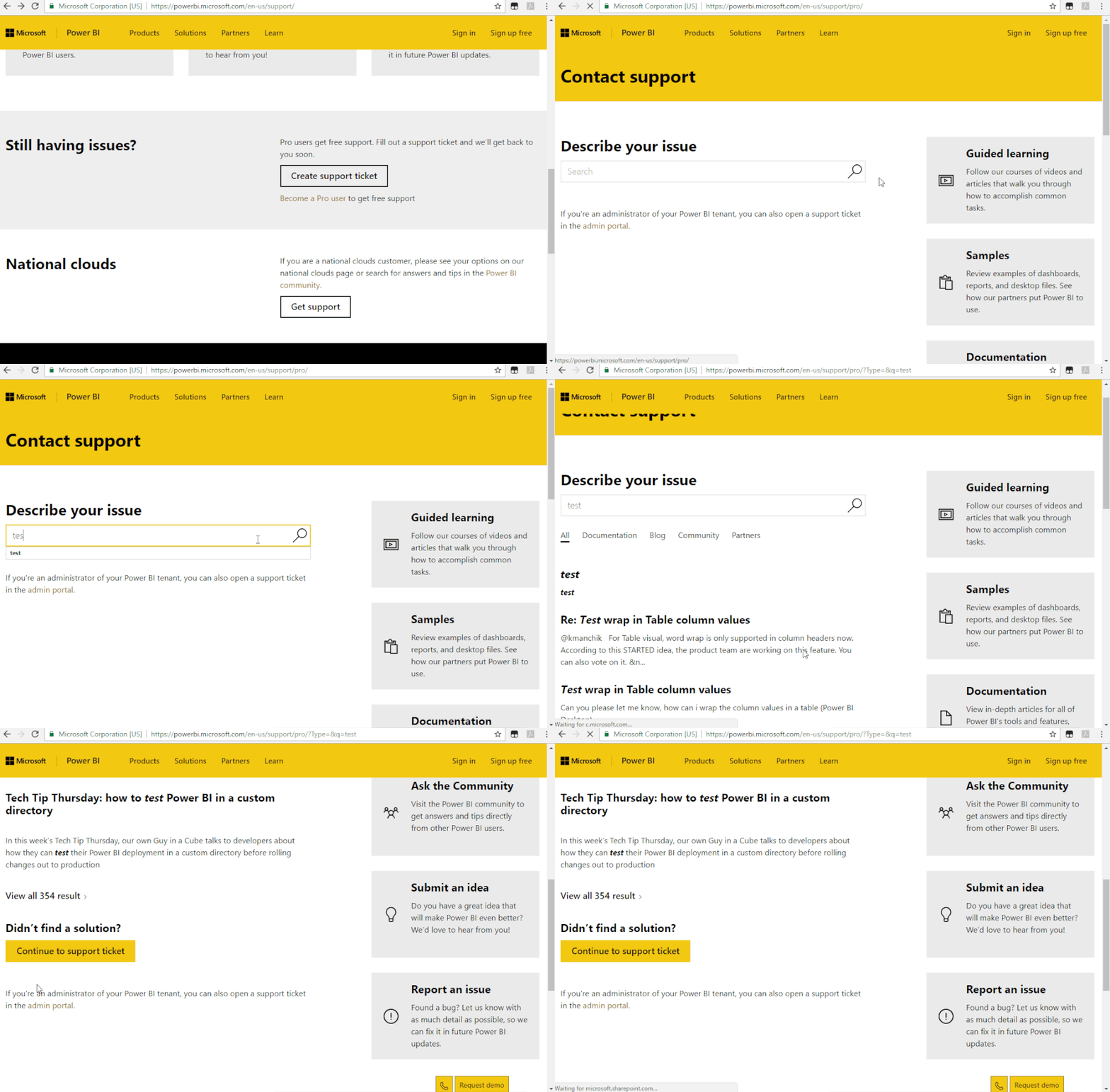
Based on my test, I cannot reproduce your issue here. I recommend you to create a support ticket for help if you are a pro user.


https://powerbi.microsoft.com/en-us/support/


Support Ticket.gif


Community Support Team _ Frank
If this post helps, then please consider Accept it as the solution to help the others find it more quickly.

View solution in original post

1 REPLY 1
v-frfei-msft
Community Support
Community Support

Hi @Anonymous ,


Based on my test, I cannot reproduce your issue here. I recommend you to create a support ticket for help if you are a pro user.


https://powerbi.microsoft.com/en-us/support/


Support Ticket.gif


Community Support Team _ Frank
If this post helps, then please consider Accept it as the solution to help the others find it more quickly.

Helpful resources

Announcements
Power BI DataViz World Championships

Power BI Dataviz World Championships

The Power BI Data Visualization World Championships is back! Get ahead of the game and start preparing now!

December 2025 Power BI Update Carousel

Power BI Monthly Update - December 2025

Check out the December 2025 Power BI Holiday Recap!

FabCon Atlanta 2026 carousel

FabCon Atlanta 2026

Join us at FabCon Atlanta, March 16-20, for the ultimate Fabric, Power BI, AI and SQL community-led event. Save $200 with code FABCOMM.

Top Solution Authors