cancel
Showing results for 
Search instead for 
Did you mean: 

Learn from the best! Meet the four finalists headed to the FINALS of the Power BI Dataviz World Championships! Register now

Reply
gill_133
Frequent Visitor

Changing source data from CSV to XML

Hi all,


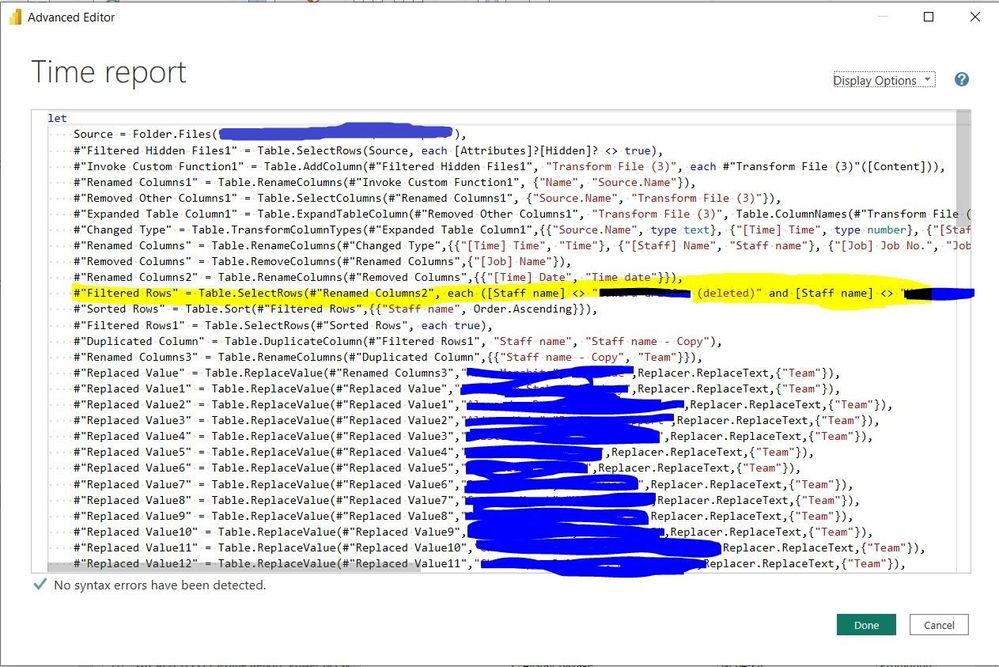
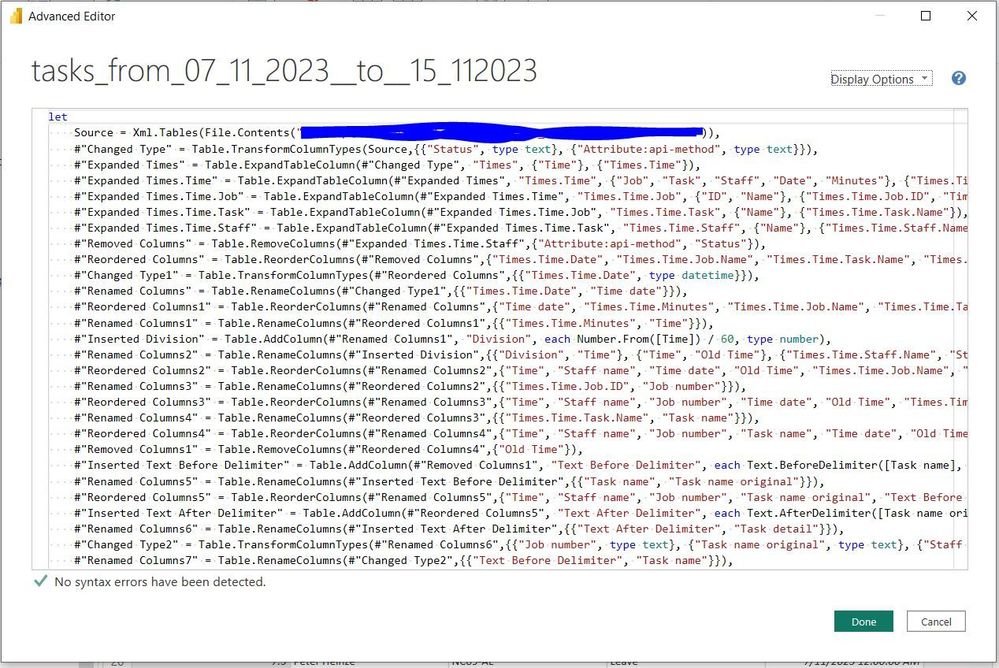
Will preface this by admitting I know very little about XML files or APIs. I have an existing PBI model that is built from CSV files. I'd like to change the input from CSV to XML files. I am not able to attach files, so I apologise for that. I've included some screenshots below, hopefully that helps. 


My test XML file contains similar data to one CSV file already in the model. I imported the XML file, transformed it to appear the same as the CSV file in Power Query, and then tried to copy/paste the rest of the applied steps from CSV file advanced editor (from the yellow highlighted section onwards) into the XML file advanced editor (after my initial transformation steps), but I just got a syntax error... 

Is what I'm doing fundamentally wrong, or is there more likely just a small error I've made?


CSV advanced editorCSV advanced editorXML advanced editorXML advanced editor


Any hints or tips would be very much appreciated, I couldn't find anything on changing input to XML file specifically. 


Many thanks,

Gill

1 ACCEPTED SOLUTION
isjoycewang
Solution Supplier
Solution Supplier

Unsure if it's the root cause, just to remind that remember to change the #"step name" to prior one.

If not, maybe you could let us know more about the syntax error detail. Thanks.


For example, if you need to paste on

#"Filter Rows" = Table.SelectRows(#"Renamed Columns2", each ......  from CSV editor

after

#"Renamed Columns7" = Table RenamedColumns(......  in the XML editor


please modify it as:

#"Filter Rows" = Table.SelectRows(#"Renamed Columns7", each ...... 


Best Regards,

Joyce

View solution in original post

2 REPLIES 2
gill_133
Frequent Visitor

That was it! Thanks Joyce. 

I had a few other syntax errors to address but they were fairly simple to find and address. 


Thanks again,

Gill

isjoycewang
Solution Supplier
Solution Supplier

Unsure if it's the root cause, just to remind that remember to change the #"step name" to prior one.

If not, maybe you could let us know more about the syntax error detail. Thanks.


For example, if you need to paste on

#"Filter Rows" = Table.SelectRows(#"Renamed Columns2", each ......  from CSV editor

after

#"Renamed Columns7" = Table RenamedColumns(......  in the XML editor


please modify it as:

#"Filter Rows" = Table.SelectRows(#"Renamed Columns7", each ...... 


Best Regards,

Joyce

Helpful resources

Announcements
Join our Fabric User Panel

Join our Fabric User Panel

Share feedback directly with Fabric product managers, participate in targeted research studies and influence the Fabric roadmap.

February Power BI Update Carousel

Power BI Monthly Update - February 2026

Check out the February 2026 Power BI update to learn about new features.

FabCon Atlanta 2026 carousel

FabCon Atlanta 2026

Join us at FabCon Atlanta, March 16-20, for the ultimate Fabric, Power BI, AI and SQL community-led event. Save $200 with code FABCOMM.

Top Solution Authors