
This is best Fabric, Power BI, SQL and AI community event. How do we know? The last event sold out! Save €200 with code FABCMTY200.
Register nowA new Data Days event is coming soon! This time we’re going bigger than ever. Fabric, Power BI, SQL, AI and more. Don't miss out.
Hello PBI Community Good Day!
What I'm trying to accomplish:
I need to add 4 rows to an existing independent table in my .pbix, so I can show YoY % in my matrix visual.
Screen shots below
Wondering if this is possibile, if how would I go about doing it?
Much appreciate your time.
Thank you
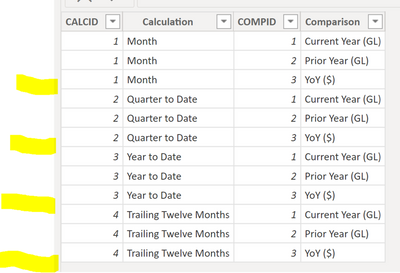
*****Existing table*****
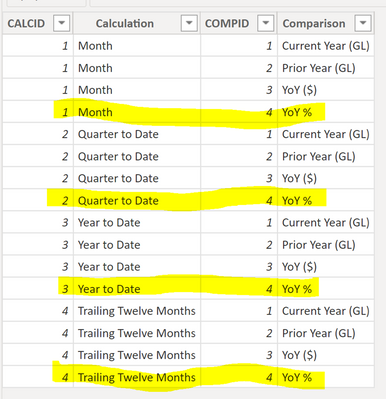
***Want to add the rows highlighted****
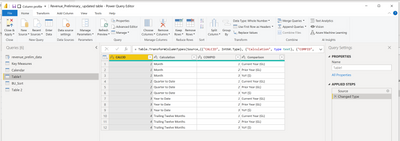
Here is the existing table in Power Query
Solved! Go to Solution.
Hi @Anonymous ,
If I understand your question, create a new table in Power Query by Enter Data, as I have done. Then select your original table. Next append Queries. Select your new table as the second table.
Let me know if you have any questions.
If this solves your issues, please mark it as the solution, so that others can find it easily. Kudos 👍are nice too.
Nathaniel
Proud to be a Super User!
Hi @Anonymous ,
Here's my solution.
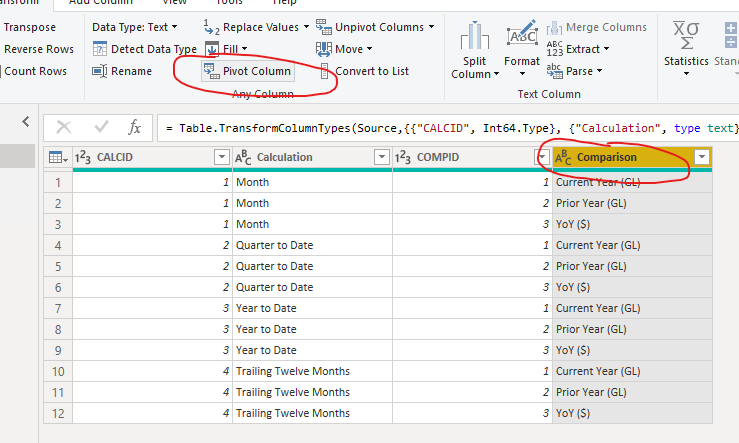
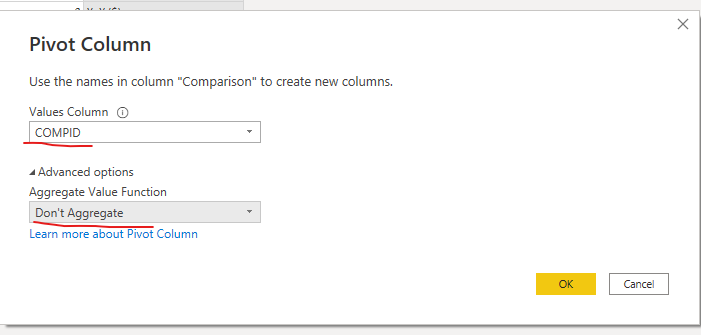
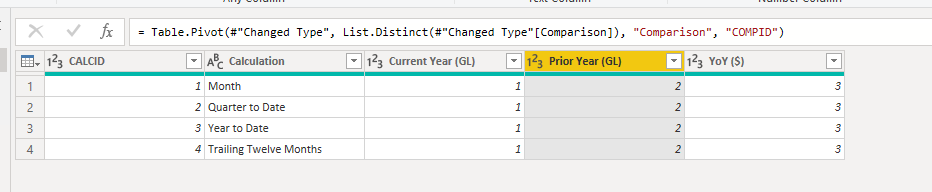
1.Select the Comparsion column, then click 'Pivot Column'.
Set up as follows and click OK.
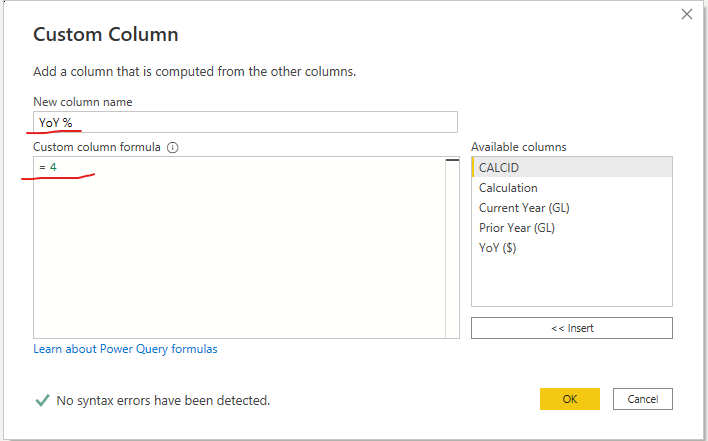
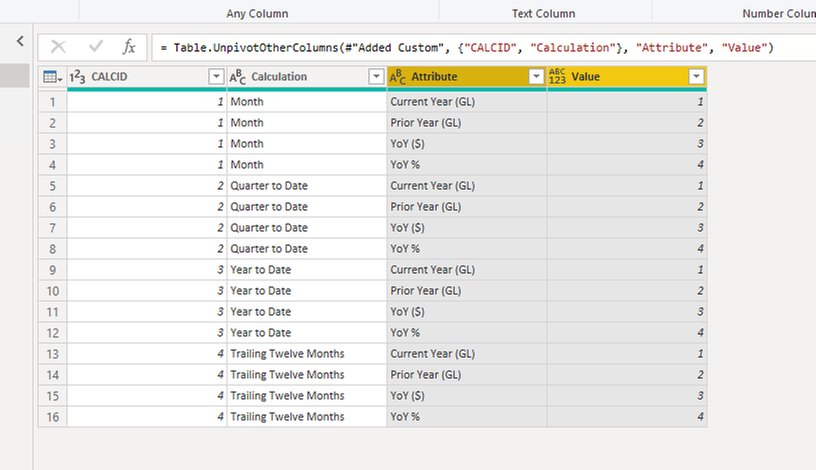
2.Add a custom column named 'YoY %', the value is 4.
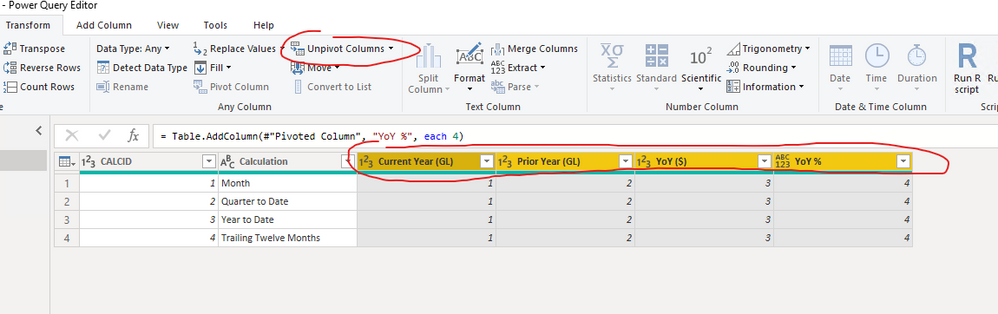
3.Unpivot the 4 columns and rename the columns.
Best Regards,
Stephen Tao
If this post helps, then please consider Accept it as the solution to help the other members find it more quickly.
NewStep=Table.Combine(Table.Group(PreviousStepName,"CALCID",{"n",each _&#table(Table.ColumnNames(_),{{[CALCID]{0},[Calculation]{0},4,"YoY %"}})})[n])
Hi @Anonymous ,
Here's my solution.
1.Select the Comparsion column, then click 'Pivot Column'.
Set up as follows and click OK.
2.Add a custom column named 'YoY %', the value is 4.
3.Unpivot the 4 columns and rename the columns.
Best Regards,
Stephen Tao
If this post helps, then please consider Accept it as the solution to help the other members find it more quickly.
Hi @Anonymous ,
Let me know if you have any questions.
If this solves your issues, please mark it as the solution, so that others can find it easily. Kudos 👍are nice too.
Nathaniel
Proud to be a Super User!
Hi @Anonymous ,
If I understand your question, create a new table in Power Query by Enter Data, as I have done. Then select your original table. Next append Queries. Select your new table as the second table.
Let me know if you have any questions.
If this solves your issues, please mark it as the solution, so that others can find it easily. Kudos 👍are nice too.
Nathaniel
Proud to be a Super User!
Check out the May 2026 Power BI update to learn about new features.
Sign up to receive a private message when registration opens and key events begin.
If you have recently started exploring Fabric, we'd love to hear how it's going. Your feedback can help with product improvements.