cancel
Showing results for 
Search instead for 
Did you mean: 

Next up in the FabCon + SQLCon recap series: The roadmap for Microsoft SQL and Maximizing Developer experiences in Fabric. All sessions are available on-demand after the live show. Register now

Reply
orogstad
New Member

Azure SQL credentials duration

Hi, I have a question regarding credentials to a Azure SQL datasource. 


So, I've a SQL database in Azure as my datasource. I connect to the server via Power BI Desktop and with the server admin login. The first time I published the dataset to the Power BI app, I had to re-enter the server admin credentials, but not the second or third time. 


For how long will the credentials be stored in the Power BI app? Do I ever have to re-enter the server admin credentials, and if so, when? I've registered that I've to re-enter the credentials if I want to transfer the dataset to another user. 

1 ACCEPTED SOLUTION
Anonymous
Not applicable

Hi @orogstad,

From your screenshot, you configure settings for the Azure dataset in Power BI Service. Connecting to Azure dataset from Power BI Service and conecting to Azure database from Power BI Desktop are different processes. Thus, when you publish PBIX file to Power BI Service firstly, you need to enter credential again.

In addition, when you add a member in Power BI Group and grant him edit permission, he will need to re-enter credential of Azure dataset when he takes over the dataset in his Power BI Service portal.

Thanks,
Lydia Zhang

View solution in original post

3 REPLIES 3
Anonymous
Not applicable

Hi @orogstad,

Could you please post the screenshot which forces you to re-enter server admin?   Based on my test, when we publish PBIX file which contains Azure database to Power BI Service, we will need to sign in Power BI Service rather than re-entering the server admin credential of Azure database .

For more details about publishing from Power BI Desktop, please review the following article.
https://powerbi.microsoft.com/en-us/documentation/powerbi-desktop-upload-desktop-files/ 


Thanks,
Lydia Zhang

Thanks for answering, @Anonymous.


So here is my process:


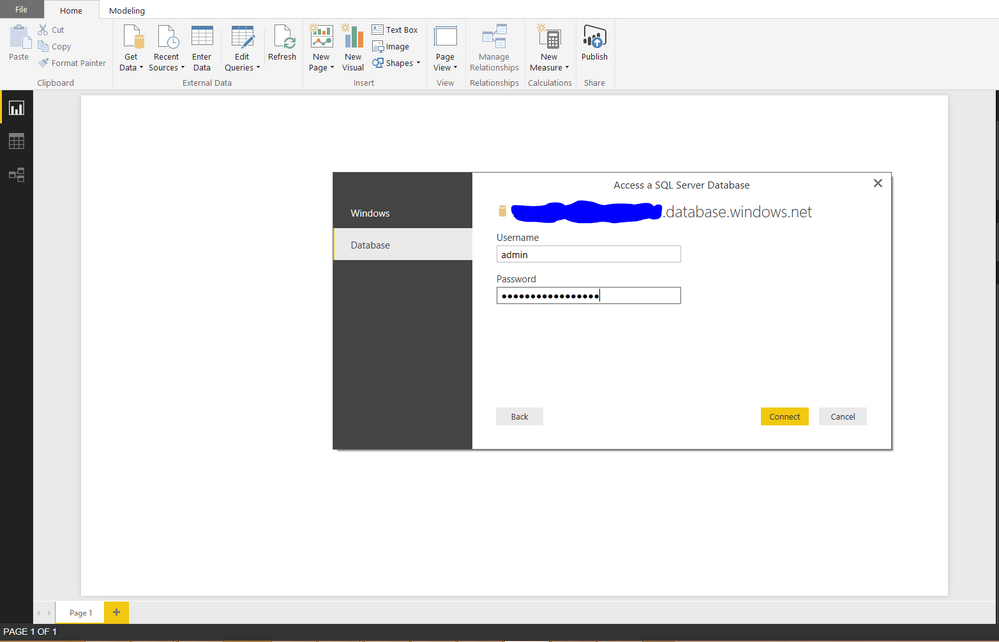
1. Entering credentials in Power BI

first.PNG

2. After publishing (only the first time), I'm forced to re-enter the server admin credentials, fair enough I guess.

second.PNG


However, my question is; do I ever have to re-enter the credentials again? I've found out that I have to do it when I transfer the dataset to another user within a Power BI group, but are there any other actions or time constraints that forces the owner to re-enter the server admin credentials? 


The reason for my question is that as a database admin, I'm reluctant to give the server admin credentials to the Power BI admin, nor do I want to bother him/her (the Power BI admin/user) with another user-password combination. I've configured the server to accept Active Directory Password Authentication, but unfortunately Power BI only accepts Windows and Database credentials when connecting to Azure SQL Databases.

Anonymous
Not applicable

Hi @orogstad,

From your screenshot, you configure settings for the Azure dataset in Power BI Service. Connecting to Azure dataset from Power BI Service and conecting to Azure database from Power BI Desktop are different processes. Thus, when you publish PBIX file to Power BI Service firstly, you need to enter credential again.

In addition, when you add a member in Power BI Group and grant him edit permission, he will need to re-enter credential of Azure dataset when he takes over the dataset in his Power BI Service portal.

Thanks,
Lydia Zhang

Helpful resources

Announcements
New to Fabric survey Carousel

New to Fabric Survey

If you have recently started exploring Fabric, we'd love to hear how it's going. Your feedback can help with product improvements.

Power BI DataViz World Championships carousel

Power BI DataViz World Championships - June 2026

A new Power BI DataViz World Championship is coming this June! Don't miss out on submitting your entry.

Join our Fabric User Panel

Join our Fabric User Panel

Share feedback directly with Fabric product managers, participate in targeted research studies and influence the Fabric roadmap.

March Power BI Update Carousel

Power BI Community Update - March 2026

Check out the March 2026 Power BI update to learn about new features.