Join us at FabCon Atlanta from March 16 - 20, 2026, for the ultimate Fabric, Power BI, AI and SQL community-led event. Save $200 with code FABCOMM.
Register now!The Power BI Data Visualization World Championships is back! Get ahead of the game and start preparing now! Learn more
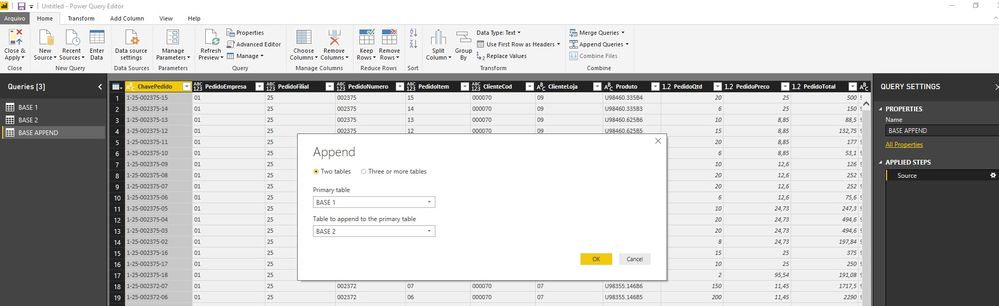
Hi, I'm having a problem loading two queries from different bases and merging them using the "Append as new" option. The resulting table is joining records incorrectly, following examples:
Base 1 - 33866 rows. Colunm ChavePedido (33866 distinct values)
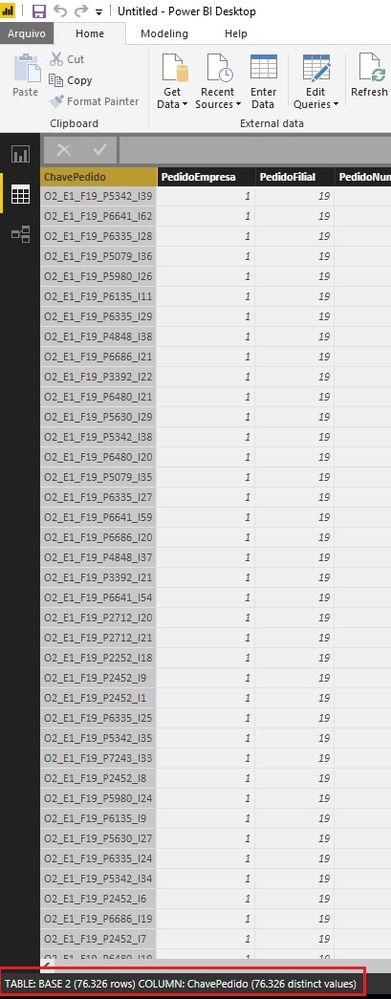
Base 2 - 76326 rows. Colunm ChavePedido (76326 distinct values)
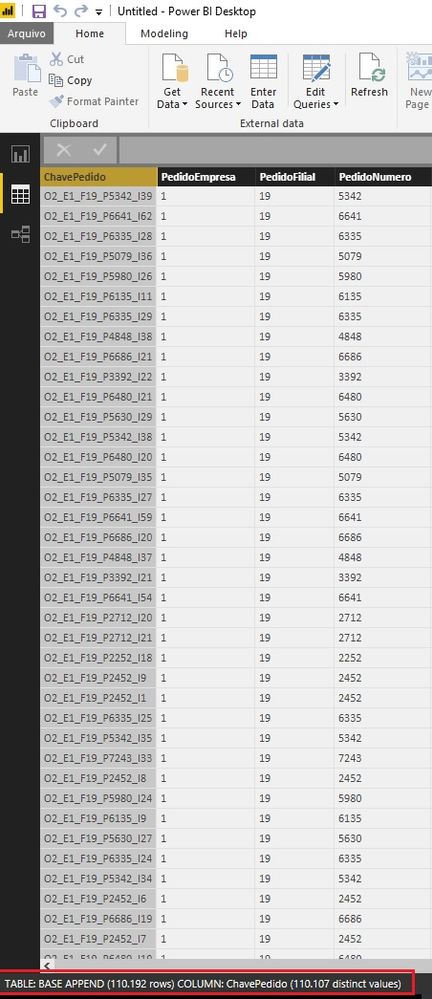
Base Append - 110192 rows. Colunm ChavePedido (110107 distinct values)
The result in the Append base should be 110192 distinct lines, mirroring base 1 and base 2. How to make Append correct?
Solved! Go to Solution.
@dgbraqe, This issue should be now be fixed. Please download the Power BI Desktop July release and let us know if things are now working as expected.
Ehren
@dgbraqe,
What version of Power BI Desktop do you use? Is there any possibility that you can share us the sample data of your tables?
Regards,
Lydia
@Anonymous,
I'm using the latest version, yesterday I upgraded to the June version.
I have prepared an example, I will share the Power BI file. Example Append
Some considerations:
- The records of each base are obtained through views.
- I noticed that with each update of the records, the result in Append was different (sometimes they were correct and sometimes incorrect).
Regards,
Braque
The Power BI Data Visualization World Championships is back! Get ahead of the game and start preparing now!