

This time we’re going bigger than ever. Fabric, Power BI, SQL, AI and more. We're covering it all. You won't want to miss it.
Learn moreDid you hear? There's a new SQL AI Developer certification (DP-800). Start preparing now and be one of the first to get certified. Register now
Hi All
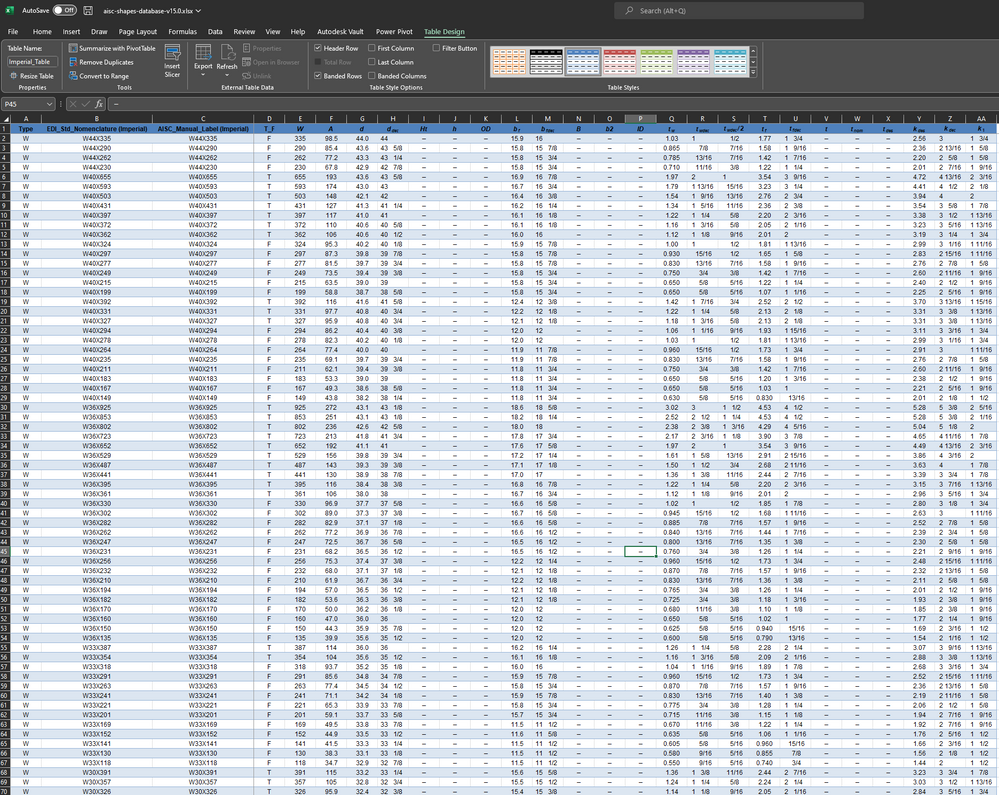
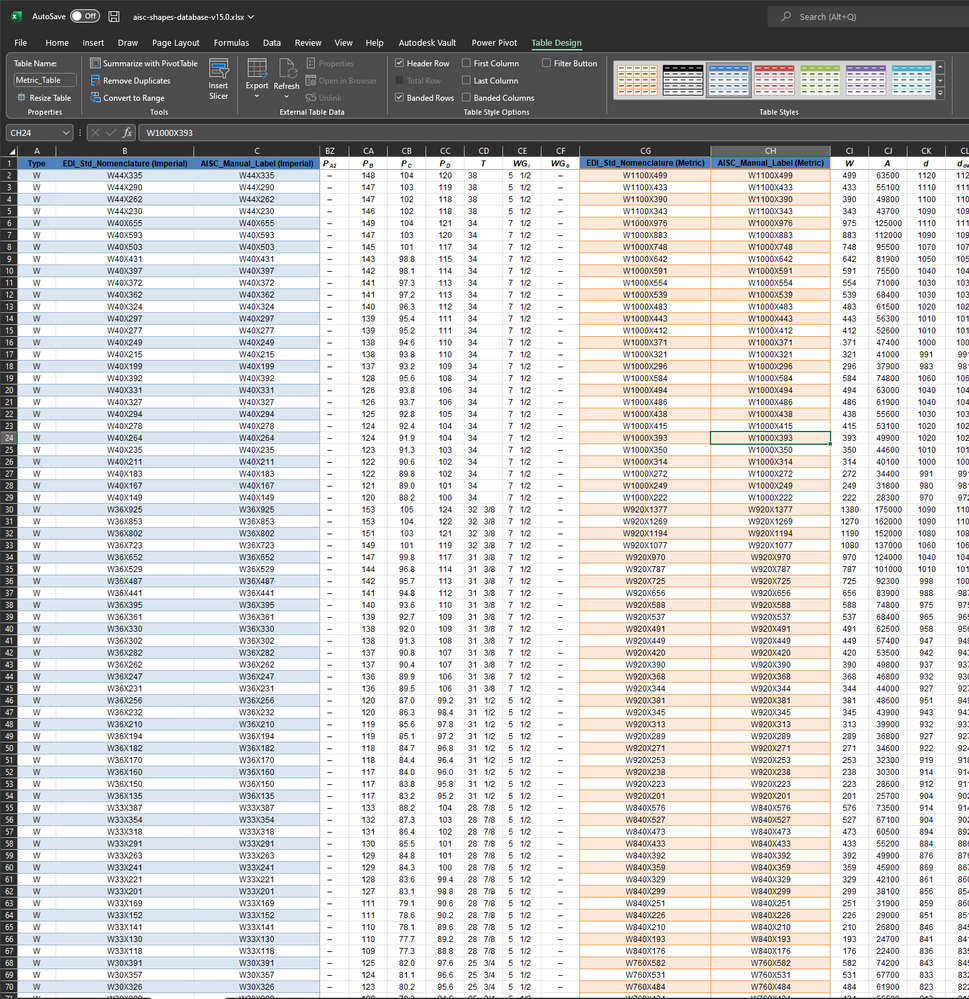
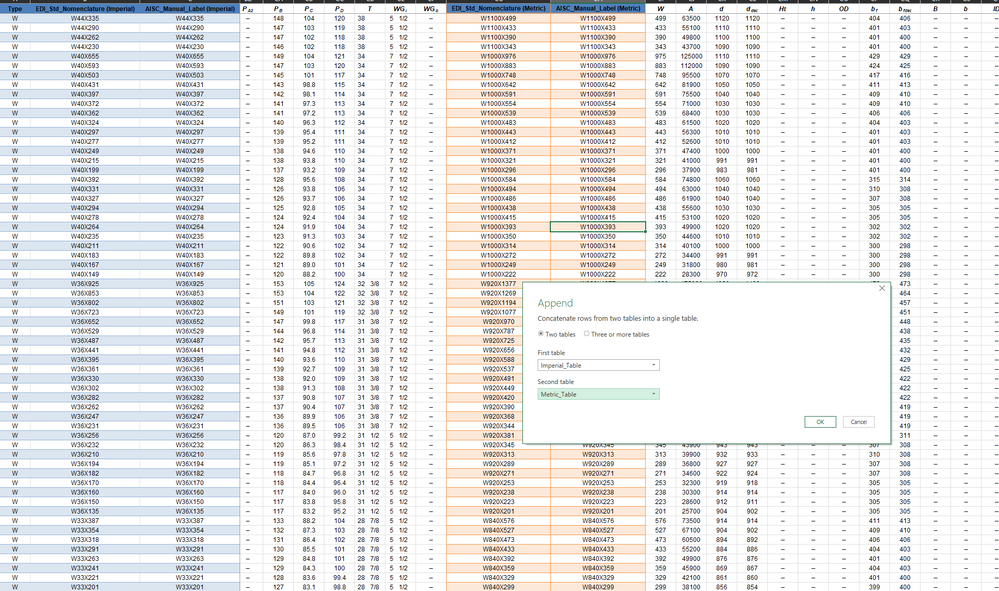
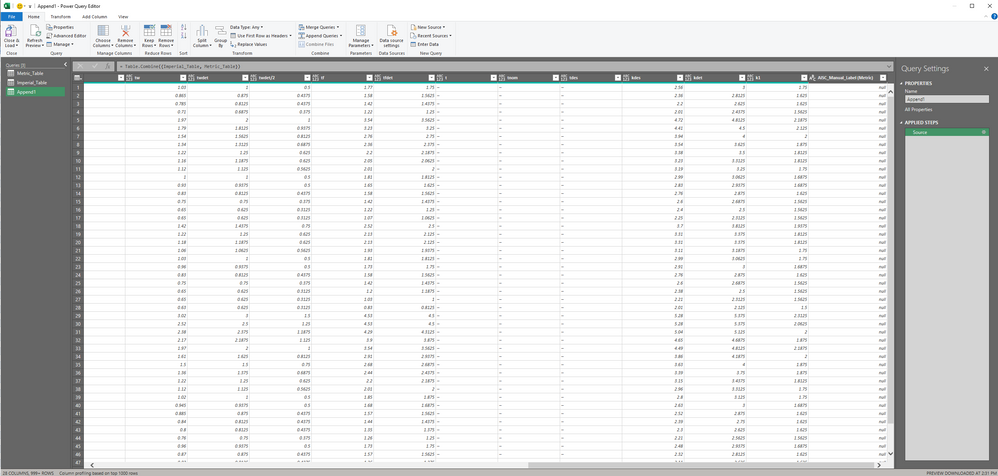
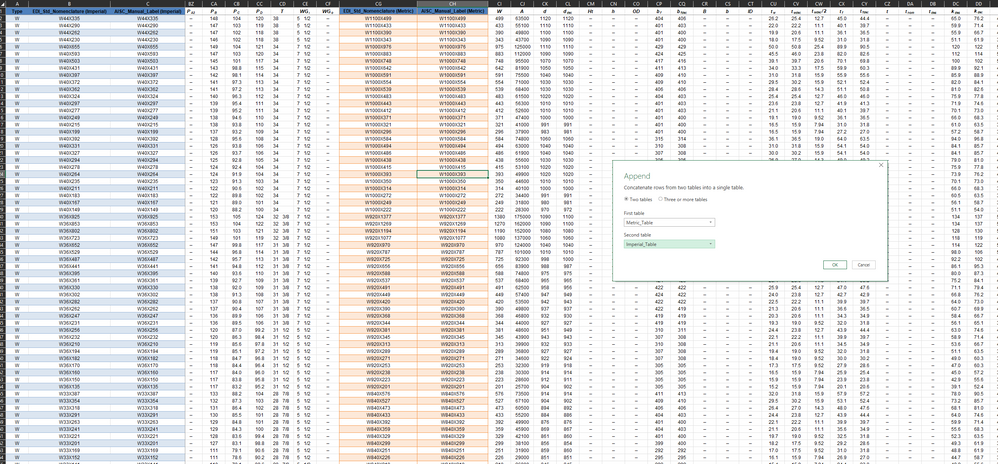
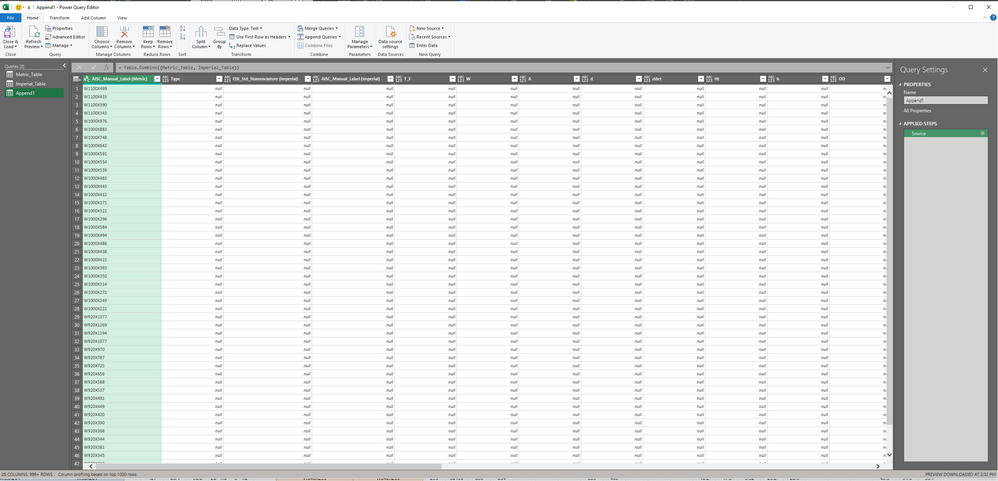
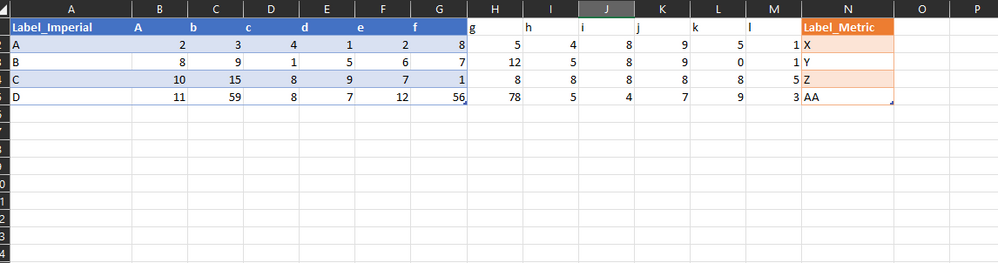
I am in power query section of the excel and i have created two subset tables from one very large data set. Imperial_Table (blue color table) and _Metric_Table (orange color table). I am bringing these two tables to powe query and trying to append them. In the append diaglog box when I am selecting these two tables one by one from the dropdown list and pressing okay. But only data from the table which I had selected first is showing properly but the data from the second table is showing as "null" in all the rows. If I select vice versa then the table data swaps and the second selected table data shows "null".
Could anyone help please ?
Solved! Go to Solution.
You could use Table.FromColumns instead of appending:
Table.FromColumns(
Table.ToColumns(Table_Imperial) & Table.ToColumns(Table_Metric),
Table.ColumnNames(Table_Imperial) & Table.ColumnNames(Table_Metric)
)
This splits both tables into a list of columns, joins the resulting lists, and then reassembles them into a single table using the column names from each table.
Hi. Thank you so much. It worked like a charm. Thanks for being awesome !
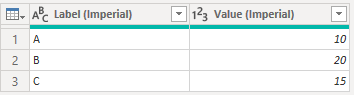
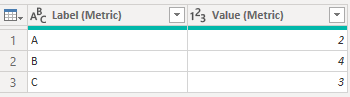
For a simpler example, suppose we have two tables Imperial_Table and Metric_Table as follows:
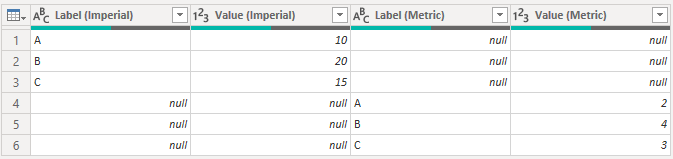
Appending them together gives the following result:
This is probably not what we actually want, but since there are no matching column names, Power Query doesn't know which columns should stack on which other ones.
One way to fix this would be to standardize the column names on the tables before appending. For example, these tables should append as expected:
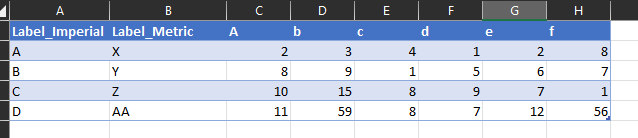
Thank you so much taking the time to respond. I guess then my question was wrong. I apologize for that. All I want in my final table to is to bring selected tables side by side to make a "joined" table by rearranging the columns in that final table as shown in the screenshots. I want to go from 1st picutre to 2nd picture. I dont want to disturb the column arrangement of Master file (first picture) as its a downloaded copy from the internet .
You could use Table.FromColumns instead of appending:
Table.FromColumns(
Table.ToColumns(Table_Imperial) & Table.ToColumns(Table_Metric),
Table.ColumnNames(Table_Imperial) & Table.ColumnNames(Table_Metric)
)
This splits both tables into a list of columns, joins the resulting lists, and then reassembles them into a single table using the column names from each table.
Check out the April 2026 Power BI update to learn about new features.
Sign up to receive a private message when registration opens and key events begin.
If you have recently started exploring Fabric, we'd love to hear how it's going. Your feedback can help with product improvements.
| User | Count |
|---|---|
| 3 | |
| 3 | |
| 3 | |
| 2 | |
| 2 |