Hi @Anonymous ,
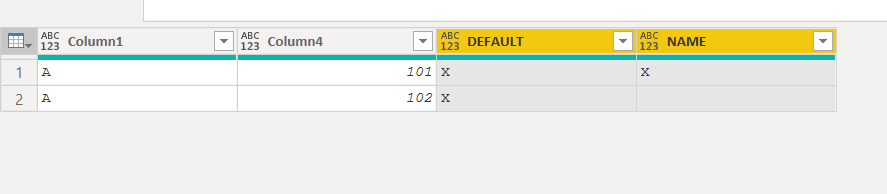
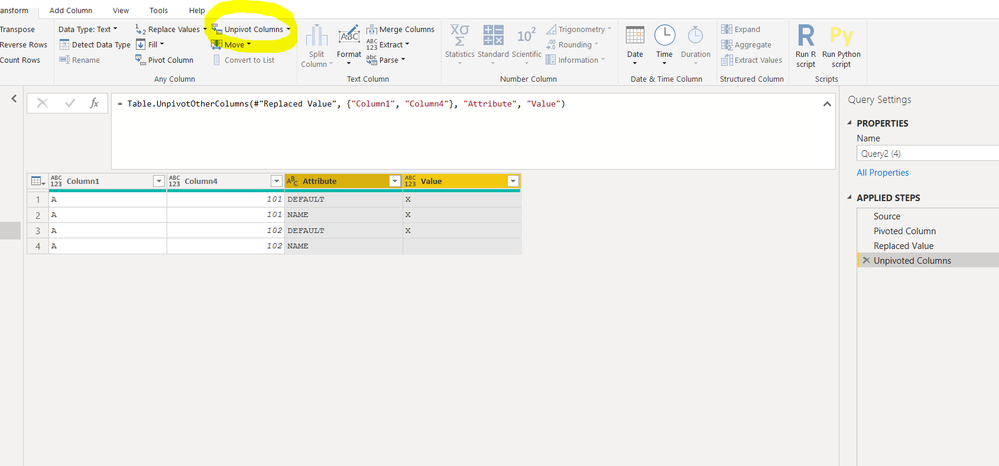
See if the M code below is what you need. It turns this:
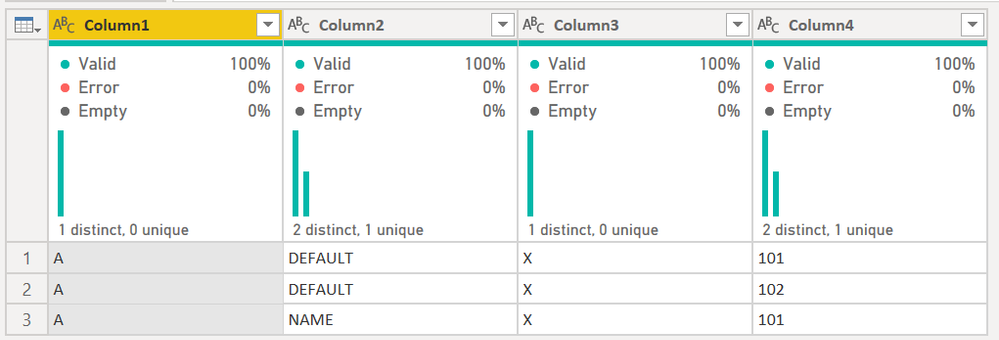
Into this:
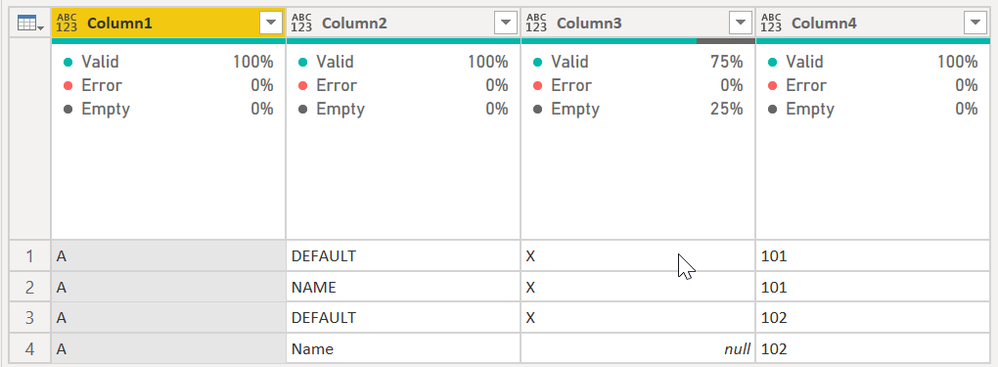
It does this by doing the following:
- Groups the data by column 1 and 4 and puts all of the data in a new All Rows aggregation.
- Counts the rows. If there is only 1 row, it assumes the Name row is missing, which is used in the next step.
- It creates a new row using the Table.FromRecords table constructor that will have your original Col1 and Col4 value, plus the "Name" in col 2. It leaves col3 out.
- It then appends the table in step 3 with the nested table in the [All Rows] column only if that nested table has 1 row. Because column 3 is missing from the table created in step 3, it is appended as a null.
- I remove all but the last column, and expand all columns in the table created in step 4.
Data types get destroyed in this type of thing, so you'll need to re-apply types at the end before loading to DAX.
let
    Source = Table.FromRows(Json.Document(Binary.Decompress(Binary.FromText("i45WclTSUXJxdXMM9QkBsiKA2NDAUClWB7uMEVzGz9HXFVlDLAA=", BinaryEncoding.Base64), Compression.Deflate)), let _t = ((type nullable text) meta [Serialized.Text = true]) in type table [Column1 = _t, Column2 = _t, Column3 = _t, Column4 = _t]),
    #"Grouped Rows" = Table.Group(Source, {"Column1", "Column4"}, {{"All Rows", each _, type table [Column1=nullable text, Column2=nullable text, Column3=nullable text, Column4=nullable text]}}),
    #"Added Row Count" = Table.AddColumn(#"Grouped Rows", "Row Count", each Table.RowCount([All Rows])),
    #"New Row" =
        Table.AddColumn(
            #"Added Row Count",
            "New Record",
            each
            let
                varCol1 = [Column1],
                varCol4 = [Column4],
                varAllRows = [All Rows]
            in

                if [Row Count] >= 2 then [All Rows]
                else
                    Table.Combine(
                        {
                            varAllRows,
                            Table.FromRecords(
                                {
                                    [Column1 = varCol1, Column2 = "Name", Column4 = varCol4]
                                }
                            )
                        }
                    )
                ),
    #"Removed Other Columns" = Table.SelectColumns(#"New Row",{"New Record"}),
    #"Expanded New Record" = Table.ExpandTableColumn(#"Removed Other Columns", "New Record", {"Column1", "Column2", "Column3", "Column4"}, {"Column1", "Column2", "Column3", "Column4"})
1) In Power Query, select New Source, then Blank Query
2) On the Home ribbon, select "Advanced Editor" button
3) Remove everything you see, then paste the M code I've given you in that box.
4) Press Done
5) See this article if you need help using this M code in your model.
Did I answer your question? Mark my post as a solution!Did my answers help arrive at a solution? Give it a kudos by clicking the Thumbs Up!DAX is for Analysis. Power Query is for Data Modeling
Proud to be a Super User!
MCSA: BI Reporting