Join us at FabCon Atlanta from March 16 - 20, 2026, for the ultimate Fabric, Power BI, AI and SQL community-led event. Save $200 with code FABCOMM.
Register now!The Power BI Data Visualization World Championships is back! Get ahead of the game and start preparing now! Learn more
Hi Power Bi community
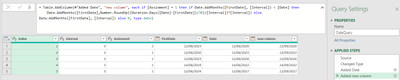
I have a table with 5 columns. The table shows how often an assingment should be reopened.
1. Index: An index column
2. Interval [Number]: How many month should go between the reopening the assignment.
3. Assinment [Number]: This colum contains all assingments (For this question we can just focus on assingment number 1.
4. FirstDate [Date]: The first date the assingment was opened (So this is gonna be the same date in all rows for assingment 1)
5. Date [Date]: This column contain each date from the [FirstDate] and three years into the future from today. for each assingment.
I want to add the interval to the FirstDate to see when the next time the assingment is opened
= Table.AddColumn(#"Add something", "new column", each if [Assinment] = 1 then
Date.AddMonths([FirstDate], [Interval]) else 0)
My problem is that I want the [new column] to always be higher than the [Date] and if this is not the case than it should add a number of month equal [Interval], but I don't know how to do that.
Can anyone here help? All help is greatly appreciated.
Solved! Go to Solution.
Not sure I fully understand your desired outcome so might be worth adding an example of what you expect?
However that said I this might be it:
= Table.AddColumn(#"Added Date", "new column", each if [Assinment] = 1 then if Date.AddMonths([FirstDate], [Interval]) < [Date] then Date.AddMonths([FirstDate],Number.RoundUp((Duration.Days([Date]-[FirstDate])/30)/[Interval])*[Interval]) else
Date.AddMonths([FirstDate], [Interval]) else 0, type date)
Thanks,
Not sure I fully understand your desired outcome so might be worth adding an example of what you expect?
However that said I this might be it:
= Table.AddColumn(#"Added Date", "new column", each if [Assinment] = 1 then if Date.AddMonths([FirstDate], [Interval]) < [Date] then Date.AddMonths([FirstDate],Number.RoundUp((Duration.Days([Date]-[FirstDate])/30)/[Interval])*[Interval]) else
Date.AddMonths([FirstDate], [Interval]) else 0, type date)
Thanks,
It works as a charm. Thanks for the great solution and quick response.
The Power BI Data Visualization World Championships is back! Get ahead of the game and start preparing now!
| User | Count |
|---|---|
| 19 | |
| 10 | |
| 9 | |
| 7 | |
| 6 |