cancel
Showing results for 
Search instead for 
Did you mean: 

Try your skills in the Power BI Dataviz World Championship! Round one ends June 26. Join now

Reply
PiyushH1
Helper I
Helper I

Add Live Exchange Rate Month column

Hi Power BI Team ,


Can some please help me ?


I have imported Exchnage rate table from Excel data sheet from 01/01/2017 to 01/06/2019 (GBP TO EUR). 

can someone guide me how can i add live exchnage rate by Every 1st of the month which can be updated automatically  ?


Thanks.

3 REPLIES 3
v-juanli-msft
Community Support
Community Support

Hi @PiyushH1 

If you have Exchange rate table stored in an excel file,

Every month you update the excel file to contain the lastest rate information,

You could configure schedule refresh for the Power BI Report so you could see updated information every month.


Steps as below:

1. Connect to excel with Power BI Desktop, Create reports and publish it Power BI Service

2. Download the On-premises gateway and add data source under it

3. Configure schedule refresh for the dataset


It needs a Pro liscense.

If you only purchase a free one, you can only refresh it from Power BI Desktop manually.


Best Regards
Maggie


Community Support Team _ Maggie Li
If this post helps, then please consider Accept it as the solution to help the other members find it more quickly.

Hi @Maggie,

thanks for your feed back.

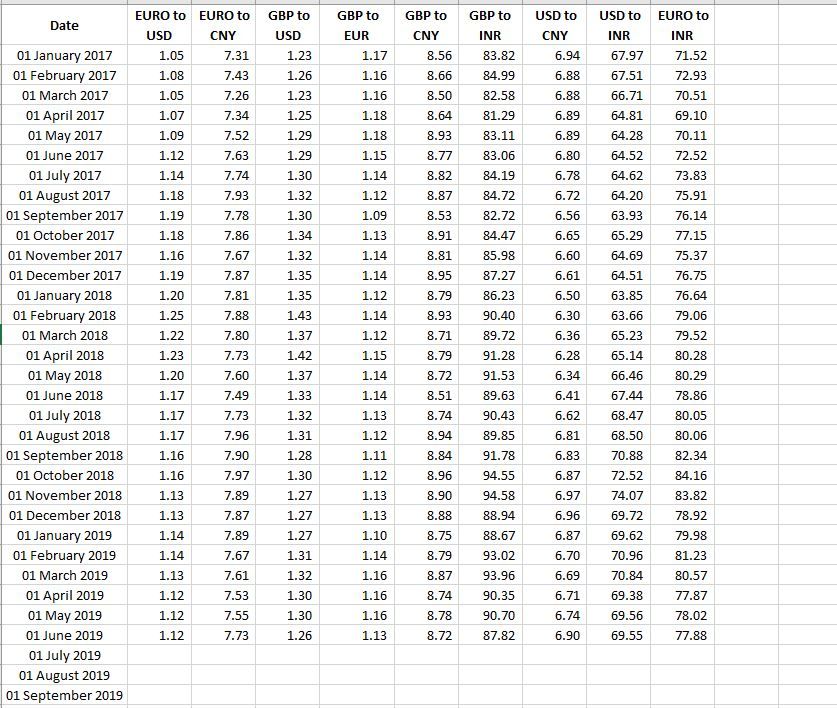
sorry but my question is different. i have  Excel table (see below ) up to June-19. but how can it will be automatically updated rates in each cell month by month. i.e in July-19


Capture.JPG

Kind Regards,

Piyush 


Hi @PiyushH1 

If you add rate data of 2019/7, 2019/8 in your excel file, then click on "refresh" button in power bi, the data model/ report can update to the newest rate data.

If you are not this scenario, which scenario do you have?

Do you want to create new rows of rate data in Power BI with exsiting data?


Best Regards
Maggie


Community Support Team _ Maggie Li
If this post helps, then please consider Accept it as the solution to help the other members find it more quickly.

Helpful resources

Announcements
Fabric Data Days is here Carousel

Fabric Data Days 2026

Don't miss out on Data Days, June 15 through August 7. Learn Fabric, Power BI, SQL, AI and more.

May Power BI Update Carousel

Power BI Monthly Update - May 2026

Check out the May 2026 Power BI update to learn about new features.

Power BI DataViz World Championships carousel

Power BI DataViz World Championships - June 2026

A new Power BI DataViz World Championship is coming this June! Don't miss out on submitting your entry.