Join us at FabCon Atlanta from March 16 - 20, 2026, for the ultimate Fabric, Power BI, AI and SQL community-led event. Save $200 with code FABCOMM.
Register now!The Power BI Data Visualization World Championships is back! Get ahead of the game and start preparing now! Learn more
Hi Team,
I am tring to access sharepoint page data from Power Bi and getting the follwoing error when I try to connect.
The WWW-Authenticate header doesn't contain a valid authorization URI. Header value: 'Bearer realm="03b07a97-a58c-4be0-8ad3-d308163f8fa9",client_id="00000003-0000-0ff1-ce00-000000000000",trusted_issuers="00000005-0000-0000-c000-000000000000@*,00000003-0000-0ff1-ce00-000000000000@03b07a97-a58c-4be0-8ad3-d308163f8fa9",NTLM'.
Can someone help me please? Its quite urgent.
Thanks
Solved! Go to Solution.
I resolved this issue using windows credentials instead of Organisational account credentials.
Thanks
Did you see this thread? It is old, but same issue.
DAX is for Analysis. Power Query is for Data Modeling
Proud to be a Super User!
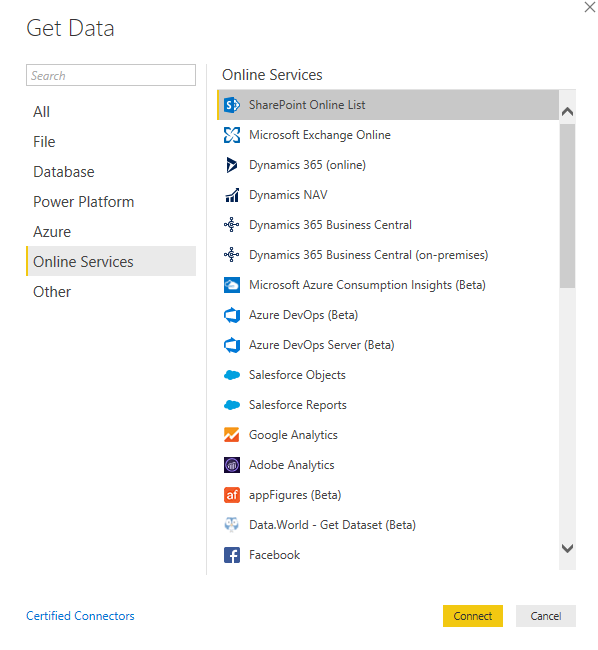
MCSA: BI ReportingThanks for the response. Can someone please advise me , How can I access the Sharepoint List as data source from Power BI.
Thanks
Hi @Anonymous ,
well, like everything else from main menu "Get New Data":
This generates for me the code like below:
let
Source = SharePoint.Tables("https://mycompany.sharepoint.com/sites/myteam/", [ApiVersion = 15]),
#"Table" = Source{[Id="1cd9225b..."]}[Items],
#"Renamed Columns" = Table.RenameColumns(#"Table",{{"ID", "ID.1"}})
in
#"Renamed Columns"
A couple of suggestions:
Kind regards,
JB
Thanks. It fails before the import wizard. I feel like some access issue, I have requested to check my access to the Sharepoint site. I will update how I go.
Thanks
I resolved this issue using windows credentials instead of Organisational account credentials.
Thanks
The Power BI Data Visualization World Championships is back! Get ahead of the game and start preparing now!
| User | Count |
|---|---|
| 15 | |
| 13 | |
| 9 | |
| 9 | |
| 8 |