cancel
Showing results for 
Search instead for 
Did you mean: 

July 7 - July 17 | Round 2 of the Power BI Dataviz World Championships. Don't miss your chance! Learn more

Reply
Anonymous
Not applicable

Support for newer NpgSQL (PostgreSQL) version

Hello,


The follow problem was encountered: When you have `FOREIGN TABLE`s in the database, they are not shown in the the table/schema selector within Power BI.


After some investigation I noticed this ahs been fixed in a new NpgSQL version (4.1.4), whereas the Power BI application is shipped with an older 4.0.10. I assume this is because the newer NpgSQL versions are using an incompatible (?) .NET setup for Power BI. The following is needed: https://github.com/npgsql/npgsql/pull/2525


In order for me to debug this some more, I would like to get some insight on the following points:

- How can I see which NpgSQL version Power BI is using? As the documentation says the following "while on-premise refresh will use the local installation of NpgSQL, if available, and otherwise use NpgSQL 4.0.10".

- Did anyone successfully used a newer NpgSQL connector?

- This functionality can be easily backported to 4.0.11. Would it be possible to use a different version in the Power BI environment?


If the route of backporting is taken, it might also be an idea to ship this standard in the new Power BI versions.


Update: A backport has been deployed to the supported branch of NpgSQL 4.0.x: https://github.com/npgsql/npgsql/releases/tag/v4.0.12. This, however, still does not show the FWD tables in Power BI.


Ref: Postgres, NpgSQL, Foreign table

2 REPLIES 2
v-lionel-msft
Community Support
Community Support

Hi @Anonymous ,


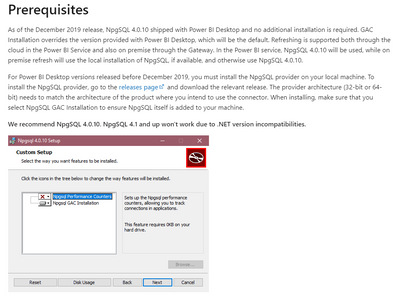
v-lionel-msft_0-1620885543538.png

Please refer to the link.

PostgreSQL 


Best regards,
Lionel Chen

If this post helps, then please consider Accept it as the solution to help the other members find it more quickly.


Anonymous
Not applicable

This is exactly what I tried. My questions still stand.


I created a hotfix to 4.0.x (https://github.com/npgsql/npgsql/pull/3722) and can check if that works once it is released.


But I still would like to see if PowerBI is connected with my CAG installation.

Helpful resources

Announcements
FabCon and SQLCon Barcelona 2026

FabCon & SQLCon – Barcelona 2026

Join us in Barcelona for FabCon and SQLCon, the Fabric, Power BI, SQL, and AI community event. Save €200 with code FABCMTY200.

60 days of Data Days Carousel

Data Days 2026

Join Fabric Data Days 2026: 60 days of free live/on-demand sessions, challenges, study groups, and certification opportunities.

Power BI DataViz World Championships carousel

Power BI DataViz World Championships - June 2026

A new Power BI DataViz World Championship is coming this June! Don't miss out on submitting your entry.

Top Solution Authors