Share feedback directly with Fabric product managers, participate in targeted research studies and influence the Fabric roadmap.
Sign up nowGet Fabric certified for FREE! Don't miss your chance! Learn more
I am in SSAS:
I have column Name, but I want to sort by Id because when in Power BI, it automatically groups by people with same name, but they are in fact different people.
I have 2 tables: Clients and Current Client.
Client is a table and Current Client is a calculated table…
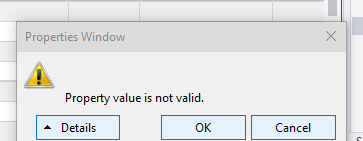
I am able to do it in Client, but not in the calculated table Current Client, Why is this? I get the error….
Cannot sort Name by Id because at least one value in Name has multiple distinct values in Id. For example, you can sort [City] by [Region] because there is only one region for each city, but you cannot sort [Region] by [City] because there are multiple cities for each region…
Well, yes, that’s the very reason I want to sort!!
Solved! Go to Solution.
The cause of the error, as you described.
If there are multiple different values for the same item, it cannot be sorted by the column.
What we can try to do is to modify one item corresponding to one value by concatenate different columns, so that we can use SortByColumn.
Here is a sample, hope it will help you
The cause of the error, as you described.
If there are multiple different values for the same item, it cannot be sorted by the column.
What we can try to do is to modify one item corresponding to one value by concatenate different columns, so that we can use SortByColumn.
Here is a sample, hope it will help you
Share feedback directly with Fabric product managers, participate in targeted research studies and influence the Fabric roadmap.
| User | Count |
|---|---|
| 3 | |
| 2 | |
| 2 | |
| 1 | |
| 1 |
| User | Count |
|---|---|
| 5 | |
| 4 | |
| 3 | |
| 3 | |
| 2 |