Join us at FabCon Atlanta from March 16 - 20, 2026, for the ultimate Fabric, Power BI, AI and SQL community-led event. Save $200 with code FABCOMM.
Register now!Vote for your favorite vizzies from the Power BI Dataviz World Championship submissions. Vote now!
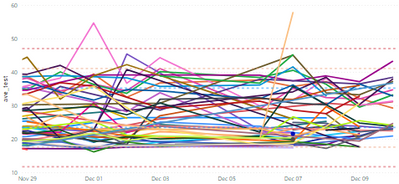
I would like to only visually show the top N results of this visual:
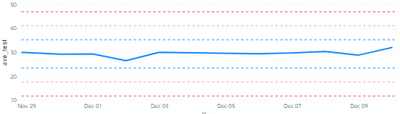
to look more like this:
I can't use the top N filter because the dotted lines are dynamic and will change when the top N filter is used.
Is there a way to show a few legend values without filtering the data?
Solved! Go to Solution.
Hi @Anonymous ,
I think you use Min line, Max line,Average line, Median line in Analytics. They are dynamic based on data in your visual. If you filter your data by Top N function, they will change. Here I suggest you to create measures to calculate the value you need with All function and then use Y-Axis Constant Line in Analytics.
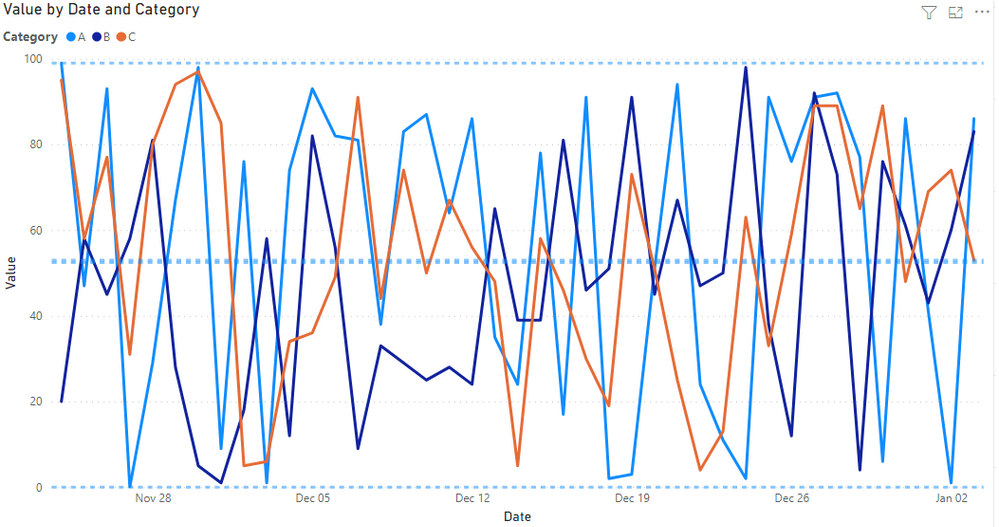
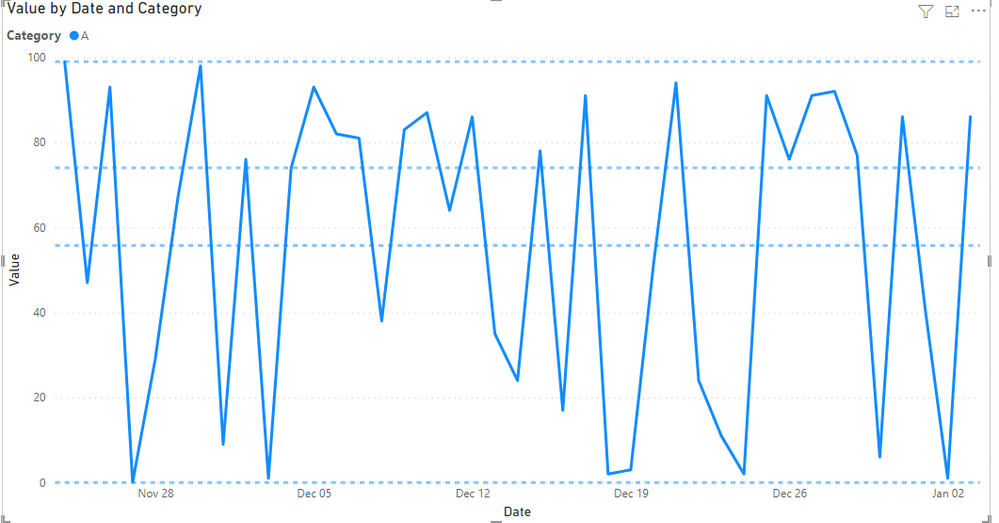
Here is my test.
They are dynamic when I use Top N.
Create measures as below.
Avg = AVERAGEX(ALL(Sheet20),Sheet20[Value])Max = MAXX(ALL(Sheet20),Sheet20[Value])
...
Best Regards,
Rico Zhou
If this post helps, then please consider Accept it as the solution to help the other members find it more quickly.
Hi @Anonymous ,
I think you use Min line, Max line,Average line, Median line in Analytics. They are dynamic based on data in your visual. If you filter your data by Top N function, they will change. Here I suggest you to create measures to calculate the value you need with All function and then use Y-Axis Constant Line in Analytics.
Here is my test.
They are dynamic when I use Top N.
Create measures as below.
Avg = AVERAGEX(ALL(Sheet20),Sheet20[Value])Max = MAXX(ALL(Sheet20),Sheet20[Value])
...
Best Regards,
Rico Zhou
If this post helps, then please consider Accept it as the solution to help the other members find it more quickly.
What is your definition of "top N" for this scenario? A max value, largest average, something else? Is that something that needs to be calculated via a measure or can it be done via calculated column?
Vote for your favorite vizzies from the Power BI World Championship submissions!
If you love stickers, then you will definitely want to check out our Community Sticker Challenge!
Check out the January 2026 Power BI update to learn about new features.
| User | Count |
|---|---|
| 3 | |
| 2 | |
| 1 | |
| 1 | |
| 1 |
| User | Count |
|---|---|
| 4 | |
| 3 | |
| 3 | |
| 2 | |
| 2 |