This is best Fabric, Power BI, SQL and AI community event. How do we know? The last event sold out! Save €200 with code FABCMTY200.
Register nowJuly 28 - August 9 | Final Round of the Power BI Dataviz World Championships. This is your chance. Learn more
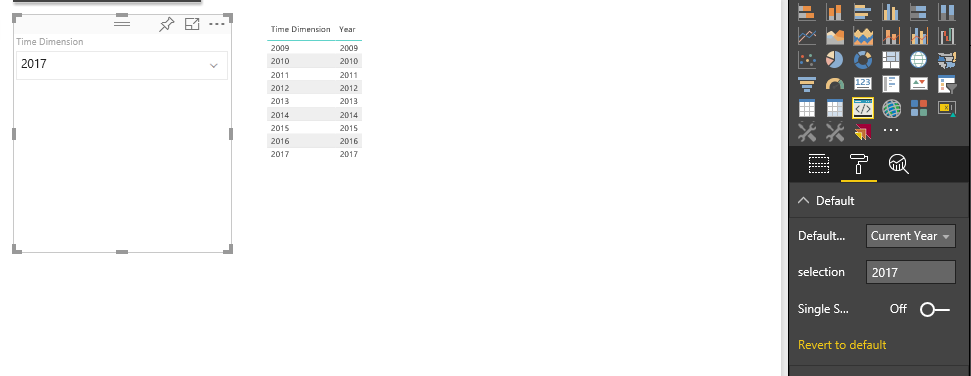
I have created a custom slicer which is getting default value from the options, like if you select current year from the options it will set Current year as Slicer default value and filter the data with that option.
Slicer works perfectly fine in Google Chrome but in IE there is an issue in selection manager.
When selection occurs, I can see the value of selection in my code while debugging but it does not apply the filter and it does not show filtered data in other tables and if I change other slicer’s value or refresh the data then value appears in my slicer and it filters the data in all other visuals. So it does not get applied on first time.
I am using this code to apply the filter:
this.selectionManager.select(this.selectionIds[value.toString()],true).then((ids: ISelectionId[]) => {
$(".Dropdown li input[type=checkbox][data-value='" + value.toString() + "']").prop('checked', true);
});
this.selectionManager.applySelectionFilter();
Any help regarding this will be appreciated, really need this to be working!!
Could you please share the complete visual project? I'll do a quick test.
You could also send an email to [email protected].
Join us in Barcelona for FabCon and SQLCon, the Fabric, Power BI, SQL, and AI community event. Save €200 with code FABCMTY200.
If you love stickers, then you will definitely want to check out our community sticker challenge, Barcelona edition!
Check out the July 2026 Power BI update to learn about new features.
| User | Count |
|---|---|
| 2 | |
| 1 | |
| 1 | |
| 1 | |
| 1 |
| User | Count |
|---|---|
| 4 | |
| 2 | |
| 1 | |
| 1 | |
| 1 |