Join us at FabCon Atlanta from March 16 - 20, 2026, for the ultimate Fabric, Power BI, AI and SQL community-led event. Save $200 with code FABCOMM.
Register now!Learn from the best! Meet the four finalists headed to the FINALS of the Power BI Dataviz World Championships! Register now
Hello there,
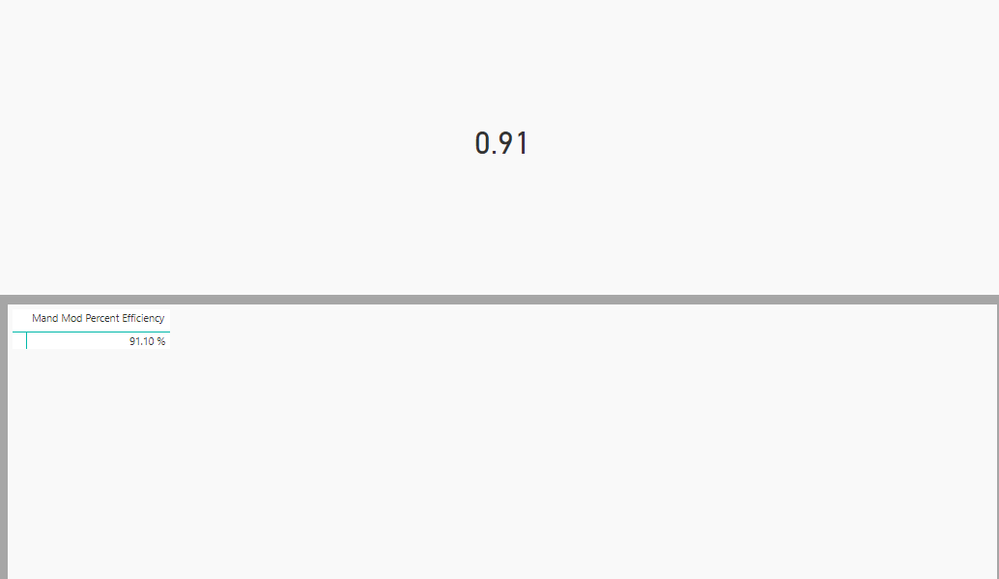
I am using SSAS live connection to test my visual. I am showing value that I get from options.dataViews[0].table on d3 element. The measure that I am trying to show is formatted as percentage in cube. But in custom visual I am getting data in fractions. See below screen shot.
In show data it shows correct value but in dataview it gives me value in fractions. How do I get SSAS formatting info in custom visual?
Solved! Go to Solution.
Check if the following post helps.
https://community.powerbi.com/t5/Developer/Number-Formatting-Function/m-p/144288#M4954
Check if the following post helps.
https://community.powerbi.com/t5/Developer/Number-Formatting-Function/m-p/144288#M4954
Share feedback directly with Fabric product managers, participate in targeted research studies and influence the Fabric roadmap.
Check out the February 2026 Power BI update to learn about new features.
| User | Count |
|---|---|
| 3 | |
| 2 | |
| 2 | |
| 2 | |
| 1 |
| User | Count |
|---|---|
| 3 | |
| 3 | |
| 3 | |
| 3 | |
| 2 |