@shwetak wrote:
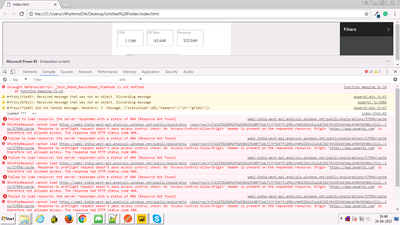
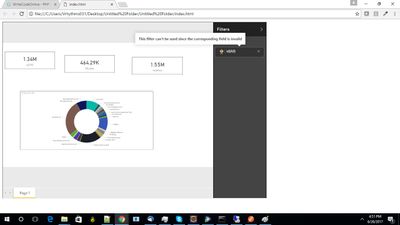
I have published report & embedded it in my HTML snippet. which works fine at the initial level. data loads perfectly. Getting issue when trying to apply filters on it.
Below is my code,
<script>
		var txtAccessToken = 'eyJrIjoiOTQ2OWMzMTgtODdlMi00YTlmLTljYjUtYTc2MDcxYmM2ZDUxIiwidCI6IjhhZDJkNjdmLWY4NjQtNDkzZi1iN2I5LWI2ODEzODU0N2JlMSJ9';
		var txtEmbedUrl = 'https://app.powerbi.com/view?r=eyJrIjoiOTQ2OWMzMTgtODdlMi00YTlmLTljYjUtYTc2MDcxYmM2ZDUxIiwidCI6IjhhZDJkNjdmLWY4NjQtNDkzZi1iN2I5LWI2ODEzODU0N2JlMSJ9';
		var txtEmbedReportId = 'ae9dba68-2335-47e5-bd25-f733d76803bc';

		var models = window['powerbi-client'].models;
		var permissions = models.Permissions.All;

		var config= {
			type: 'report',
			accessToken: txtAccessToken,
			embedUrl: txtEmbedUrl,
			id: txtEmbedReportId,
			permissions: permissions,
			settings: {
				filterPaneEnabled: true,
				navContentPaneEnabled: true
			}
		};


		var reportContainer = $('#reportContainer')[0];
		var report = powerbi.embed(reportContainer, config);

		 const filter = {
			  $schema: "http://powerbi.com/product/schema#basic",
			  target: {
				table: "Query1",
				column: "id"
			  },
			  operator: "In",
			  values: [80]
		};
		var reports = powerbi.embeds[0];
            if (reports) {
                reports.setFilters([filter])
                    .then(function (result) {
                        console.log(result);
                    })
                    .catch(function (errors) {
                        console.log(errors);
                    });
            }
 </script>
Thanks in Advance, Let me know what I am missing.
@shwetak
What's going on if put the filter in the embed option.
 const filter = {
			  $schema: "http://powerbi.com/product/schema#basic",
			  target: {
		     table: "Query1",
				column: "id"
			  },
			  operator: "In",
			  values: [80]
		};

		var config= {
			type: 'report',
			accessToken: txtAccessToken,
			embedUrl: txtEmbedUrl,
			id: txtEmbedReportId,
			permissions: permissions,
                        filters:[filter],
			settings: {
				filterPaneEnabled: true,
				navContentPaneEnabled: true
			}
		};


		var reportContainer = $('#reportContainer')[0];
		var report = powerbi.embed(reportContainer, config);
Also note that the table name/column name are case sensitive.