Don't miss your chance to take the Fabric Data Engineer (DP-600) exam for FREE! Find out how by attending the DP-600 session on April 23rd (pacific time), live or on-demand.
Learn moreNext up in the FabCon + SQLCon recap series: The roadmap for Microsoft SQL and Maximizing Developer experiences in Fabric. All sessions are available on-demand after the live show. Register now
I have some in-house developed Self-Hostted REST APIs that are running on-prem. They can return data via GET and POST requests, and they support https, azure active directory authentication, and anonymous authentication. I would like to have a PowerBI dashboard that gets data from these REST APIs and puts it on the dashboard.
I know that PowerBI.Com can access web/cloud based REST services, but my question is: Does PowerBI Gateway support sending requests to an on-prem REST API like it does for an on-prem database via ODBC? I am the developer of the in-house REST APIs, so I can add things if needed (such as key based authentication), but I cannot find online if the gateway supports this or how to set it up. The only option that is off the table for this endeavor is that I cannot put the in-house developed REST APIs in the cloud, they must be run on-prem.
Any help is greatly appreciated. Thanks!
Solved! Go to Solution.
Hi @TareBear ,
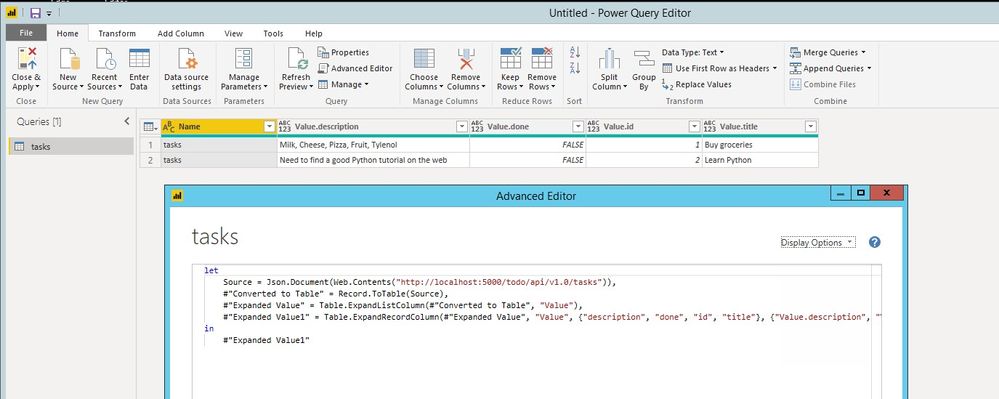
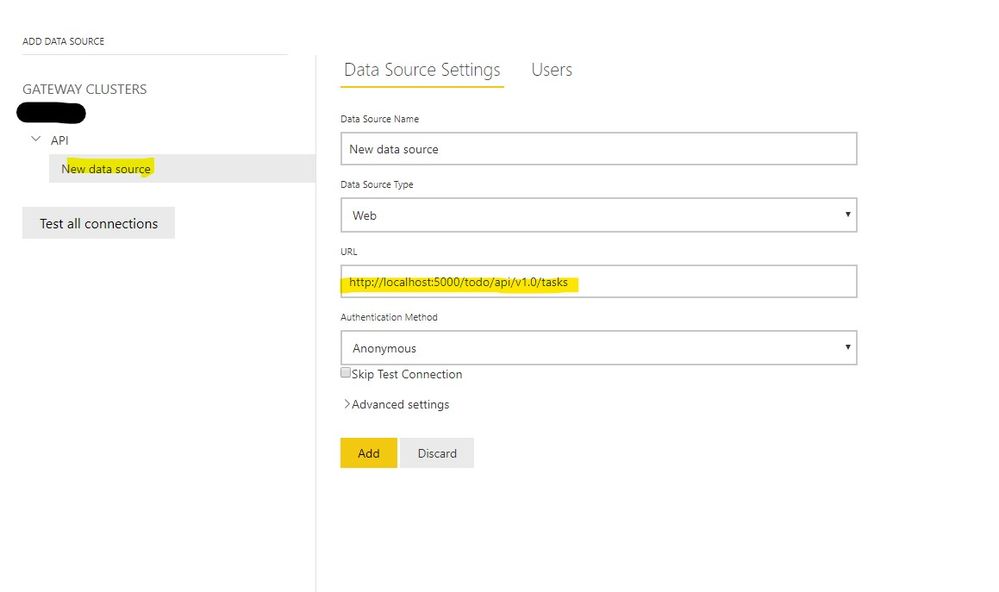
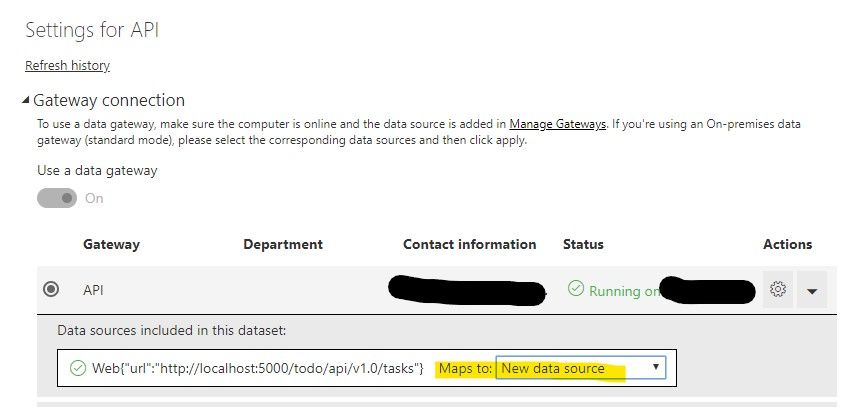
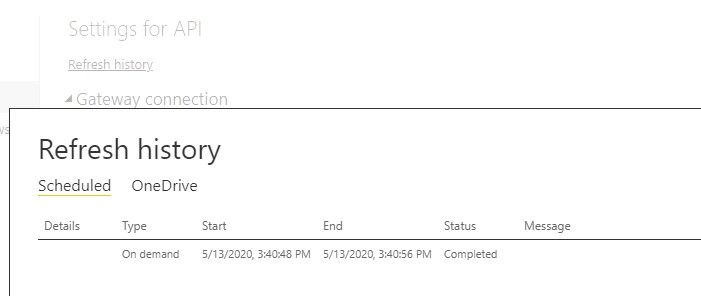
If you are using Web.Contents to connect the restful, we can just add the datasource to the gateway in manage gateway, then map source to it in settings of dataset:
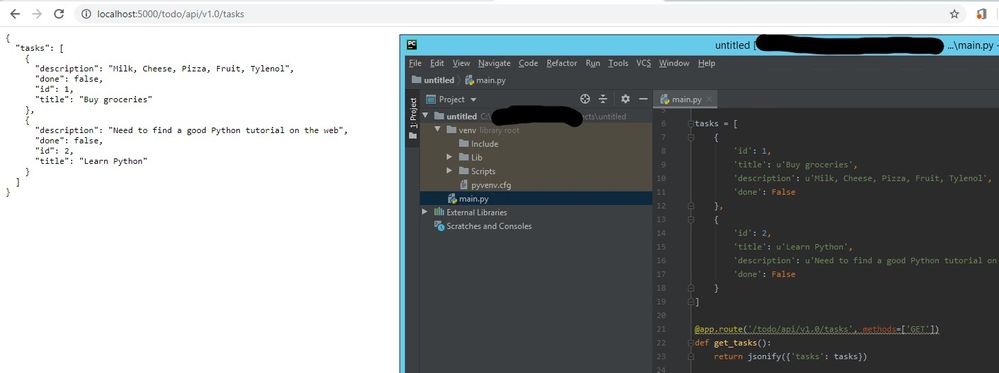
As you can see in the above sample, the api server is on-premises, when we map dataset to the source of gateway, it will connecting by the gateway, make sure the machine which install the gateway can access the server by the source address.
If you are using other connector such as custom ODBC connector, it may need some additional setting, please refer to this document: https://docs.microsoft.com/en-us/power-bi/service-gateway-custom-connectors
Best regards,
Hi @TareBear ,
If you are using Web.Contents to connect the restful, we can just add the datasource to the gateway in manage gateway, then map source to it in settings of dataset:
As you can see in the above sample, the api server is on-premises, when we map dataset to the source of gateway, it will connecting by the gateway, make sure the machine which install the gateway can access the server by the source address.
If you are using other connector such as custom ODBC connector, it may need some additional setting, please refer to this document: https://docs.microsoft.com/en-us/power-bi/service-gateway-custom-connectors
Best regards,
If you have recently started exploring Fabric, we'd love to hear how it's going. Your feedback can help with product improvements.
A new Power BI DataViz World Championship is coming this June! Don't miss out on submitting your entry.
Experience the highlights from FabCon & SQLCon, available live and on-demand starting April 14th.
| User | Count |
|---|---|
| 1 | |
| 1 | |
| 1 | |
| 1 | |
| 1 |
| User | Count |
|---|---|
| 8 | |
| 8 | |
| 4 | |
| 3 | |
| 2 |