cancel
Showing results for 
Search instead for 
Did you mean: 

The Power BI Data Visualization World Championships is back! It's time to submit your entry. Live now!

Reply
Anonymous
Not applicable

Tabular editor

I'm trying to open a .pbit file in tabular editor but an error has been shown , tabular editor will still in read-only model .

If anyone has a solution to this problem 

1 ACCEPTED SOLUTION
v-lid-msft
Community Support
Community Support

Hi @Anonymous ,


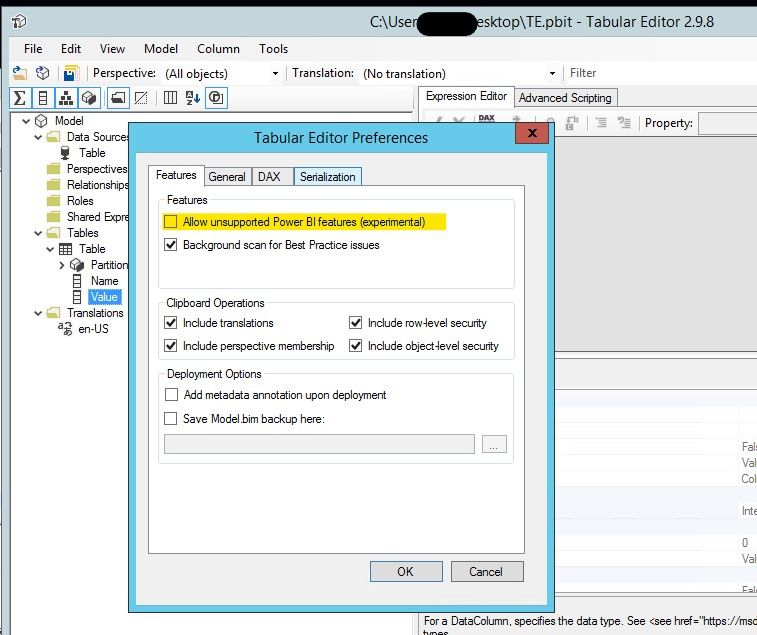
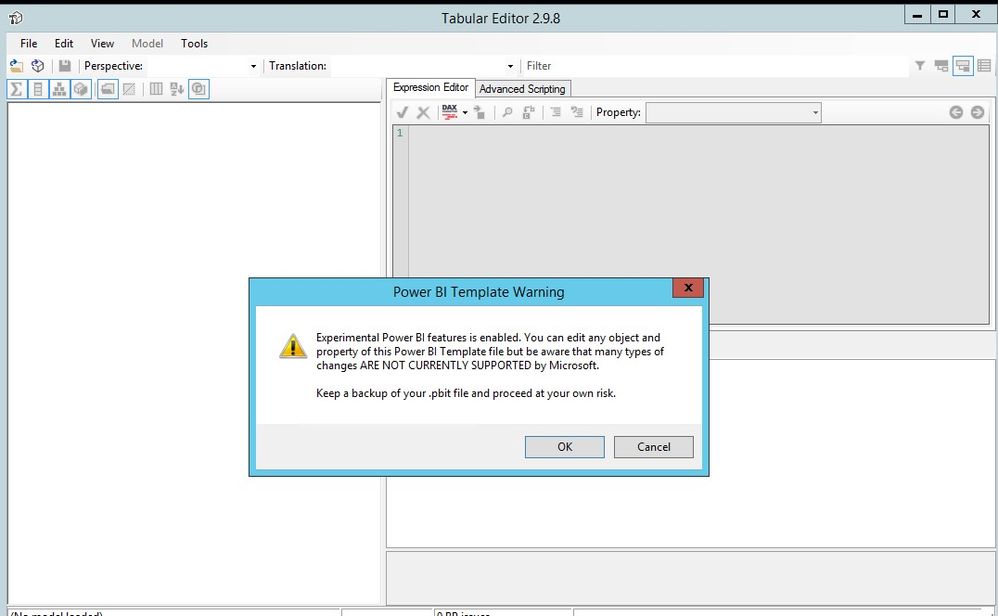
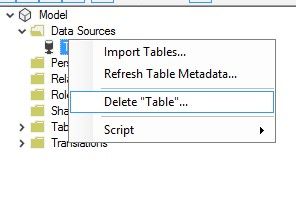
Please try to open the "allow unsupported Power BI feature" in "file" - "performance", then restart the Editor and open the pbit file again:


13.jpg14.jpg15.jpg16.jpg


Best regards,


Community Support Team _ Dong Li
If this post helps, then please consider Accept it as the solution to help the other members find it more quickly.

View solution in original post

2 REPLIES 2
v-lid-msft
Community Support
Community Support

Hi @Anonymous ,


Please try to open the "allow unsupported Power BI feature" in "file" - "performance", then restart the Editor and open the pbit file again:


13.jpg14.jpg15.jpg16.jpg


Best regards,


Community Support Team _ Dong Li
If this post helps, then please consider Accept it as the solution to help the other members find it more quickly.
Anonymous
Not applicable

Thanks . It works

Helpful resources

Announcements
December 2025 Power BI Update Carousel

Power BI Monthly Update - December 2025

Check out the December 2025 Power BI Holiday Recap!

FabCon Atlanta 2026 carousel

FabCon Atlanta 2026

Join us at FabCon Atlanta, March 16-20, for the ultimate Fabric, Power BI, AI and SQL community-led event. Save $200 with code FABCOMM.